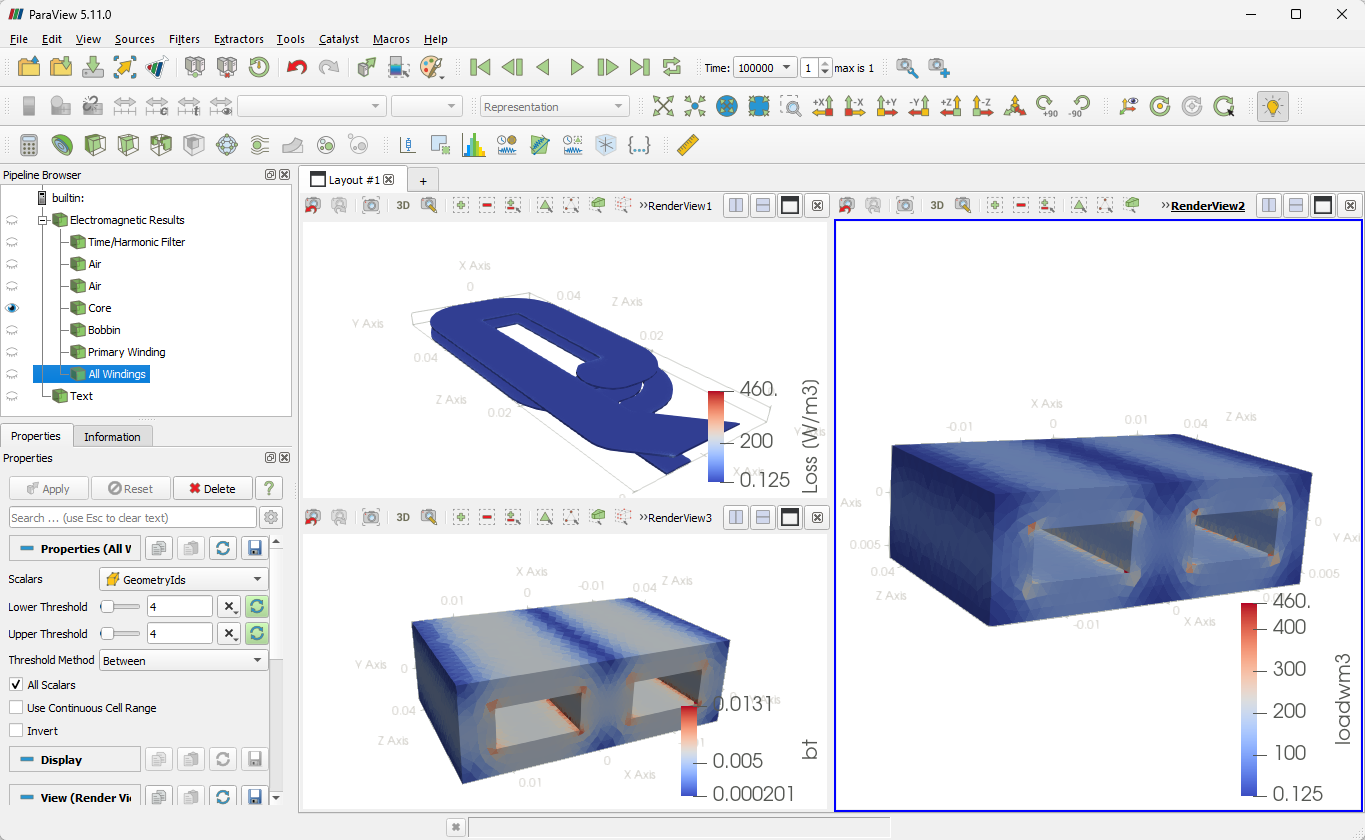
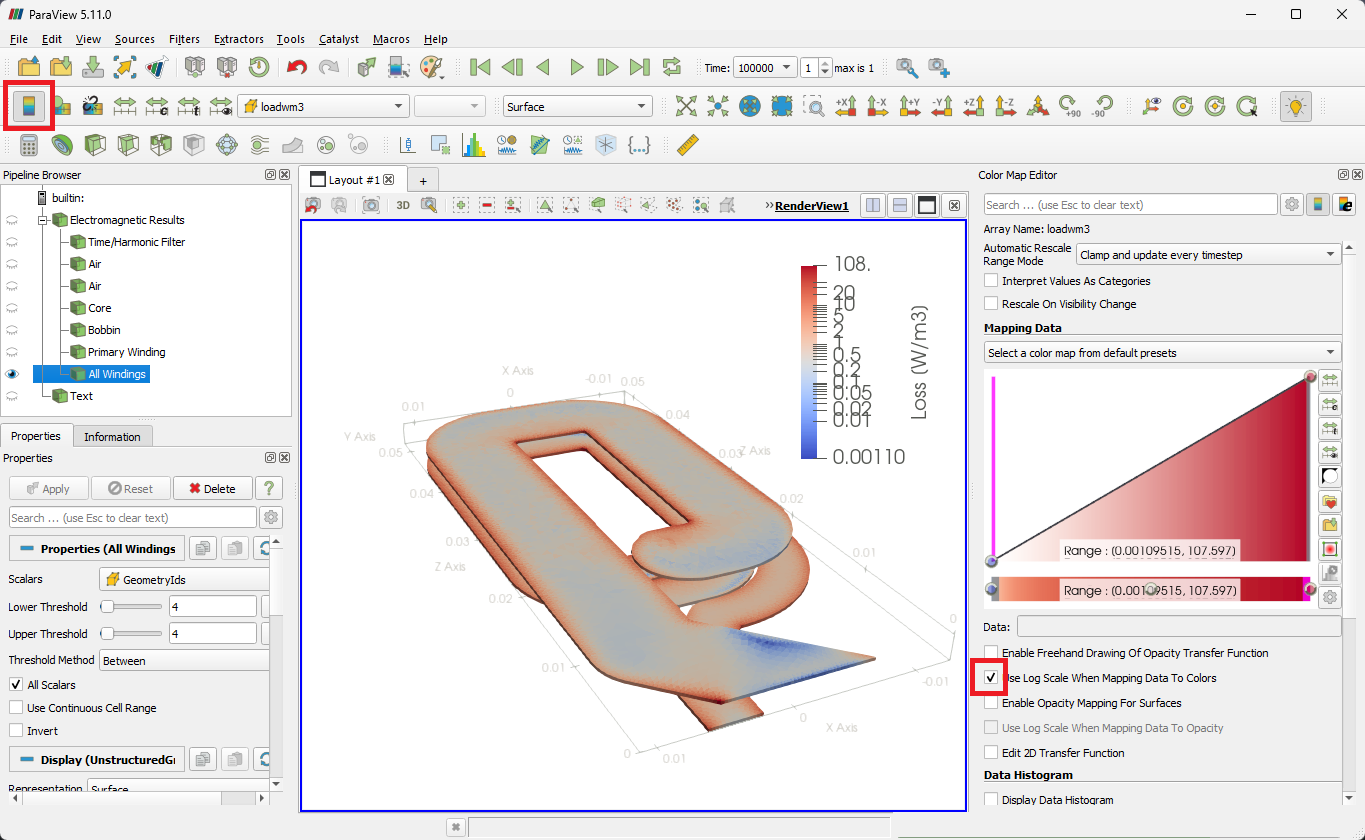
Planar Inductor
A planar inductor whose two-layer PCB winding is imported from CAD into an E core: an inductance sweep at 5 and 50 kHz with the copper traces meshed as solids, so skin and proximity effects are part of the result.
- Component: E core in Ferroxcube 3C90, no gap; two copper layers on a 1.6 mm FR4 board.
- Simulation: Inductance, frequency sweep at 5 and 50 kHz with 1 V RMS on the winding (Without Circuits); full model.
- Winding model: Massive (solid).
- You get: inductance, AC resistance, Q factor, capacitance, core and copper loss per frequency.
- Files: the winding, coil1.iges, in the CAD folder of the example project.
- In TRAFOLO: Welcome screen › Examples › Planar Inductor is this model with its results.
- Run time: about 4 min on 8 CPU cores.
Model description
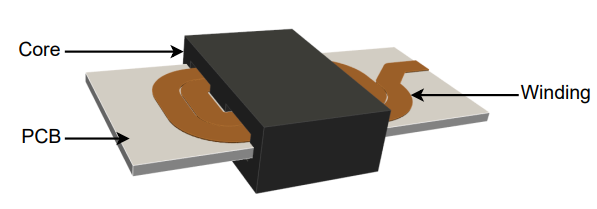
The winding is the copper of a planar inductor design: two layers on the board, joined by a via. Two E core halves enclose the board around the winding.
Modelling instructions
Setup
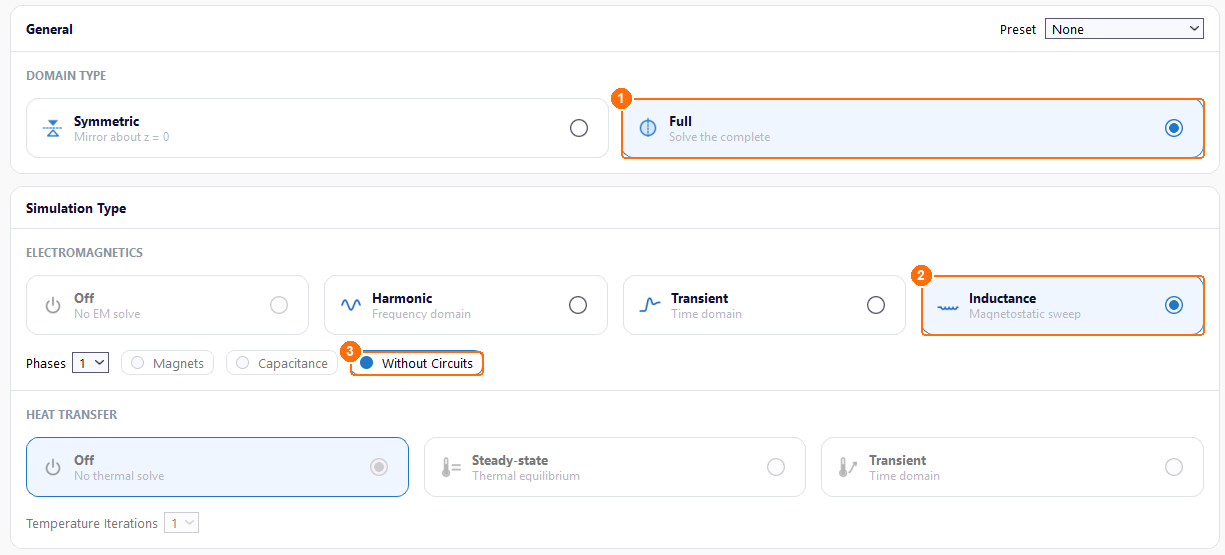
- Under DOMAIN TYPE, select Full: the winding is not symmetric about z = 0.
- Under ELECTROMAGNETICS, select Inductance.
- Tick Without Circuits. TRAFOLO then applies the voltage directly to the winding terminals, and HEAT TRANSFER stays Off.
Materials
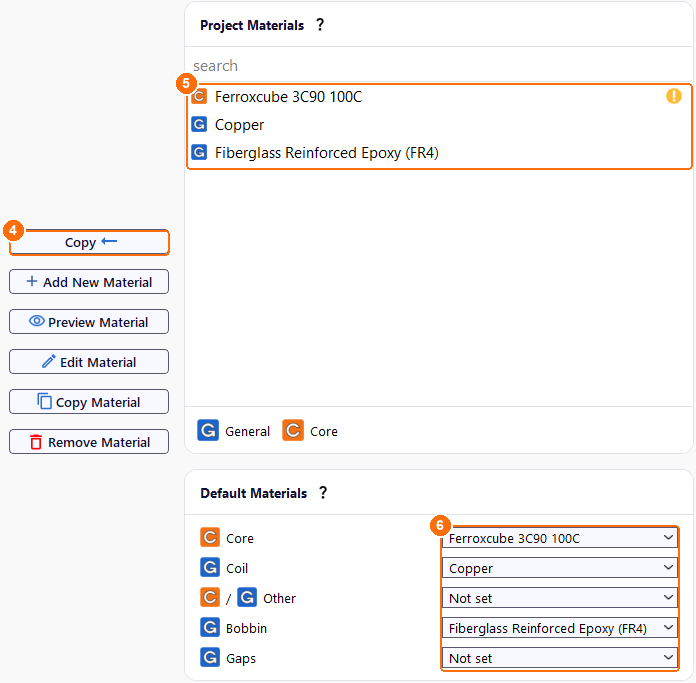
- Under Global Materials, select Ferroxcube 3C90 100C and click Copy.
- Copy Copper and Fiberglass Reinforced Epoxy (FR4) the same way. All three appear under Project Materials.
- Under Default Materials, set the material of each component:
| Core | Coil | Other | Bobbin | Gaps |
|---|---|---|---|---|
| Ferroxcube 3C90 100C | Copper | Not set | Fiberglass Reinforced Epoxy (FR4) | Not set |
Core
- On Core, click New Group. Group1core appears.
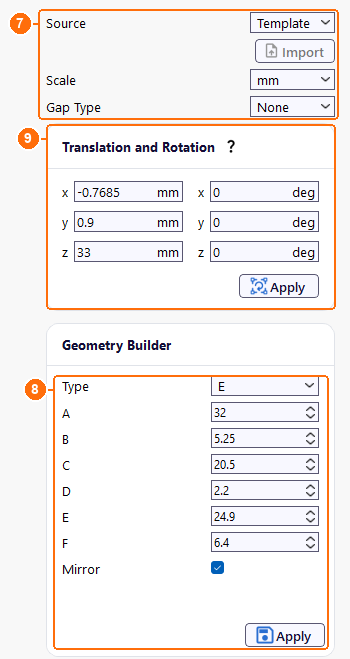
- Click Configure next to Group1core.
- Set Source to Template, Scale to mm and Gap Type to None.
-
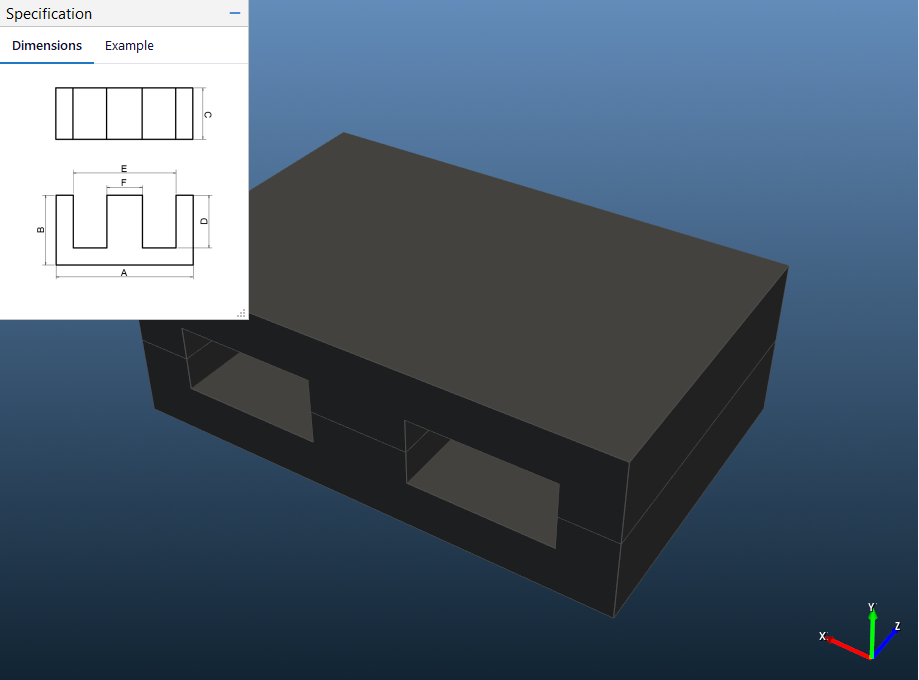
In Geometry Builder, set Type to E, enter the dimensions in mm, keep Mirror ticked and click Apply:
A B C D E F 32 5.25 20.5 2.2 24.9 6.4 -
Under Translation and Rotation, set x to −0.7685, y to 0.9 and z to 33 mm and click Apply. This places the core over the imported winding.
Coil
- On Coil, click New Group. Group1coil appears.
-
Click Configure next to Group1coil.
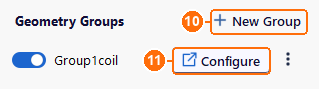
Coil tab: New Group (10), Configure (11). -
Set Source to CAD and click Import.
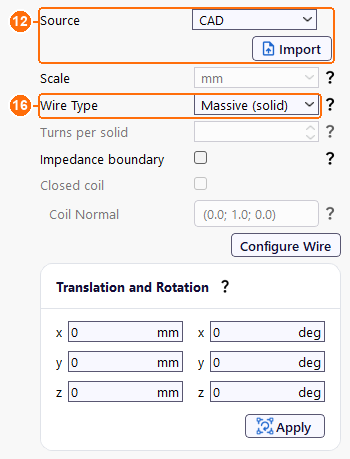
Group1coil: Source CAD and Import (12), Wire Type Massive (solid) (16). -
In Import CAD geometry, click Import and open coil1.iges from the CAD folder of the Planar Inductor example. Keep Scale mm, set Geometry Handling Algorithm to Unmodified and click Ok.
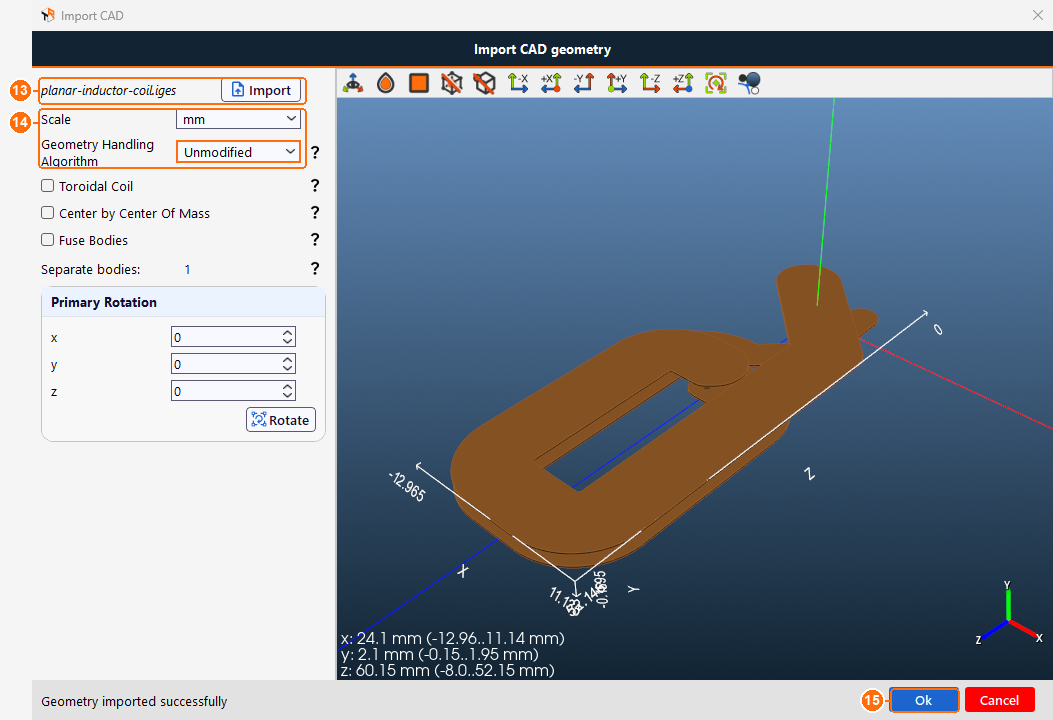
Import CAD geometry: Import the file (13), Scale and Geometry Handling Algorithm (14), Ok (15). -
Set Wire Type to Massive (solid).
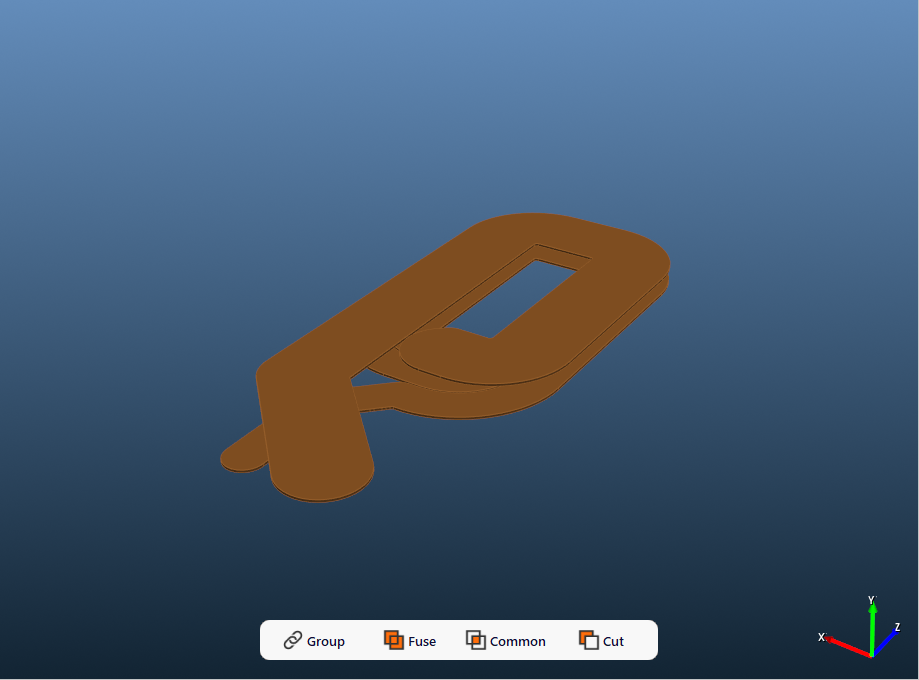
Bobbin
The bobbin is the PCB.
- On Bobbin, click New Group. Group1bobbin appears.
- Click Configure next to Group1bobbin.
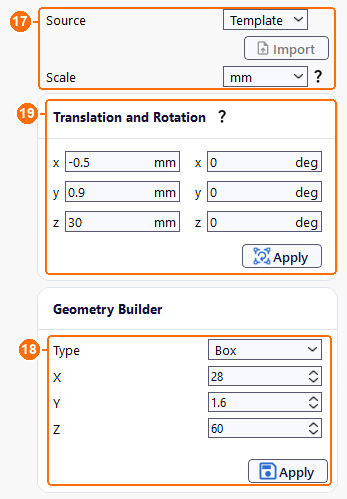
- Set Source to Template and Scale to mm.
- In Geometry Builder, set Type to Box with X 28, Y 1.6 and Z 60 mm, and click Apply.
- Under Translation and Rotation, set x to −0.5, y to 0.9 and z to 30 mm and click Apply.
Assembly
-
Under Air Domain, set Min Z to 0.1 mm, click its lock so that it turns red, and click Apply. The air domain then cuts the winding's two leads, so their ends lie on the boundary and act as terminals.
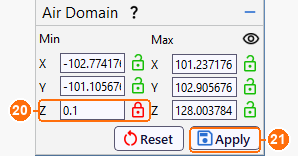
Air Domain: Min Z 0.1 mm, locked (20), then Apply (21). -
Click Assemble Geometry.

Assemble Geometry (22).
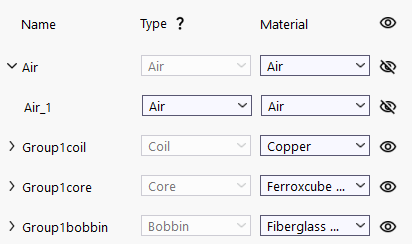
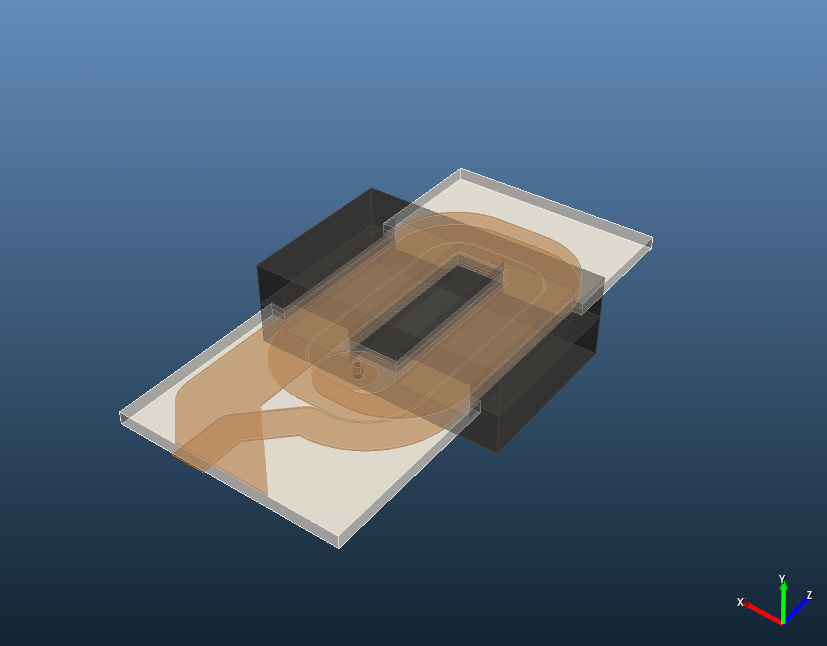
ElMag
-
Under Primary Winding, Excitation is Urms [V] because of Without Circuits. Set Coil group connection type to Series.
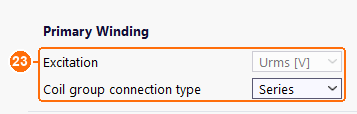
Primary Winding: Urms [V], set by Without Circuits, and Series (23). -
In the coil group table, set Group1coil to Winding Primary and Connection Series.

Coil group (24): Group1coil, Primary, Series.
There is no Circuits tab: Without Circuits removes it.
Waveform
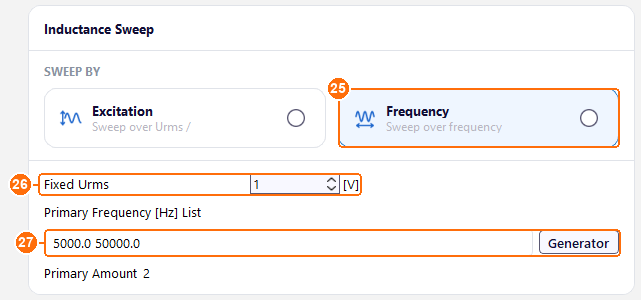
- Under SWEEP BY, select Frequency.
- Set Fixed Urms to 1 V.
- In Primary Frequency [Hz] List, enter 5000.0 50000.0.
Heat
-
Under GLOBAL SETTINGS, set Steady-State Temperature to 80 °C. Without a thermal solve it still sets the temperature of the materials, for example the copper conductivity.
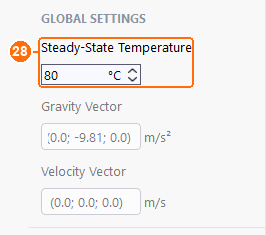
Steady-State Temperature 80 °C (28).
Mesh
-
Under GLOBAL SETTINGS, set Mesh Algorithm to Netgen and Mesh Refinement to Coarse.
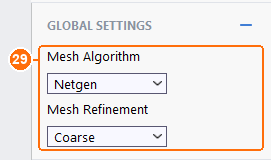
Mesh Algorithm Netgen and Mesh Refinement Coarse (29). -
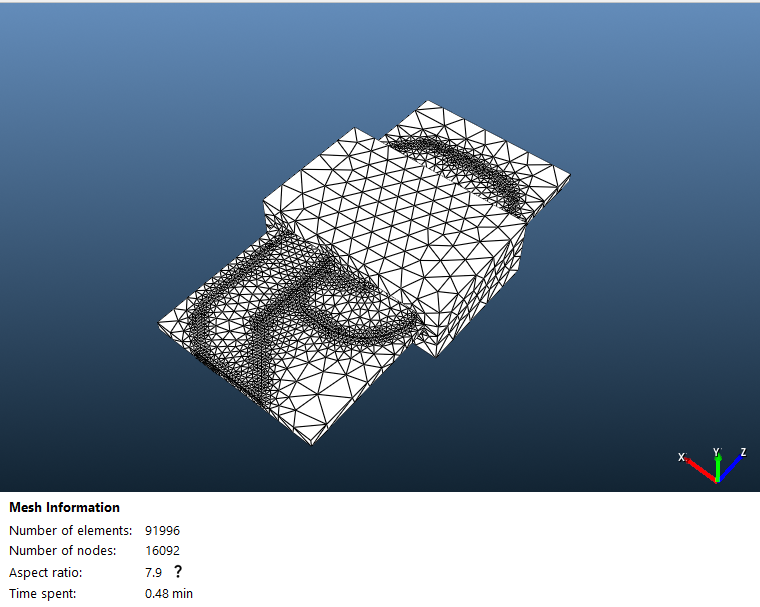
Click Compute Mesh. TRAFOLO sizes the elements itself, 0.5 mm on the copper; the mesh has about 92,000 elements.

Compute Mesh (30).
Solve
- Set Parallel cores to the number of performance cores of your CPU.
-
Set Solver Preset to Custom and Nonlinear Max Iterations to 20.
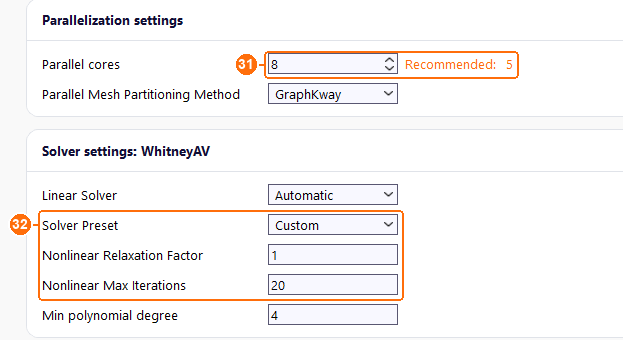
Parallel cores (31); Solver Preset Custom with Nonlinear Max Iterations 20 (32). -
Click Simulation Setup, then Run Simulation.

Simulation Setup, then Run Simulation (33).
Results
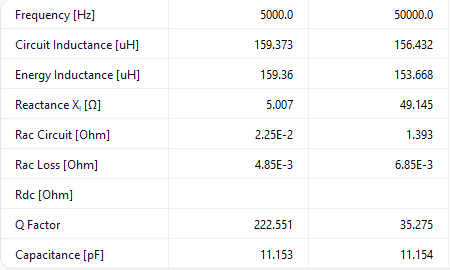
At 1 V RMS (Results › Summary and Inductance):
| Frequency (kHz) | Circuit Inductance (µH) | Energy Inductance (µH) | Rac Loss (mΩ) | Coil loss (mW) | Core loss (mW) |
|---|---|---|---|---|---|
| 5 | 159.4 | 159.4 | 4.85 | 0.193 | 1.04 |
| 50 | 156.4 | 153.7 | 6.85 | 0.0028 | 0.516 |
The capacitance of the winding is 11.2 pF.
Circuit or Energy Inductance
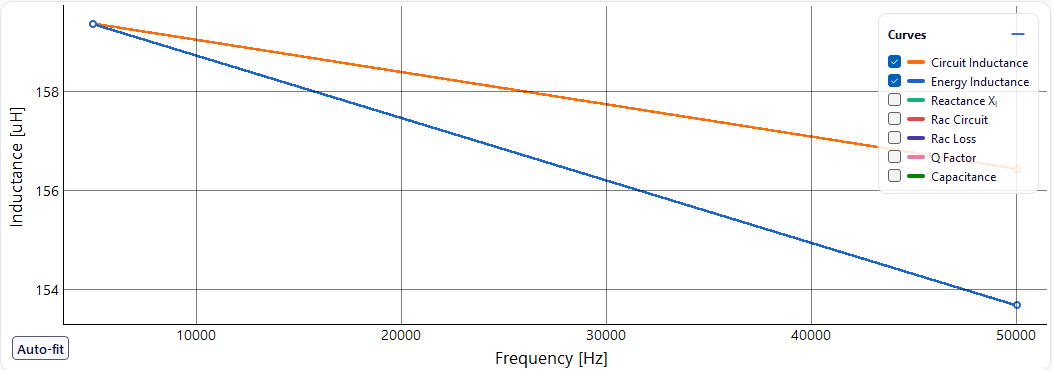
Circuit Inductance comes from the voltage and current at the winding's terminals, L = Im(V/I)/(2πf): the inductance the circuit sees. Energy Inductance comes from the magnetic energy W stored in the whole model, L = 2W/I². Both describe the same inductance and agree in a converged solution; a difference of more than a few percent points to a convergence or mesh problem. Which one to trust depends on the model:
- Circuit Inductance with a saturating core or with several windings carrying current: the energy integral then needs a fully converged nonlinear field, and the stored energy belongs to all the currents together.
- Energy Inductance with one winding, a linear core and the current crowded into a layer thinner than the elements: the energy, integrated over the whole field, is less sensitive to that than the terminal current.
Here the two agree at 5 kHz. At 50 kHz the circuit value is 1.8 % higher. The skin depth in copper is then about 0.3 mm, finer than the 0.5 mm elements on the traces, and the current crowds to the trace edges (loss density picture below), so the terminal current is computed slightly less accurately than the stored energy. With one winding and the core below saturation, Energy Inductance, 153.7 µH, is the better value at 50 kHz; a 1.8 % difference is small for design.
Losses and Q
At the fixed 1 V, the current falls from 0.20 A at 5 kHz to 0.020 A at 50 kHz as the reactance rises from 5.0 to 49 Ω, so both losses fall. Skin and proximity effects raise the winding's AC resistance (Rac Loss) by 41 %. The core causes 84 % of the loss at 5 kHz and 99 % at 50 kHz: the 3C90 ferrite, not the copper, limits Q.
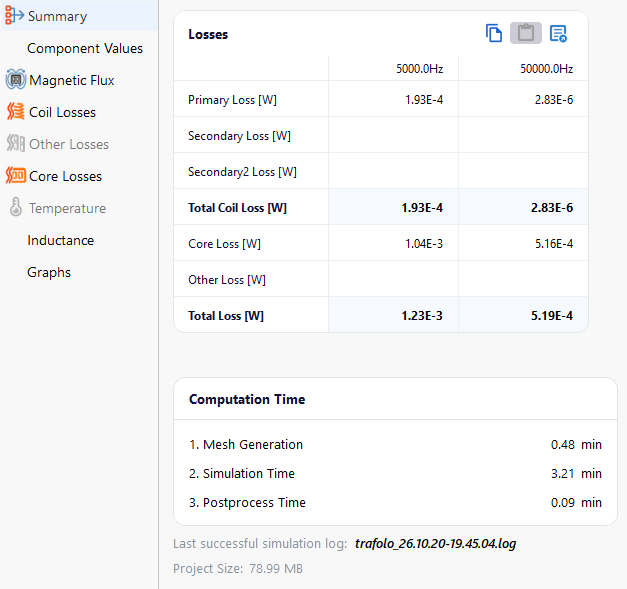
Q = 2πf·L/R, with L the Energy Inductance and R = (coil loss + core loss)/I², is 162 at 5 kHz and 38 at 50 kHz. Q Factor in Results shows 223 and 35 because it divides the reactance by Rac Circuit, the real part of V/I: 22 mΩ at 5 kHz and 1.4 Ω at 50 kHz. Rac Circuit holds every loss of the field solution, the core's included, so it is about 5 and 200 times the winding's Rac Loss. The core loss inside the field solution, 0.70 mW at 5 kHz and 0.58 mW at 50 kHz, differs from the Summary's Core Loss, 1.04 and 0.52 mW, which the core-loss model computes after the solve. Use the losses for Q: they are the values the rest of the results use.
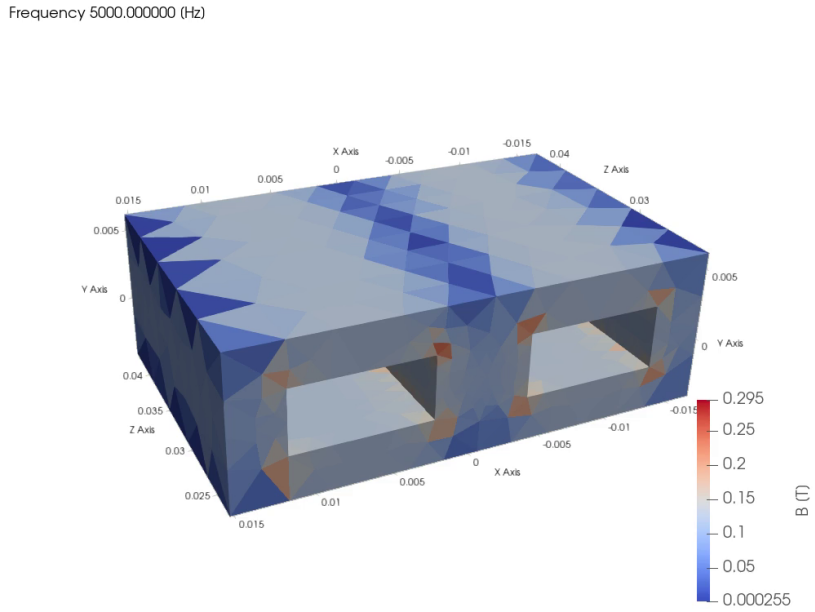
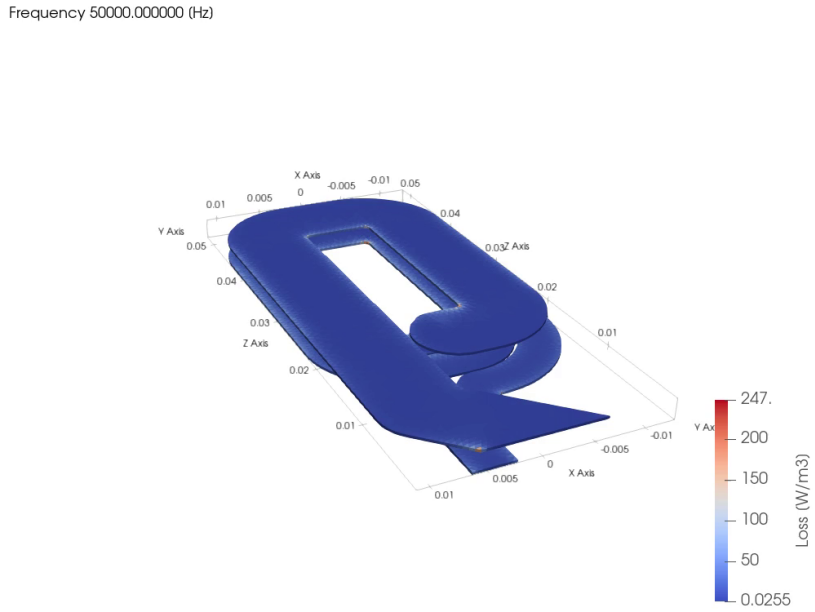
The example ships with these views but without 3D field data: run it before Open in ParaView (ParaView (post-processing).