3-Phase Choke with Heat Transfer
A three-phase gapped choke with foil windings and aluminium brackets: losses at 500 Hz plus a 10 kHz harmonic, and the steady-state temperature with a heat sink under the core.
- Component: three-limb core of M300-35A laminations with five gaps per limb; three aluminium foil windings of 15 turns; aluminium brackets; PET spacers.
- Simulation: Harmonic, 3 phases, 100 A RMS at 500 Hz plus 5 A RMS at 10 kHz, with Steady-state heat transfer; half model (Symmetric).
- Winding model: Foil with Rac/Rdc coefficient.
- You get: losses in the windings, core and brackets per frequency, and the temperature field.
- Files: none.
- In TRAFOLO: Welcome screen › Examples › 3 Phase Heat Transfer is this model with its results.
- Run time: about 9 min on 8 CPU cores.
Model description
Aluminium brackets hold the core; they lie in the fringing field of the gaps. PET spacers sit between core and windings. A heat sink under the core is modelled as a convection boundary with a higher heat transfer coefficient.
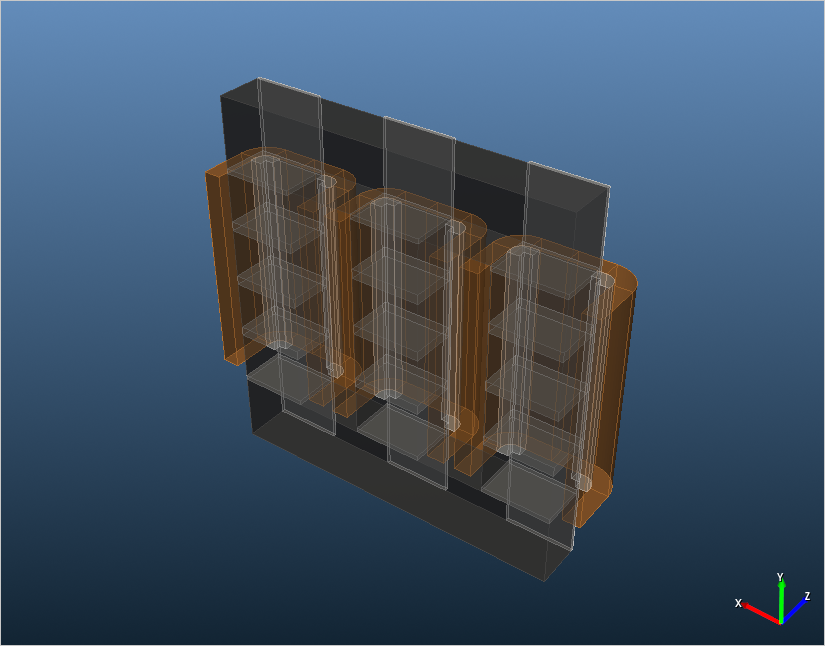
Video (35 min): full analysis of a three-phase choke with a gapped electrical steel core, foil windings and brackets (recorded in an earlier TRAFOLO version).
Modelling instructions
Setup
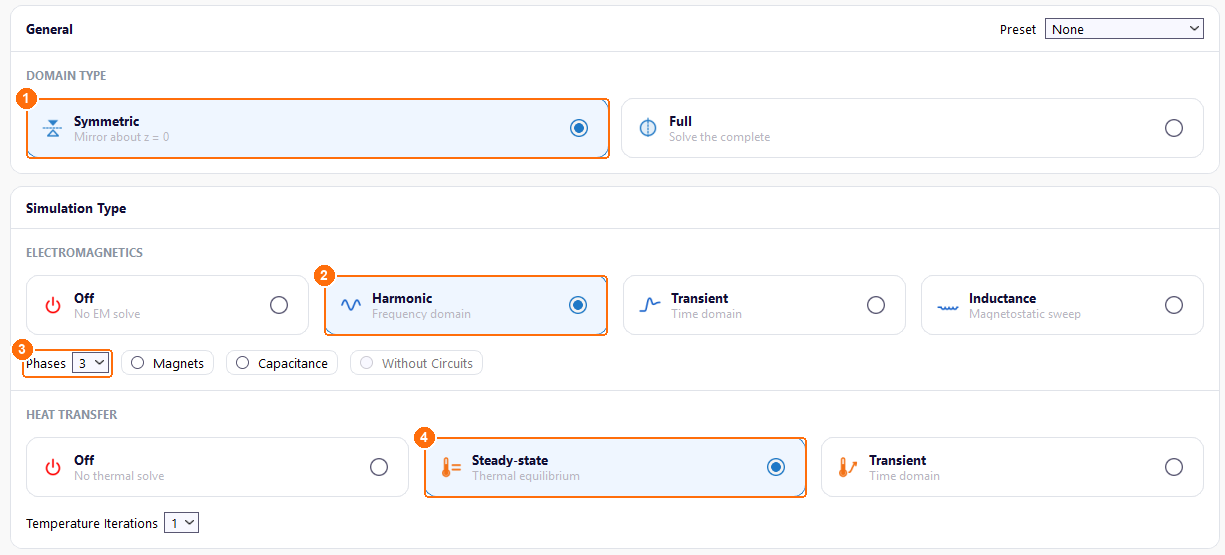
- Under DOMAIN TYPE, select Symmetric. TRAFOLO models the half above z = 0 and scales the results to the whole choke.
- Under ELECTROMAGNETICS, select Harmonic: the base frequency and its harmonic are solved one after the other.
- Set Phases to 3.
- Under HEAT TRANSFER, select Steady-state.
Materials
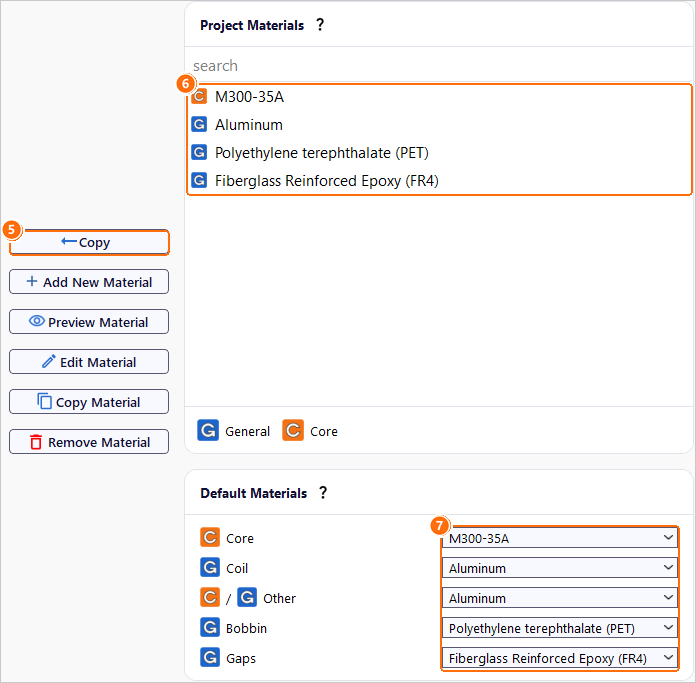
- Under Global Materials, select M300-35A and click Copy.
- Copy Aluminum, Polyethylene terephthalate (PET) and Fiberglass Reinforced Epoxy (FR4) the same way. All four appear under Project Materials.
- Under Default Materials, set the material of each component:
| Core | Coil | Other | Bobbin | Gaps |
|---|---|---|---|---|
| M300-35A | Aluminum | Aluminum | Polyethylene terephthalate (PET) | Fiberglass Reinforced Epoxy (FR4) |
Core
- On Core, click New Group. Group1core appears.
- Click Configure next to Group1core.
- Set Source to Template, Scale to mm and Gap Type to Physical.
-
In Geometry Builder, set Type to Three Limb, enter the dimensions in mm and click Apply:
X1 X2 X3 Y1 Y2 Z r 60 60 60 60 200 80 0 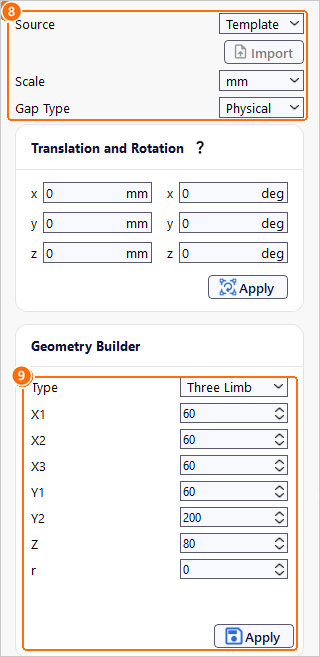
Group1core: Source, Scale and Gap Type (8), Three Limb dimensions and Apply (9). 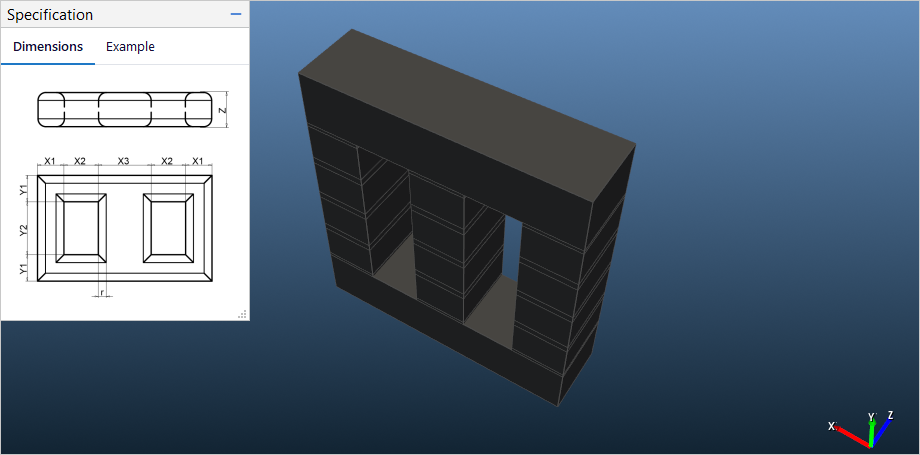
The gapped three-limb core and the meaning of X1 to Z (Specification). -
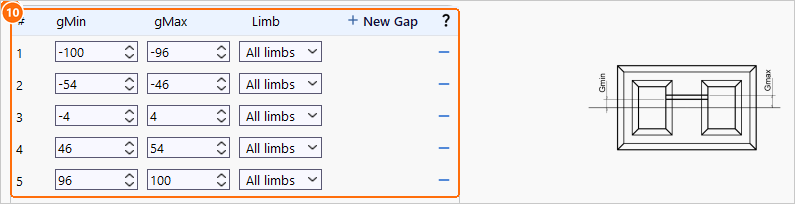
Click New Gap five times and enter the gaps, each with Limb All limbs:
| Gap | 1 | 2 | 3 | 4 | 5 |
| gMin | −100 | −54 | −4 | 46 | 96 |
| gMax | −96 | −46 | 4 | 54 | 100 |
| Gap length (mm) | 4 | 8 | 8 | 8 | 4 |
Coil
- On Coil, click New Group. Group1coil appears.
-
Click Configure next to Group1coil.
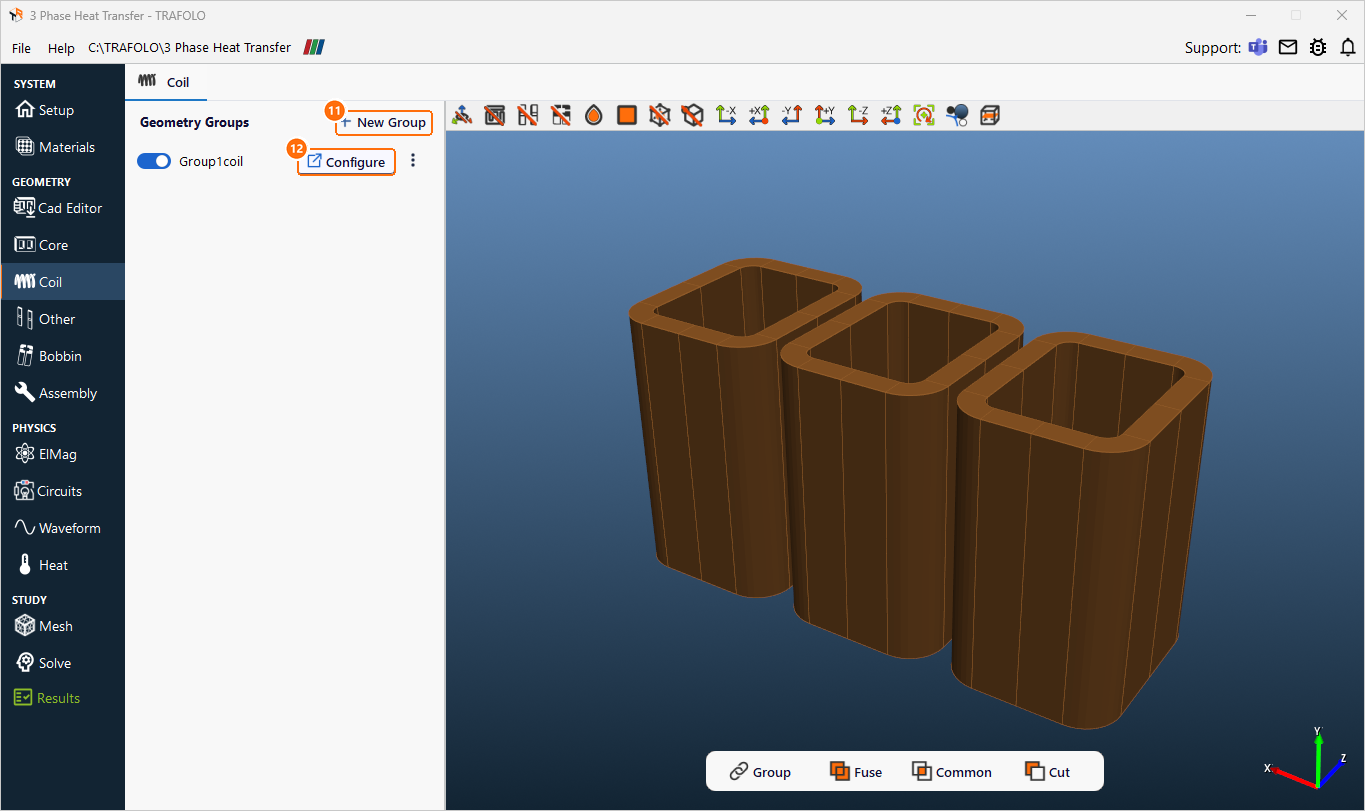
Coil tab: New Group (11), Configure (12). -
Set Source to Template, Scale to mm, Wire Type to Foil and Turns per solid to 15.
-
In Geometry Builder, set Type to Filled, enter the dimensions in mm and click Apply. With 3 phases, the group holds three windings, one per limb, Distance Between Coils apart:
A B C R H Distance Between Coils 83 60 15 10 180 120 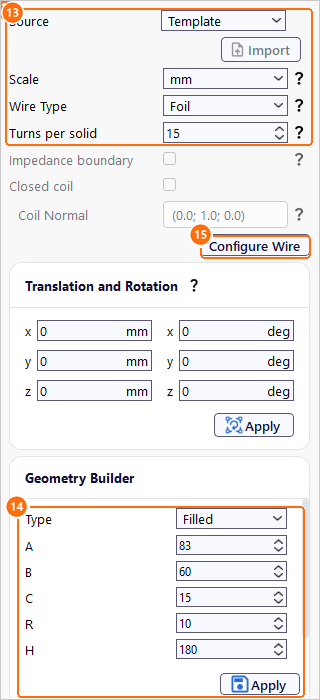
Group1coil: wire settings (13), Filled dimensions and Apply (14), Configure Wire (15). 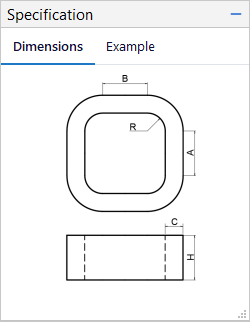
Filled coil dimensions A, B, C, R and H (Specification). -
Click Configure Wire. In Group1coil_2D, select Rac/Rdc coefficient and set Fill Factor to 0.5: half of the winding cross-section is aluminium.
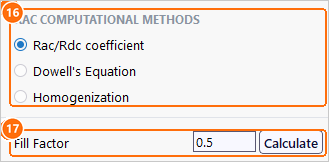
Group1coil_2D: Rac/Rdc coefficient (16) and Fill Factor 0.5 (17).
Other
The brackets are three aluminium plates on the front face of the core, one over each limb.
- On Other, click New Group three times: Group1othergeometry to Group3othergeometry appear.
-
For each, click Configure, set Source to Template and Scale to mm.
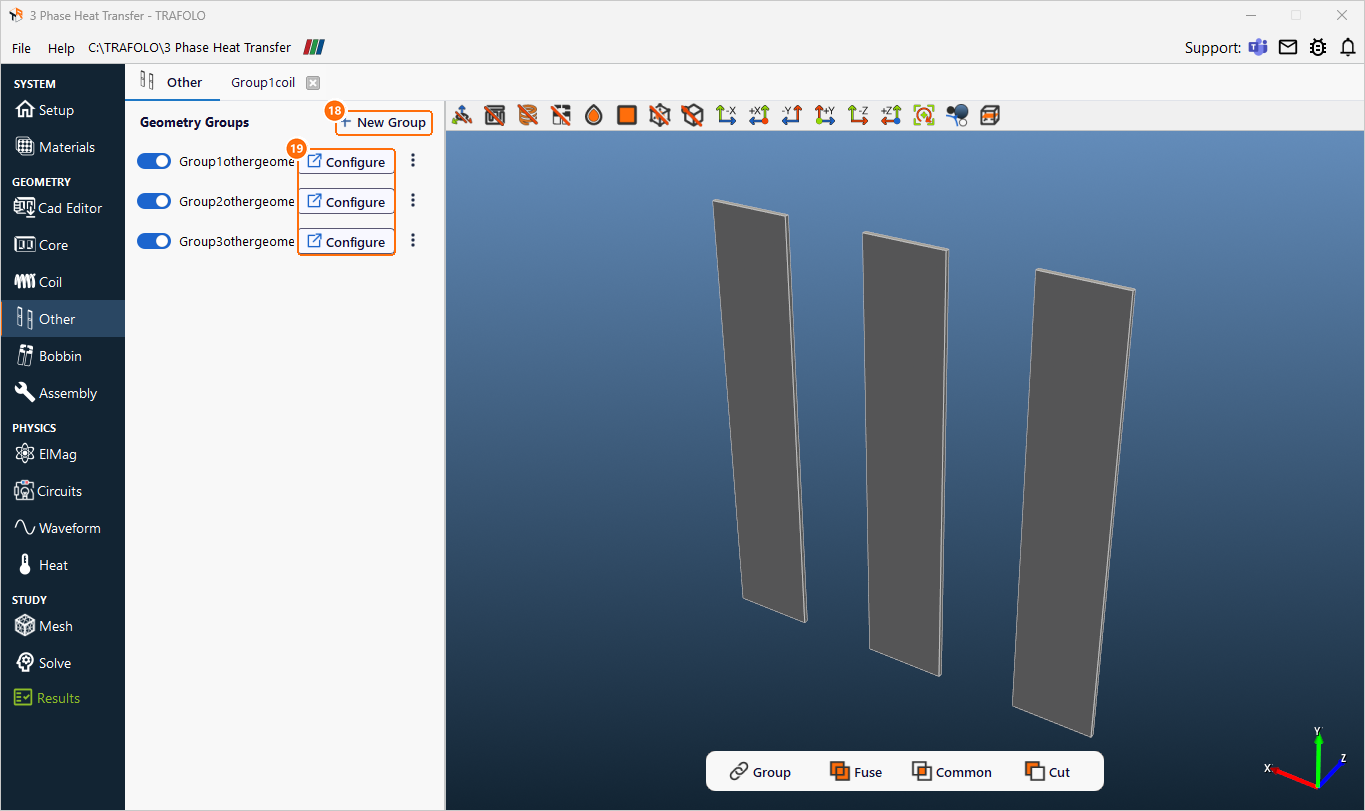
Other tab: New Group (18), Configure for the three brackets (19). -
In Geometry Builder, set Type to Box with X 60, Y 320 and Z 3 mm, and click Apply.
-
Under Translation and Rotation, set z to 41.5 mm and x to 0, −120 and 120 mm for the three groups, and click Apply.
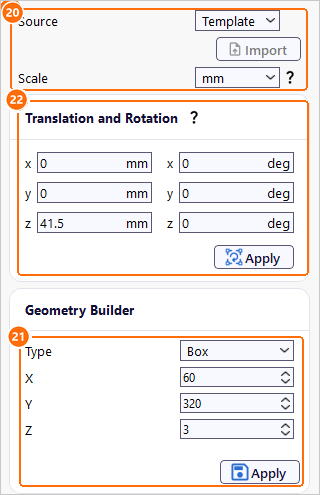
Group1othergeometry: Source and Scale (20), Box dimensions (21), translation (22).
Bobbin
- On Bobbin, click New Group. Group1bobbin appears.
- Click Configure next to Group1bobbin.
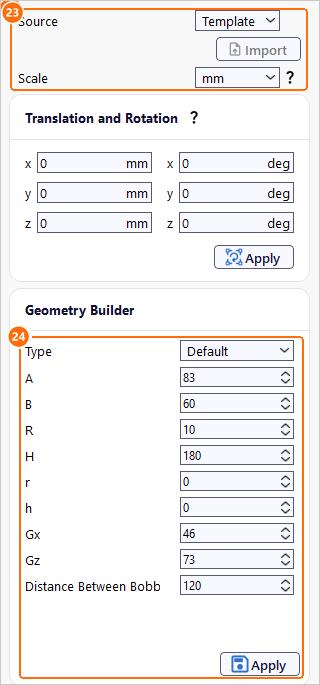
- Set Source to Template and Scale to mm.
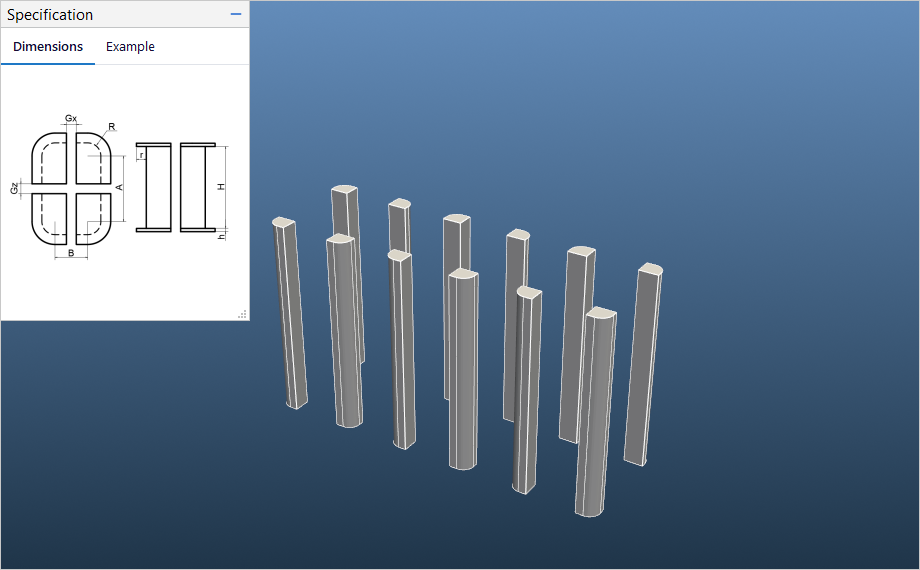
- In Geometry Builder, set Type to Default, enter the dimensions in mm and click Apply. Gx and Gz cut the bobbin into the four corner spacers of each limb:
| A | B | R | H | r | h | Gx | Gz | Distance Between Bobbins |
|---|---|---|---|---|---|---|---|---|
| 83 | 60 | 10 | 180 | 0 | 0 | 46 | 73 | 120 |
Assembly
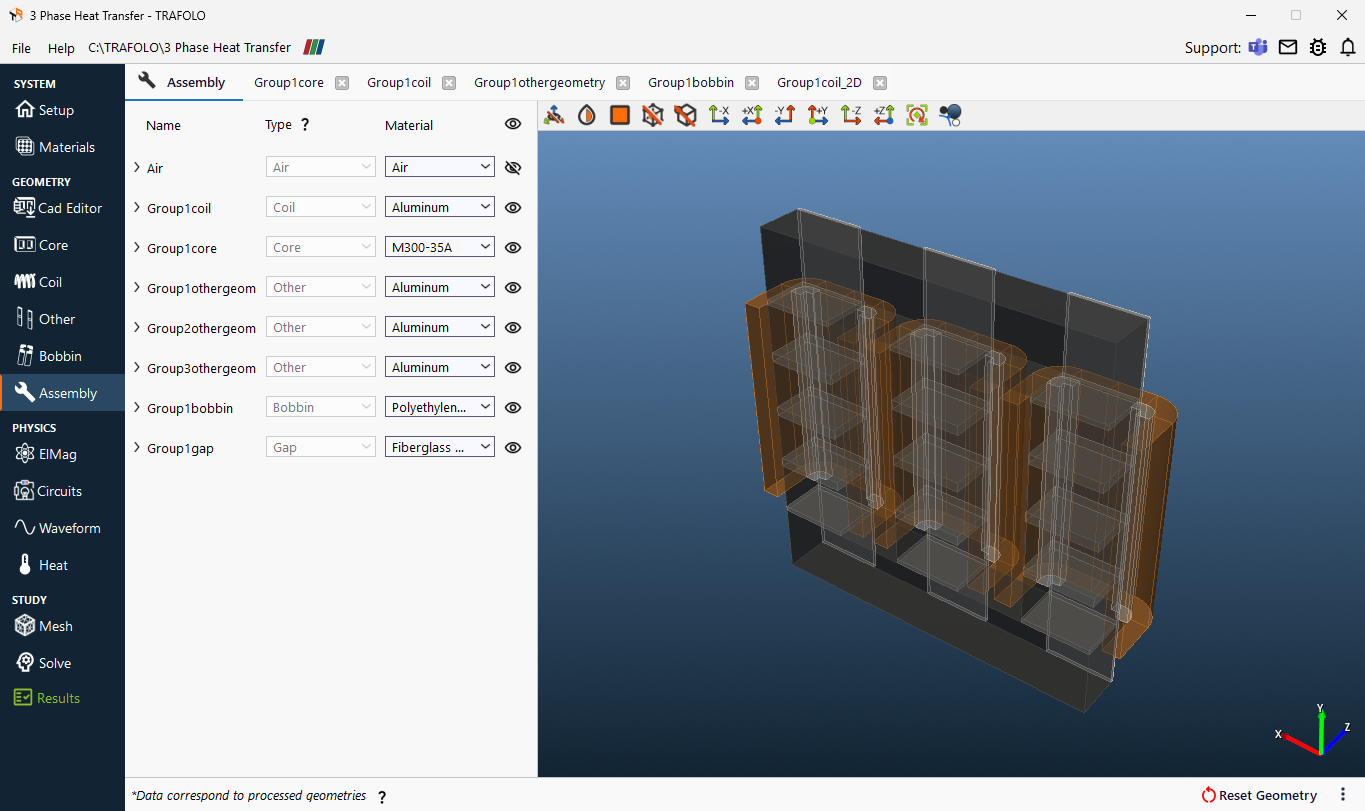
- On Assembly, click Assemble Geometry.
ElMag
-
Under Primary Winding, set Excitation to Irms [A] and Coil group connection type to Series.
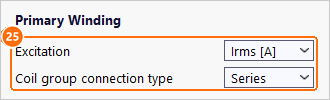
Primary Winding: Excitation Irms [A] and Coil group connection type Series (25). -
In the coil group table, set Group1coil to Winding Primary and Connection Series.
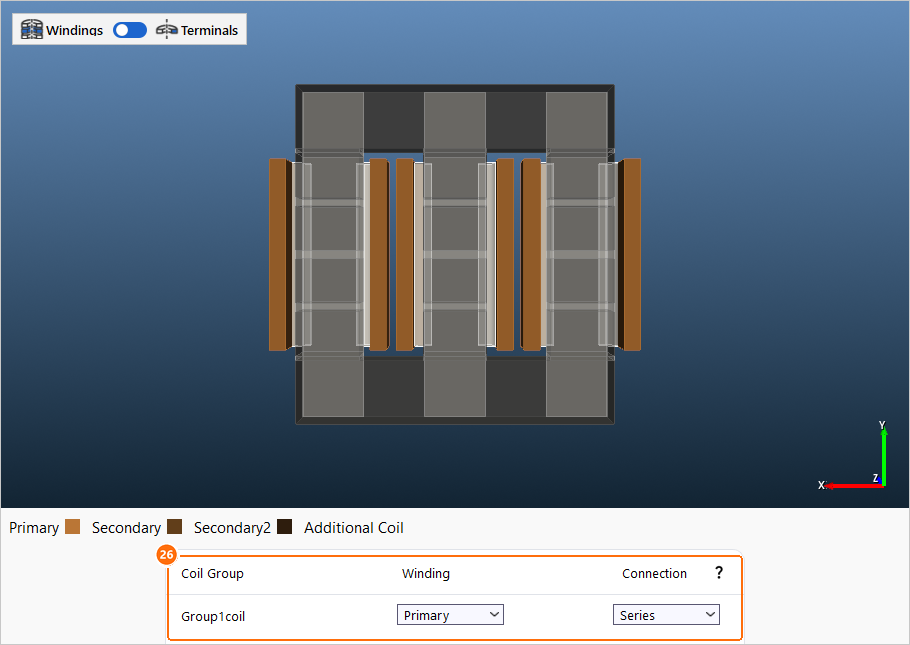
The coil group table (26): Group1coil is the Primary winding, Series.
Circuits
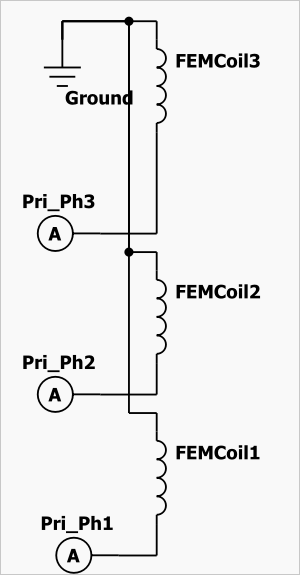
Nothing to change: TRAFOLO connects each phase winding to its own current source.
Waveform
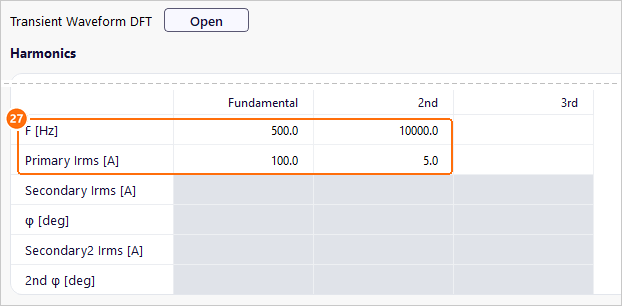
- In Harmonics, enter the base frequency and the harmonic:
| Fundamental | 2nd | |
|---|---|---|
| F [Hz] | 500 | 10000 |
| Primary Irms [A] | 100 | 5 |
Heat
-
Under GLOBAL SETTINGS, set Predicted Steady-State Temperature to 75 °C.
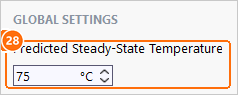
Predicted Steady-State Temperature 75 °C (28). -
Under FACES, select Geometry: settings made there apply to every face.
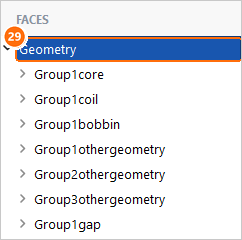
FACES: Geometry (29) applies the surface settings to every face. Under SURFACE SETTINGS, keep Type Convection, set External temperature to 20 °C and tick Auto next to Heat transfer coefficient.
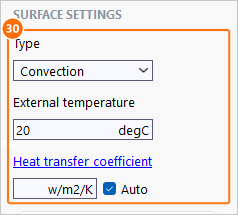
SURFACE SETTINGS (30): Convection, 20 °C, Auto heat transfer coefficient. -
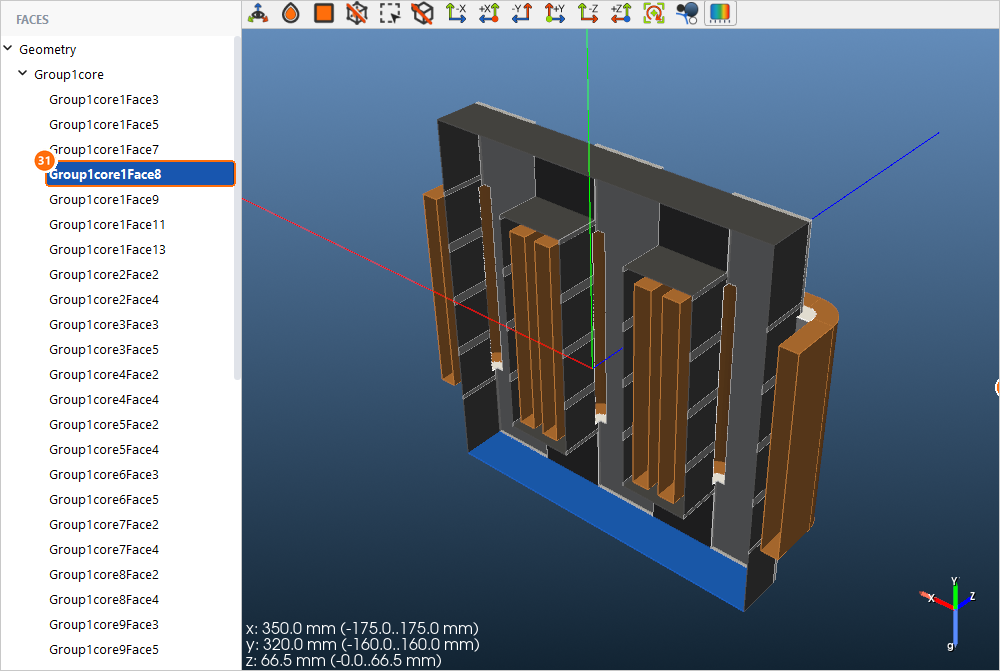
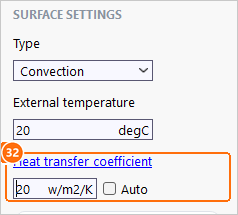
For the heat sink, expand Group1core and select Group1core1Face8, the bottom face of the core. Untick Auto and set Heat transfer coefficient to 20 W/(m²·K).
Mesh
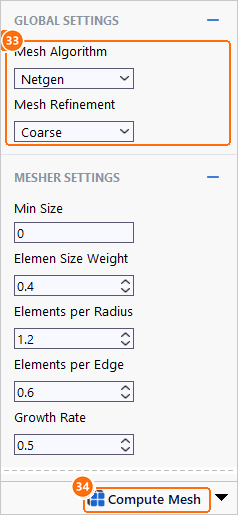
- Under GLOBAL SETTINGS, set Mesh Algorithm to Netgen and Mesh Refinement to Coarse.
-
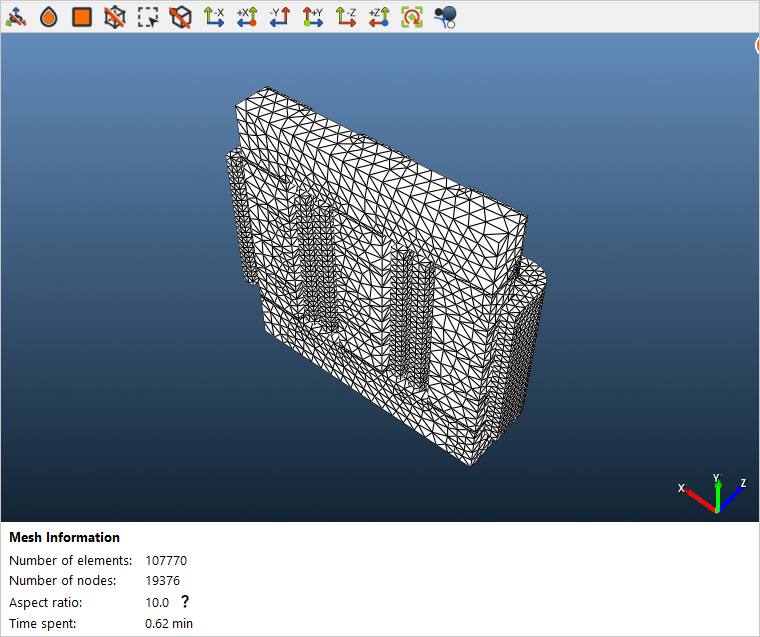
Click Compute Mesh. TRAFOLO sizes the elements itself; the mesh has about 108,000 elements.
Solve
-
Set Parallel cores to the number of performance cores of your CPU and keep Solver Preset Fast.
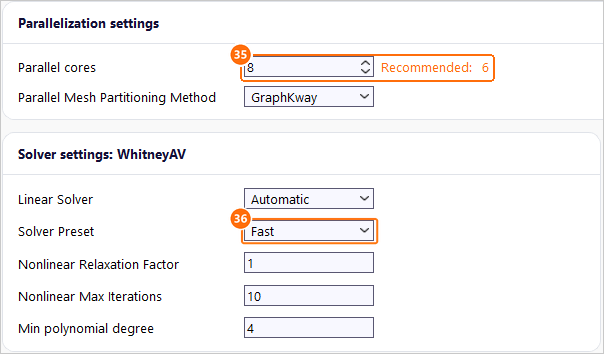
Parallel cores (35) and Solver Preset Fast (36). -
Click Simulation Setup, then Run Simulation.

Simulation Setup and Run Simulation (37).
Results
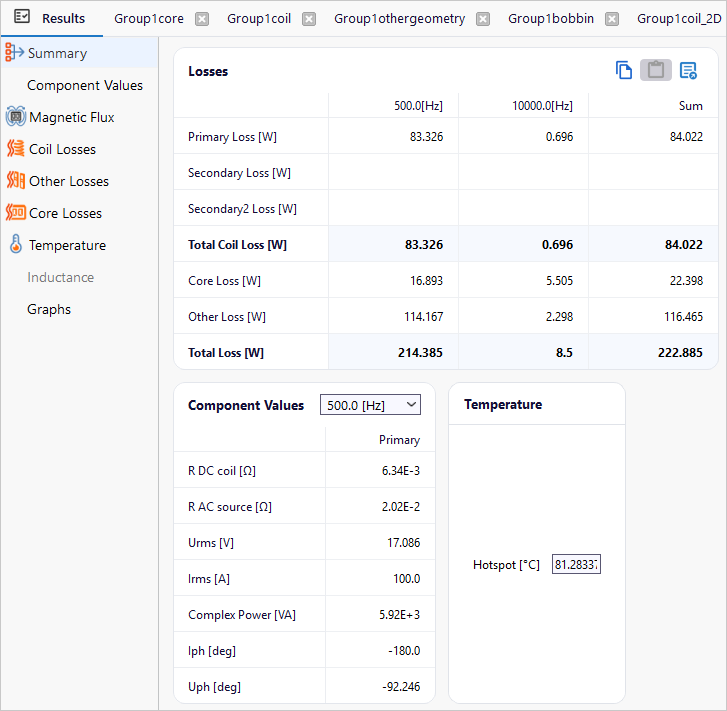
Losses of the whole choke (Results › Summary). TRAFOLO solves each frequency separately and adds the losses:
| 500 Hz | 10 kHz | Sum | |
|---|---|---|---|
| Windings | 83.3 W | 0.7 W | 84.0 W |
| Core | 16.9 W | 5.5 W | 22.4 W |
| Brackets (Other) | 114.2 W | 2.3 W | 116.5 W |
| Total | 214.4 W | 8.5 W | 222.9 W |
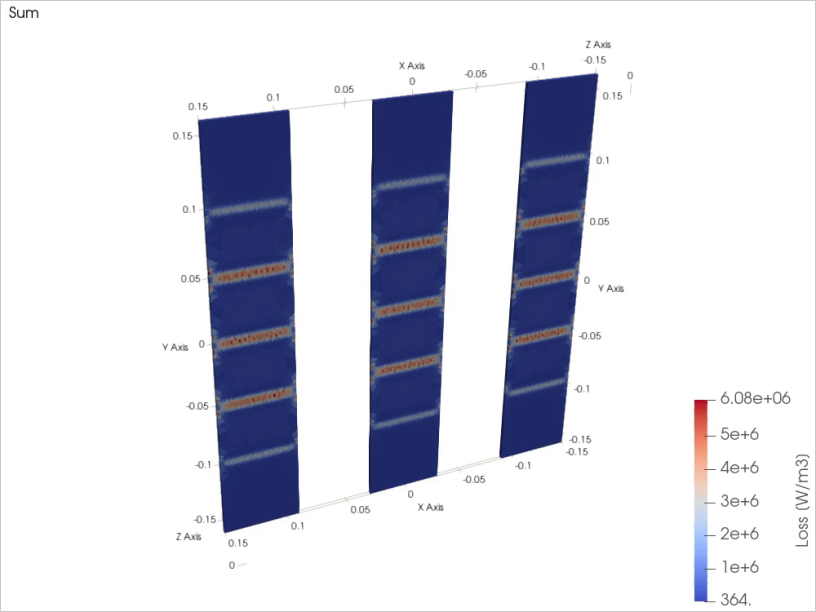
Brackets: half of the loss
The aluminium brackets lose 116.5 W, 52 % of the total. They sit in the fringing field of the gapped limbs, which induces eddy currents in the plates, in bands at the gaps. These currents also push the field out of the plates, more so at higher frequency: the skin depth in aluminium is about 4 mm at 500 Hz and under 1 mm at 10 kHz, against the 3 mm plate. Per ampere squared, the bracket loss at 10 kHz is therefore only 8 times that at 500 Hz, for 20 times the frequency; scaled from 500 Hz with the square of frequency, the 10 kHz bracket loss would be 114 W instead of the computed 2.3 W. Non-conductive brackets, or brackets placed away from the gaps, avoid most of this loss.
Windings and core
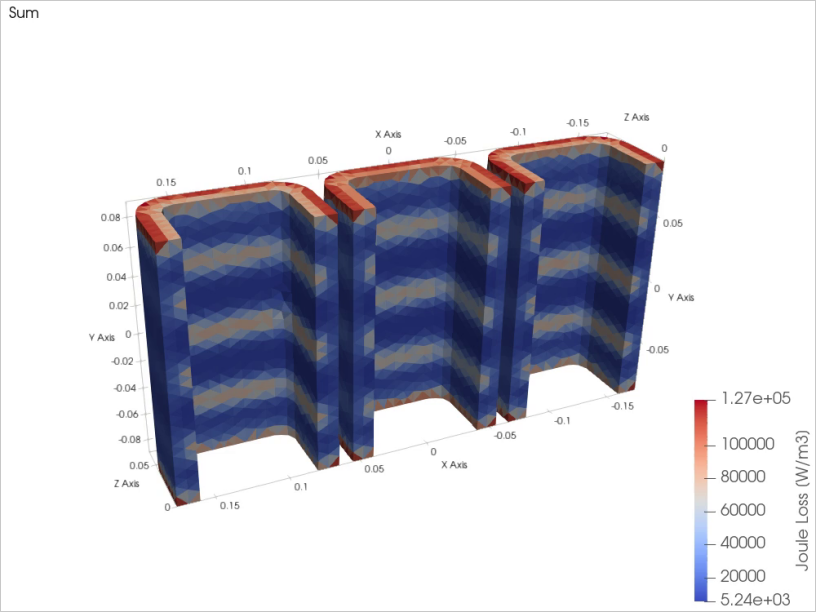
The foil windings lose 84.0 W. The three phase windings together have 6.3 mΩ DC resistance (R DC coil, 2.1 mΩ per phase); their loss divided by the phase current squared gives 8.3 mΩ at 500 Hz (1.3 times DC) and 27.9 mΩ at 10 kHz (4.4 times): the fringing field crosses the foil edges next to the gaps and induces eddy currents there (coil loss picture). The 5 A at 10 kHz is only 5 % of the current, so it adds just 0.7 W in the windings.
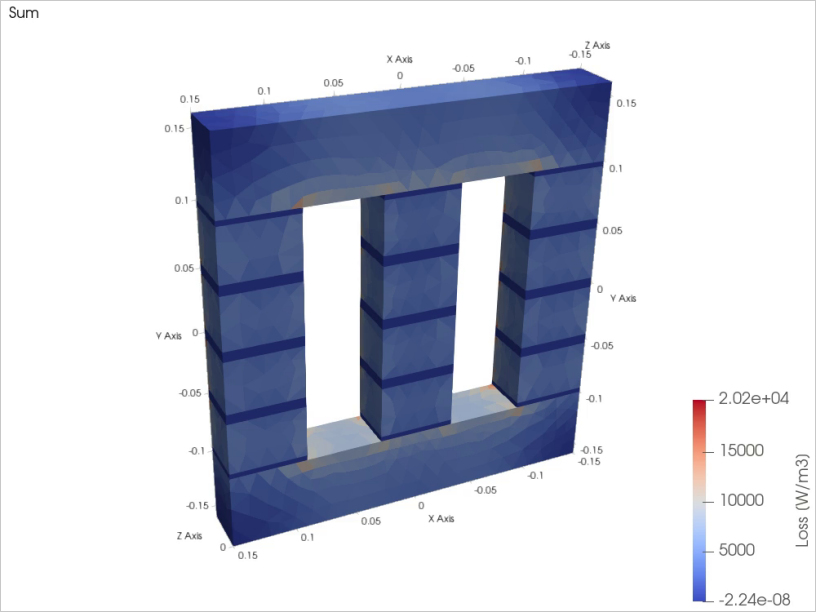
The core loses 22.4 W. The 10 kHz ripple causes a quarter of it, 5.5 W, because the eddy-current loss in the 0.35 mm laminations grows with the square of frequency. Adding the per-frequency core losses is an approximation: the core-loss model is not linear in the flux density, so a full waveform would interact differently.
Flux density and inductance
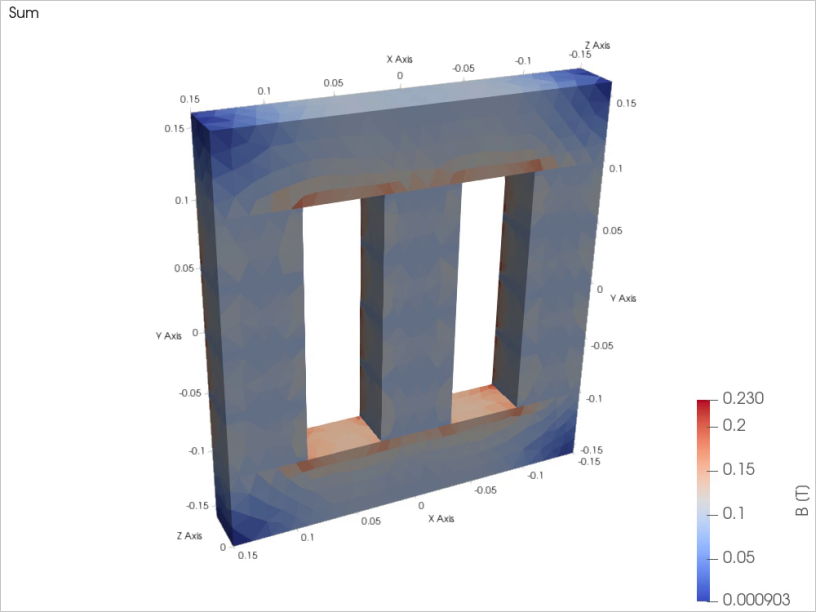
The flux density reaches at most 0.23 T, at the inner corners of the yokes, far below saturation of the electrical steel: the gaps, not the steel, set the inductance. The inductance is 54.3 µH per phase at 500 Hz and 52.1 µH at 10 kHz; the eddy currents in brackets, foil and laminations oppose the field at 10 kHz and lower it by 4 %.
Temperature
The hotspot is 81.3 °C, in the core limbs; the bottom yoke over the heat sink stays near 64 °C. TRAFOLO evaluated the losses at the predicted 75 °C, 6 K below the hotspot: the winding resistance at the hotspot temperature is 2 % higher, so one temperature iteration is enough.
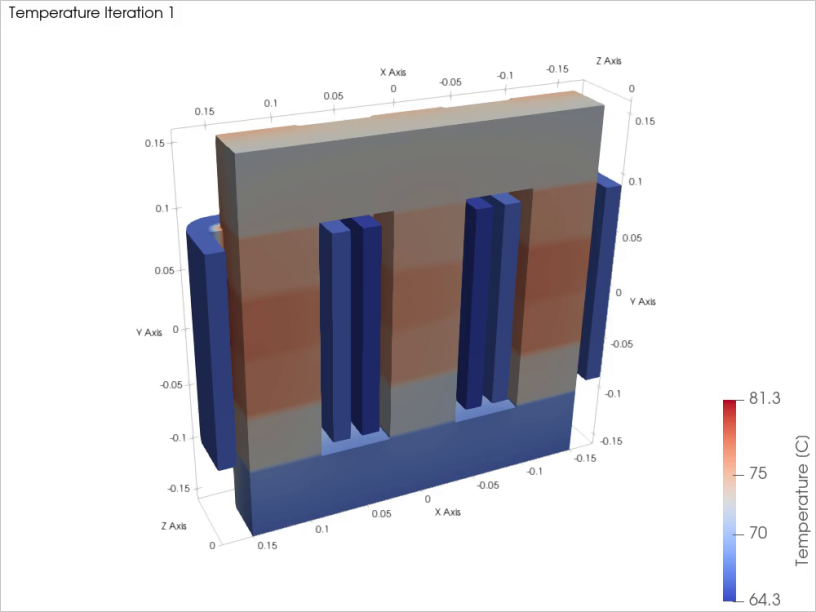
The example ships with these views but without 3D field data: run it before Open in ParaView (ParaView (post-processing).
Further reading
- Heat Transfer modeling (User's Guide)
- Waveform (Interface Reference): harmonic excitation