Dual Active Bridge Transformer
A 10 kW dual active bridge transformer at 100 kHz, simulated in the time domain with the converter's currents: losses, temperature and interwinding capacitance.
- Component: E65/32/27 core, Ferroxcube 3C95, 0.57 mm centre gap; interleaved primary–secondary–primary litz windings, 24:15 turns.
- Simulation: Transient over 2 periods of imported currents, with Steady-state heat transfer and Capacitance; half model (Symmetric).
- Winding model: Homogenization.
- You get: core and winding losses, the hotspot, the interwinding capacitance and the DC resistance of each winding.
- Files: the converter waveforms from a SIMBA circuit simulation, dual-active-bridge-transformer-waveforms-100kHz.csv (CSV, 17.5 MB). The same file is waveform_dump.csv in the cached folder of the example project.
- In TRAFOLO: Welcome screen › Examples › Dual Active Bridge is this model with its results.
- Run time: about 5 min on 8 CPU cores.
Model description
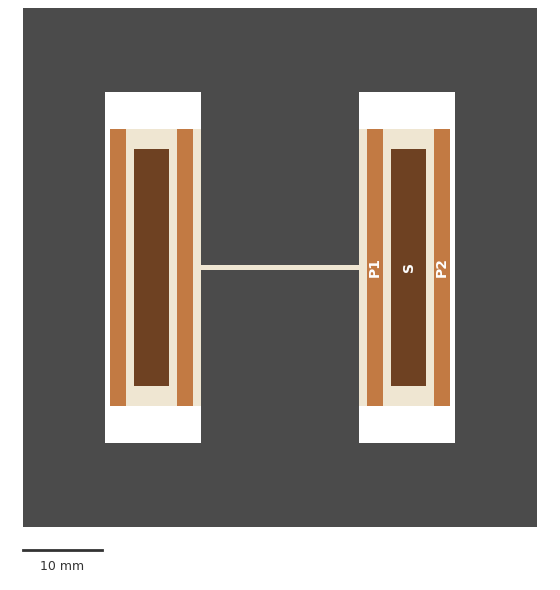
The two primary halves are in series; the secondary sits between them.
| Core | Core material | Air gap |
|---|---|---|
| E65/32/27 | Ferroxcube 3C95 | 0.57 mm, centre limb |
| Winding | Layers | Wires per turn | Turns | Strands per wire | Strand diameter |
|---|---|---|---|---|---|
| Primary 1 | 2 | 6 | 12 | 60 | 0.08 mm |
| Secondary | 2 | 2 | 15 | 225 | 0.1 mm |
| Primary 2 | 2 | 6 | 12 | 60 | 0.08 mm |
Modelling instructions
Setup
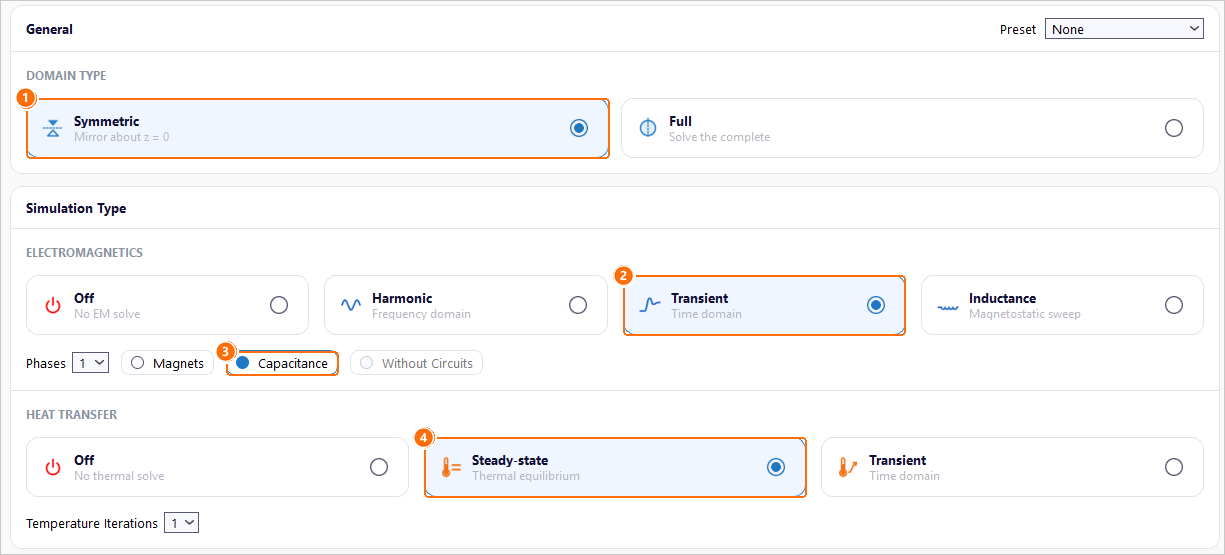
- Under DOMAIN TYPE, select Symmetric. TRAFOLO models the half above z = 0 and scales the results to the whole transformer.
- Under ELECTROMAGNETICS, select Transient, because the currents are not sinusoidal, and tick Capacitance.
- Under HEAT TRANSFER, select Steady-state.
Materials
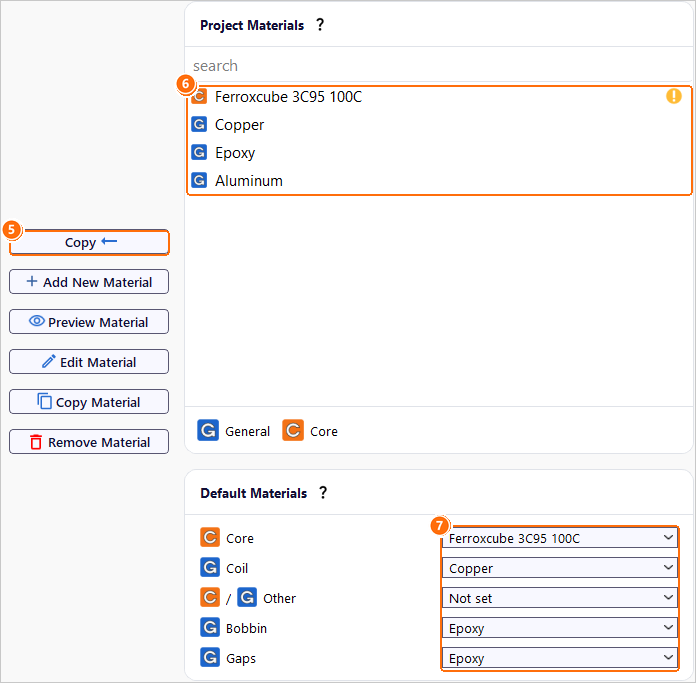
- Under Global Materials, select Ferroxcube 3C95 100C and click Copy.
- Copy Copper and Epoxy the same way.
- Under Project Materials, select Ferroxcube 3C95 100C and click Edit Material.
-
On General, select Relative Permeability, keep its value, 3.88e3, and set Core Loss Model to iGSE. Click Save.
The library copy comes with Complex Permeability, and a Transient run does not start with it. The example uses a constant permeability and iGSE.
-
Under Default Materials, set the material of each component:
| Core | Coil | Other | Bobbin | Gaps |
|---|---|---|---|---|
| Ferroxcube 3C95 100C | Copper | Not set | Epoxy | Epoxy |
The example's Project Materials also list Aluminum; no component uses it.
Core
- On Core, click New Group. Group1core appears.
- Click Configure next to Group1core.
- Set Source to Template, Scale to mm and Gap Type to Physical.
-
In Geometry Builder, set Type to E, enter the dimensions in mm, keep Mirror ticked and click Apply:
A B C D E F 65 32.8 27.4 22.2 44.2 20 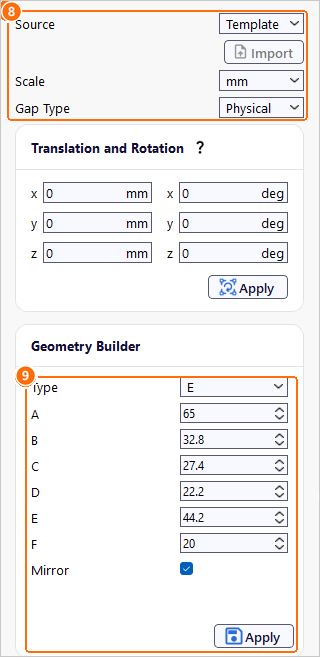
Group1core: Source, Scale and Gap Type (8), E dimensions and Apply (9). 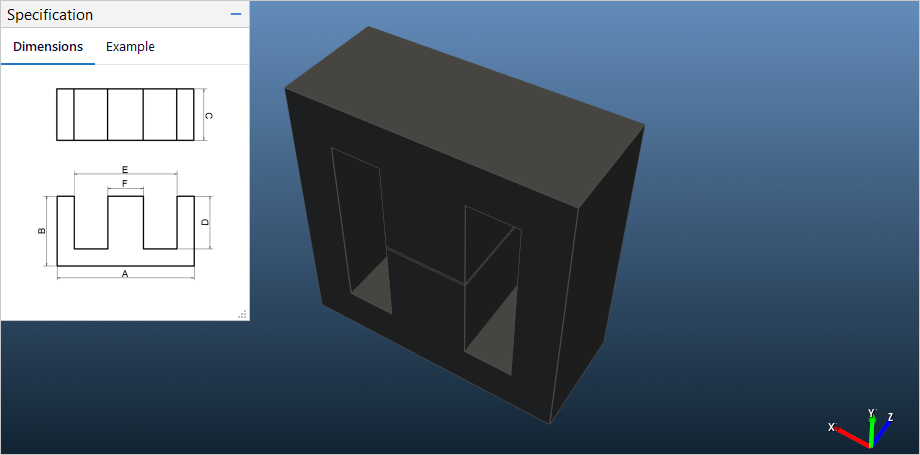
The E core pair and the meaning of A to F (Specification). -
Click New Gap, enter gMin −0.285 and gMax 0.285 (a 0.57 mm gap), and set Limb to Central limb.
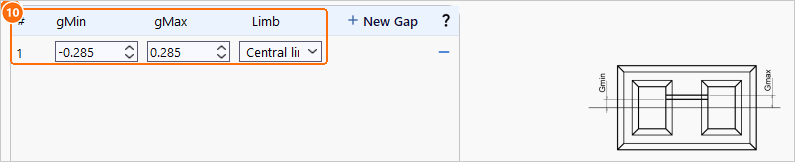
The 0.57 mm gap on the central limb (10).
Coil
Each winding is one coil group: Group1coil and Group2coil are the inner and outer primary halves, Group3coil the secondary between them.
-
On Coil, click New Group three times, then Configure next to each group.
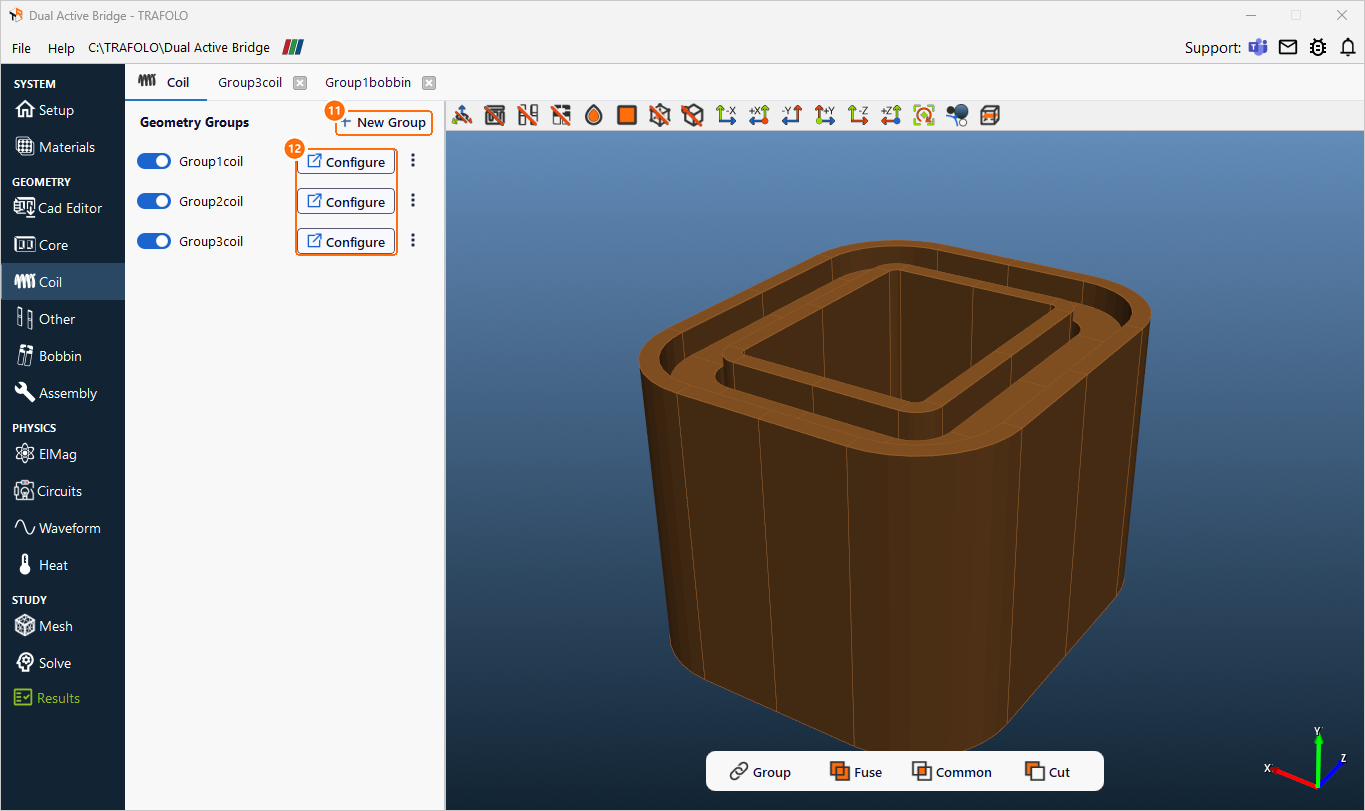
Coil tab: New Group (11), Configure for the three groups (12). -
Set Source to Template, Scale to mm and Wire Type to Stranded & Litz.
-
In Geometry Builder, set Type to Filled, enter the values in mm and click Apply:
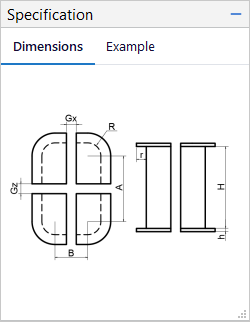
Group Turns per solid A B C R H Group1coil 12 27.4 20 2 1 35 Group2coil 12 27.4 20 2 9.5 35 Group3coil 15 27.4 20 4.5 4 30 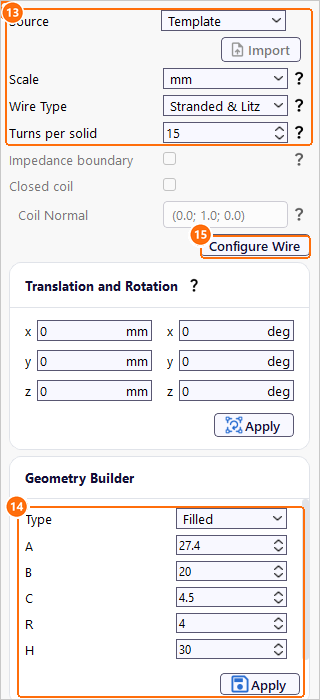
Group3coil: wire settings (13), Filled dimensions and Apply (14), Configure Wire (15). 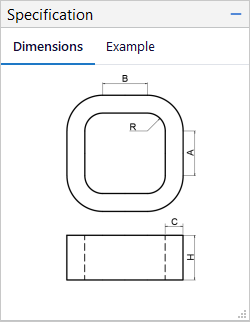
Filled coil dimensions A, B, C, R and H (Specification). -
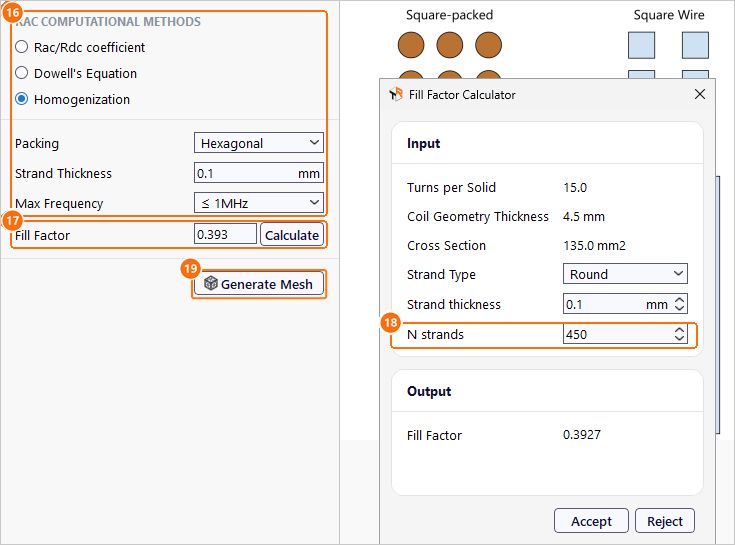
Click Configure Wire. Select Homogenization, keep Packing Hexagonal, set Max Frequency to ≤ 1MHz and Strand Thickness as below.
- Next to Fill Factor, click Calculate, keep Strand Type Round, set N strands to the strands of one turn (wires per turn × strands per wire) and click Accept:
| Group | Strand Thickness | N strands | Fill Factor |
|---|---|---|---|
| Group1coil, Group2coil | 0.08 mm | 360 | 0.31 |
| Group3coil | 0.1 mm | 450 | 0.393 |
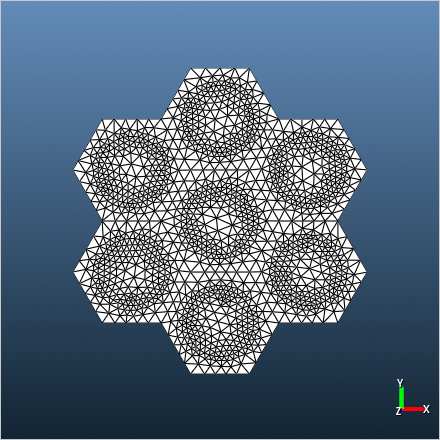
After Accept, click Generate Mesh in each group's wire tab: TRAFOLO builds the 2D model of the strand bundle, and without it the run stops.
Bobbin
- On Bobbin, click New Group, then Configure next to Group1bobbin.
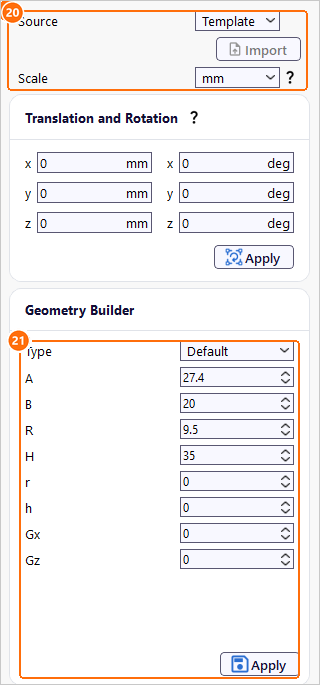
- Set Source to Template and Scale to mm.
-
In Geometry Builder, set Type to Default with the outer primary's size: A 27.4, B 20, R 9.5 and H 35 mm, all other values 0. The windings cut the bobbin where they overlap. Click Apply.
Assembly
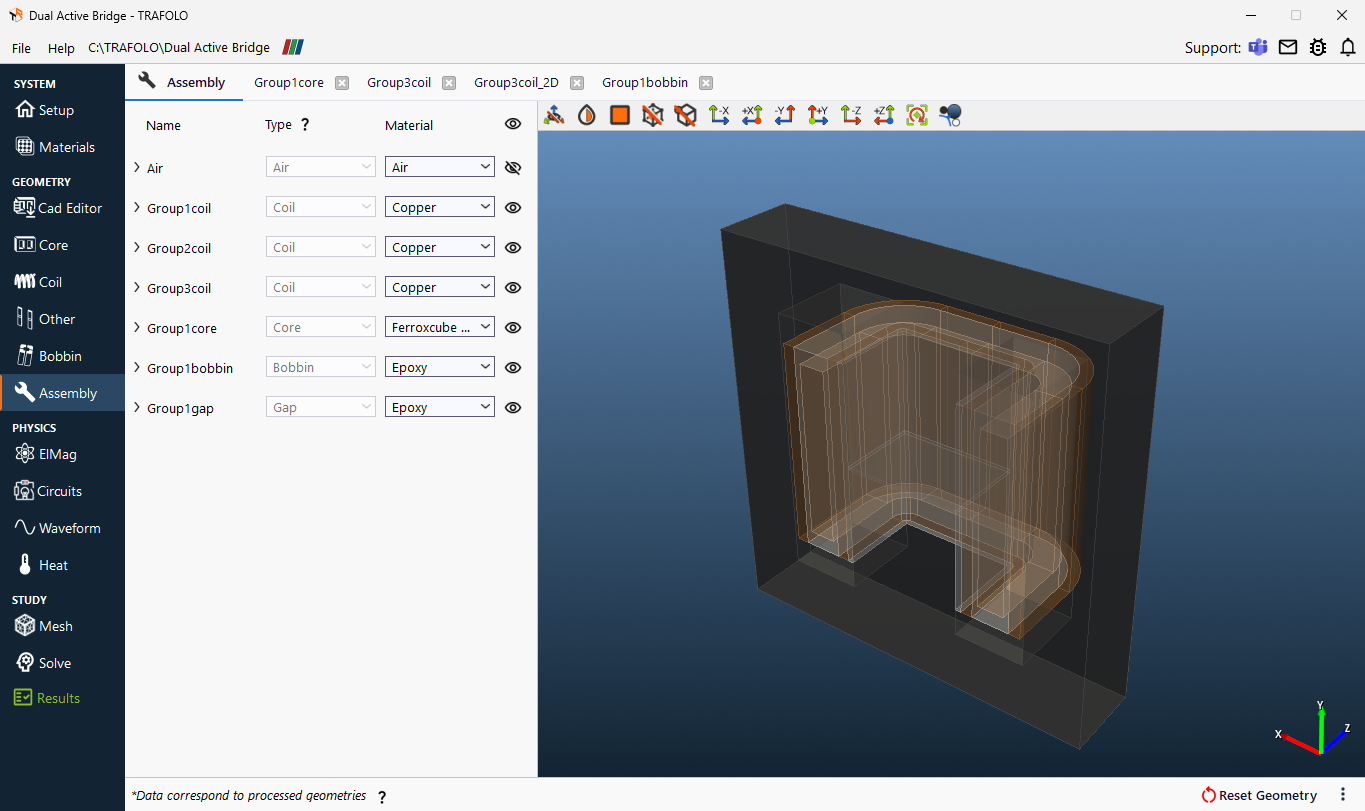
- On Assembly, click Assemble Geometry.
ElMag
- Under Primary Winding, set Excitation to Irms [A] and Coil group connection type to Series.
-
Tick Secondary Winding and set the same.
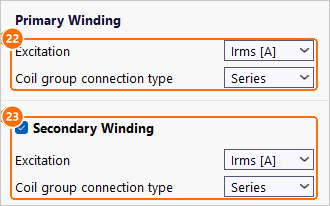
Primary Winding (22) and Secondary Winding (23): Irms [A], Series. -
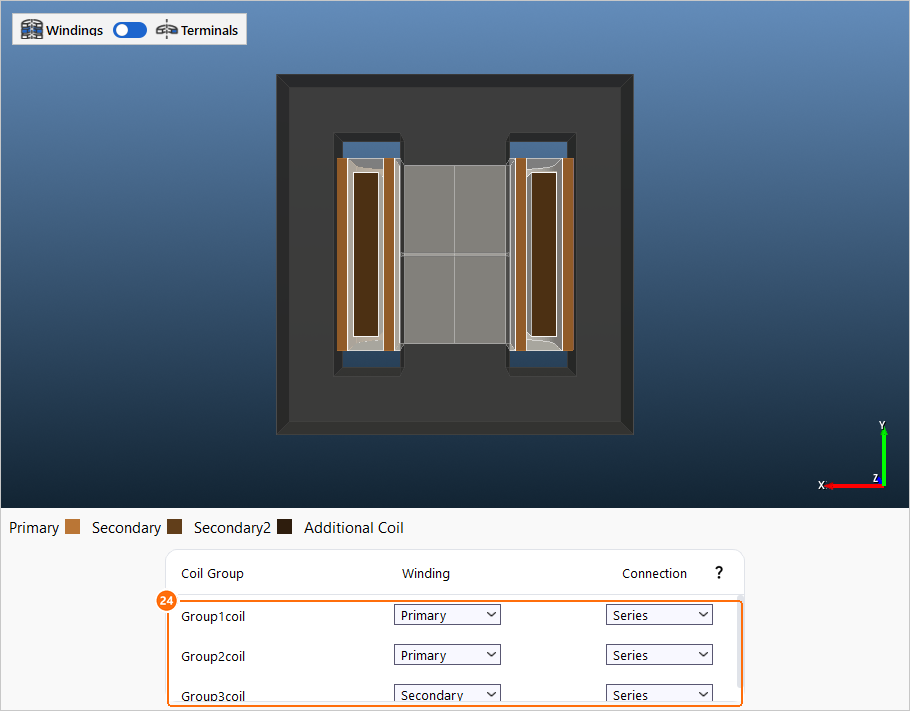
In the coil group table, set the groups:
| Coil Group | Winding | Connection |
|---|---|---|
| Group1coil | Primary | Series |
| Group2coil | Primary | Series |
| Group3coil | Secondary | Series |
Circuits
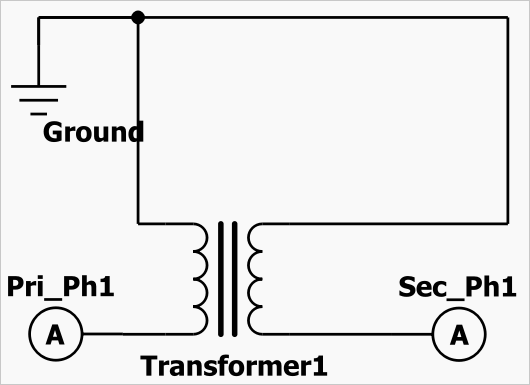
Nothing to change: TRAFOLO drives the primary and the secondary from their current sources.
Waveform
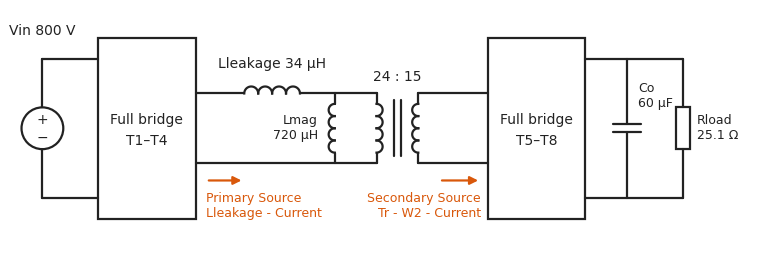
The currents come from a SIMBA simulation of the converter with 34 µH leakage and 720 µH magnetizing inductance.
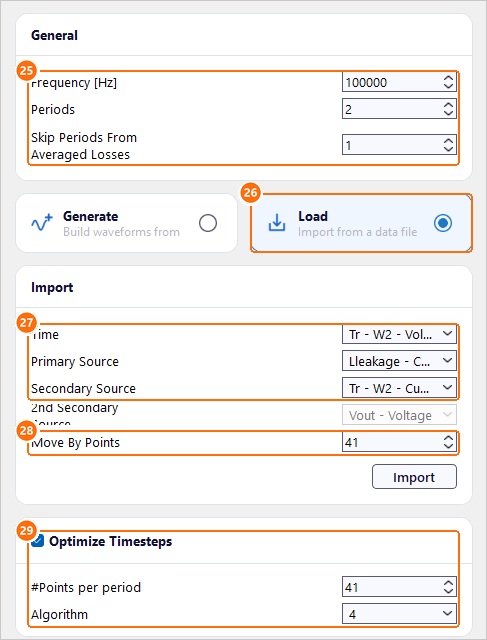
- Under General, set Frequency [Hz] to 100000, Periods to 2 and Skip Periods From Averaged Losses to 1: the averages use the second period only.
- Select Load.
- Under Import, click Import and open dual-active-bridge-transformer-waveforms-100kHz.csv, downloaded under Files above, or waveform_dump.csv from the cached folder of the Dual Active Bridge example. Set Time to Tr - W2 - Voltage - Time [s], Primary Source to Lleakage - Current and Secondary Source to Tr - W2 - Current.
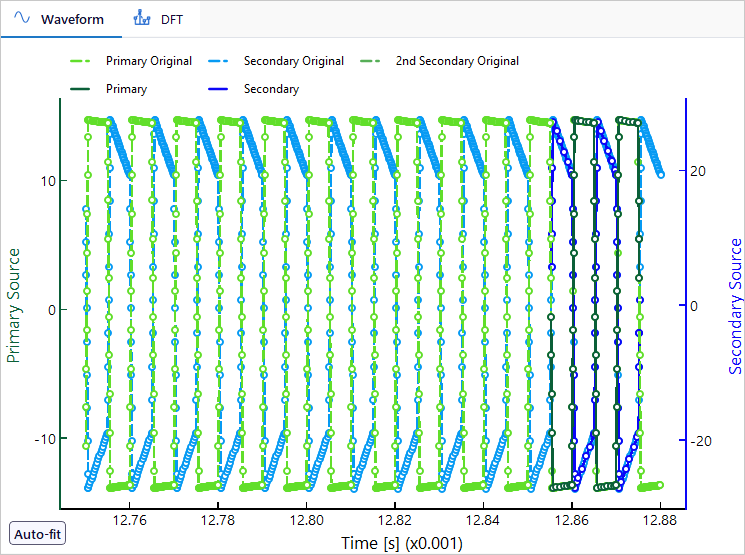
- Set Move By Points to 41, so that the simulation starts where the currents are close to zero.
-
Tick Optimize Timesteps, set #Points per period to 41 and Algorithm to 4.
-
Under Discrete Fourier Transform, set Number of harmonics to 6.
Heat
-
Under GLOBAL SETTINGS, set Predicted Steady-State Temperature to 80 °C and Velocity Vector to (1.0; 0.0; 0.0) m/s: forced air at 1 m/s along x.
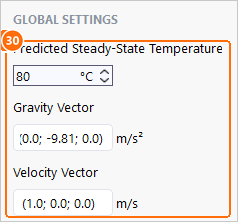
Predicted Steady-State Temperature 80 °C and Velocity Vector 1 m/s along x (30). -
Under FACES, select Geometry: settings made there apply to every face.
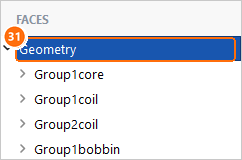
FACES: Geometry (31) applies the surface settings to every face. Under SURFACE SETTINGS, keep Type Convection, set External temperature to 20 °C and tick Auto next to Heat transfer coefficient.
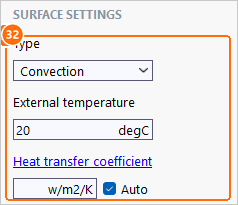
SURFACE SETTINGS (32): Convection, 20 °C, Auto heat transfer coefficient.
Mesh
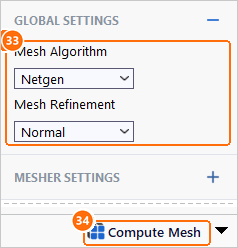
- Under GLOBAL SETTINGS, set Mesh Algorithm to Netgen and Mesh Refinement to Normal.
-
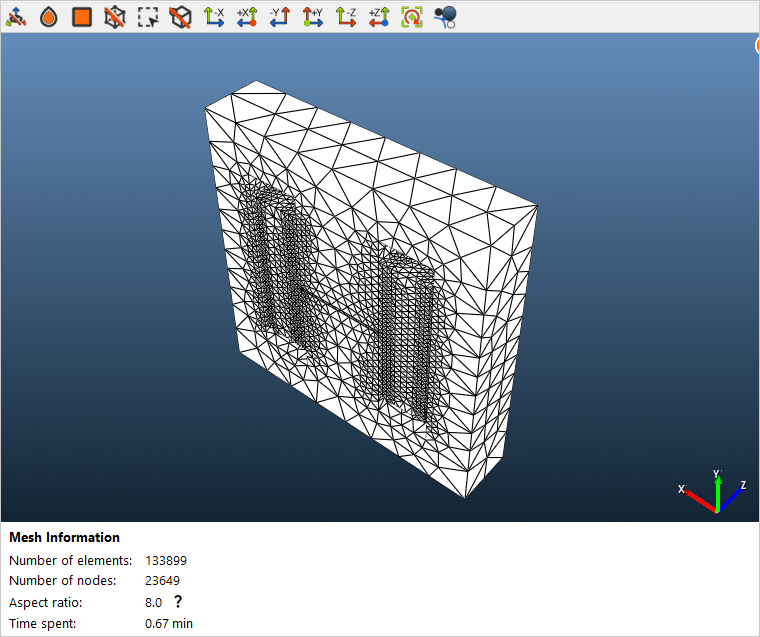
Click Compute Mesh. The mesh has about 134,000 elements.
Solve
-
Set Parallel cores to the number of performance cores of your CPU and keep Solver Preset Fast.
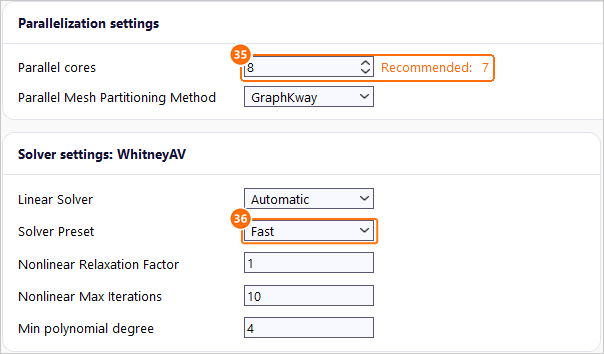
Parallel cores (35) and Solver Preset Fast (36). -
Click Simulation Setup, then Run Simulation.

Simulation Setup and Run Simulation (37).
Results
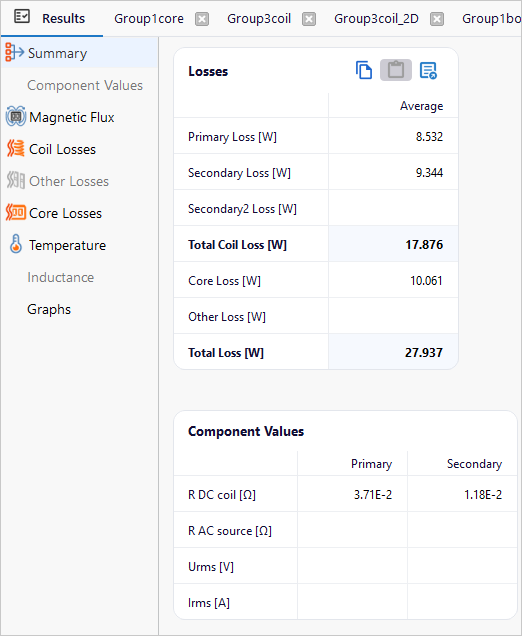
Averages over the second period, with the copper resistance at the predicted 80 °C (Results › Summary):
| Primary winding | Secondary winding | Windings | Core | Total |
|---|---|---|---|---|
| 8.53 W | 9.34 W | 17.9 W | 10.1 W | 27.9 W |
Interwinding capacitance: 316 pF (Capacitance Matrix on Summary). DC resistance: 37.1 mΩ primary, 11.8 mΩ secondary.
Winding losses: AC against DC
The RMS currents of the imported waveforms and the DC resistances give the loss each winding would have with a DC current of the same RMS value:
| Winding | IRMS | Ipeak | Rdc at 80 °C | IRMS²·Rdc | Simulated loss | AC/DC |
|---|---|---|---|---|---|---|
| Primary, both halves | 13.6 A | 14.7 A | 37.1 mΩ | 6.84 W | 8.53 W | 1.25 |
| Secondary | 22.4 A | 27.5 A | 11.8 mΩ | 5.93 W | 9.34 W | 1.58 |
The secondary has the higher AC/DC ratio for two reasons. It sits between the primary halves, where the leakage field is strongest, and sees that field on both faces; each primary half sees it on one face only. Its strands are also thicker, 0.1 mm against 0.08 mm. Splitting the primary around the secondary already halves the peak leakage field compared with a primary–secondary arrangement.
Core loss and flux density
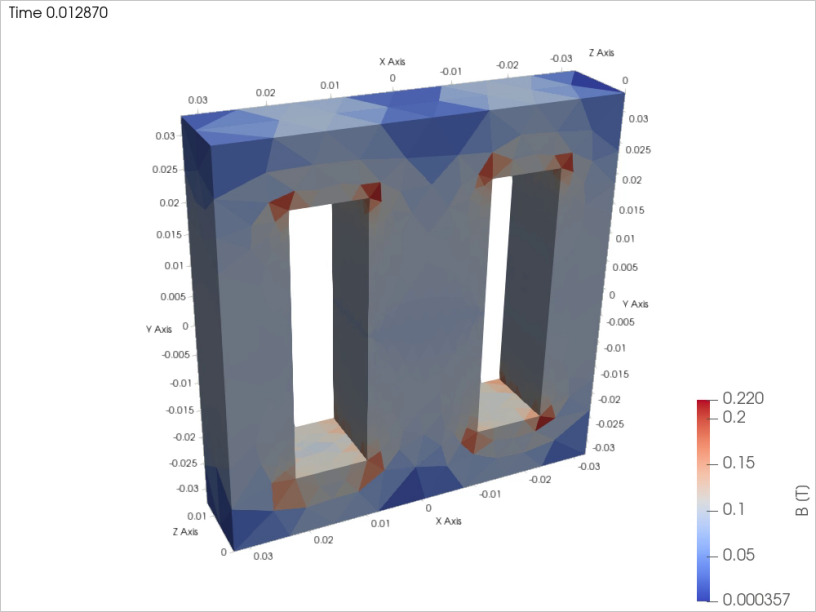
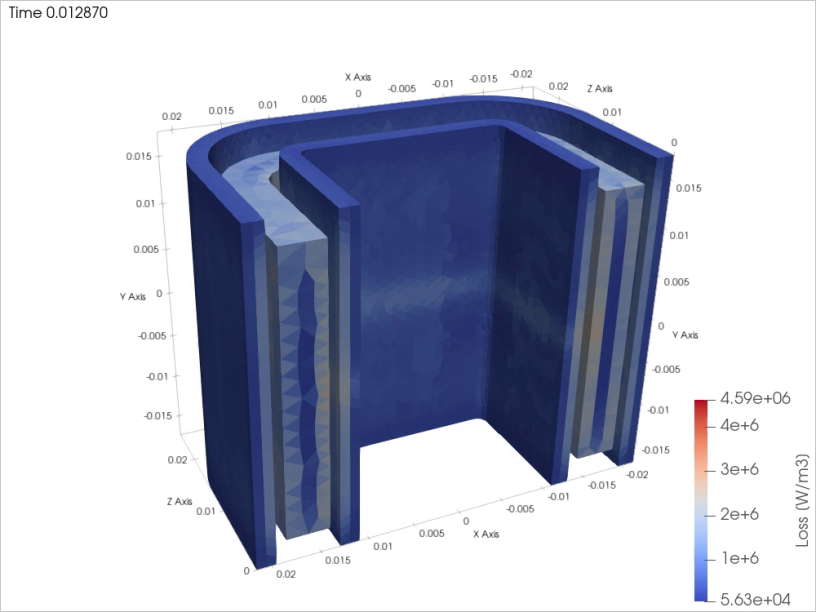
The core loses 10.1 W, 36 % of the total. The ±800 V square-wave primary voltage sets the flux: Bpeak = V/(4·f·N·Ae) = 800 V/(4 × 100 kHz × 24 × 535 mm²) = 0.16 T in the centre limb, which the field view confirms. The flux crowds at the inner corners of the windows, up to 0.22 T.
The field views step through the 2 periods; in the loss views, frame 1 is the average.
Temperature
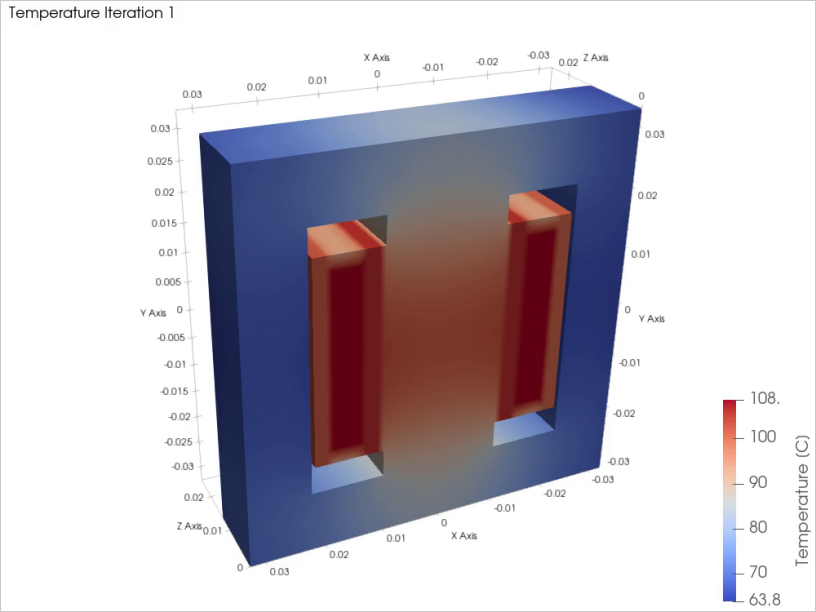
The hotspot is 108.5 °C, in the windings, 88 K above the 20 °C air for 27.9 W: about 3.2 K/W with forced air at 1 m/s.
TRAFOLO evaluated the winding loss at the predicted 80 °C, 28 K below the computed hotspot; Ferroxcube 3C95 100C has no Thermal Coefficients, so its core loss comes from the 100 °C data at any temperature. At the hotspot temperature the DC part of the winding loss (12.8 W) rises by 9 % with the copper resistance, while the eddy-current part (5.1 W) falls by about the same factor, because eddy currents in fine strands scale with the conductivity. The winding loss would be about 18.6 W. For a self-consistent result, set Predicted Steady-State Temperature near the computed hotspot, or raise Temperature Iterations on Setup.
Interwinding capacitance
316 pF couples the primary's switching edges into the secondary as common-mode current, i = C·dv/dt: a 10 V/ns edge drives 3.2 A. The interleaving that lowers the leakage field creates two large primary–secondary interfaces, which is why the value is high; more insulation between the layers lowers it, at the cost of more leakage inductance.
The example ships with these views but without 3D field data: run it before Open in ParaView (ParaView (post-processing).
Further reading
- CORE LOSSES. What's the point of using CURRENT instead of VOLTAGE? #8 (TRAFOLO on LinkedIn)
- HOMOGENIZATION. Hands-on modeling of litz in 3D FEM #9 (TRAFOLO on LinkedIn)