Modelling Litz Wire using Homogenization
A PQ65 reactor wound with two parallel litz wires, modelled with homogenization and checked against measured AC resistance.
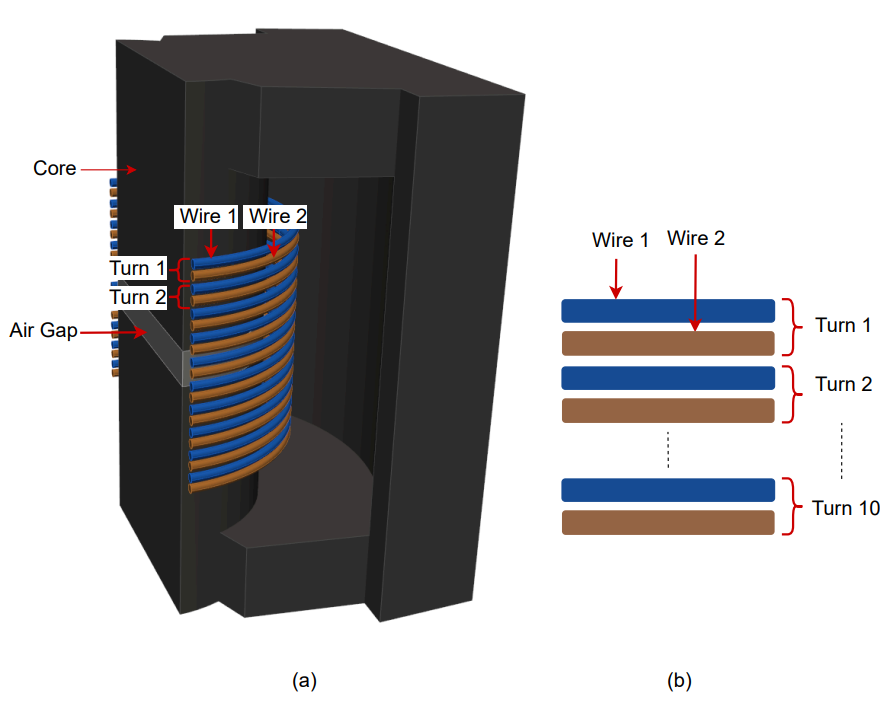
- Component: PQ65/60 core, N95 ferrite, 4 mm centre gap; 2 parallel litz wires of 10 turns, 7 strands of 0.32 mm each.
- Simulation: Inductance, frequency sweep 0 to 120 kHz at 1 A RMS; half model (Symmetric).
- Winding model: Homogenization.
- You get: Rdc, Rac, L and Q per frequency, coil and core loss.
- Files: none.
- In TRAFOLO: Welcome screen › Examples › Homogenization is this model with its results.
- Run time: about 9 min for 13 frequencies on 8 CPU cores.
Model description
The reactor of Y. Otomo et al., "Analysis of Litz Wire Losses Using Homogenization-Based FEM", whose AC resistance was measured from DC to 100 kHz.
| Core | Core material | Air gap | Wires in parallel | Turns per wire | Strands per wire | Strand diameter |
|---|---|---|---|---|---|---|
| PQ65/60 | N95 (TDK) | 4 mm, centre limb | 2, not twisted together | 10, one layer | 7 | 0.32 mm |
Modelling instructions
Setup
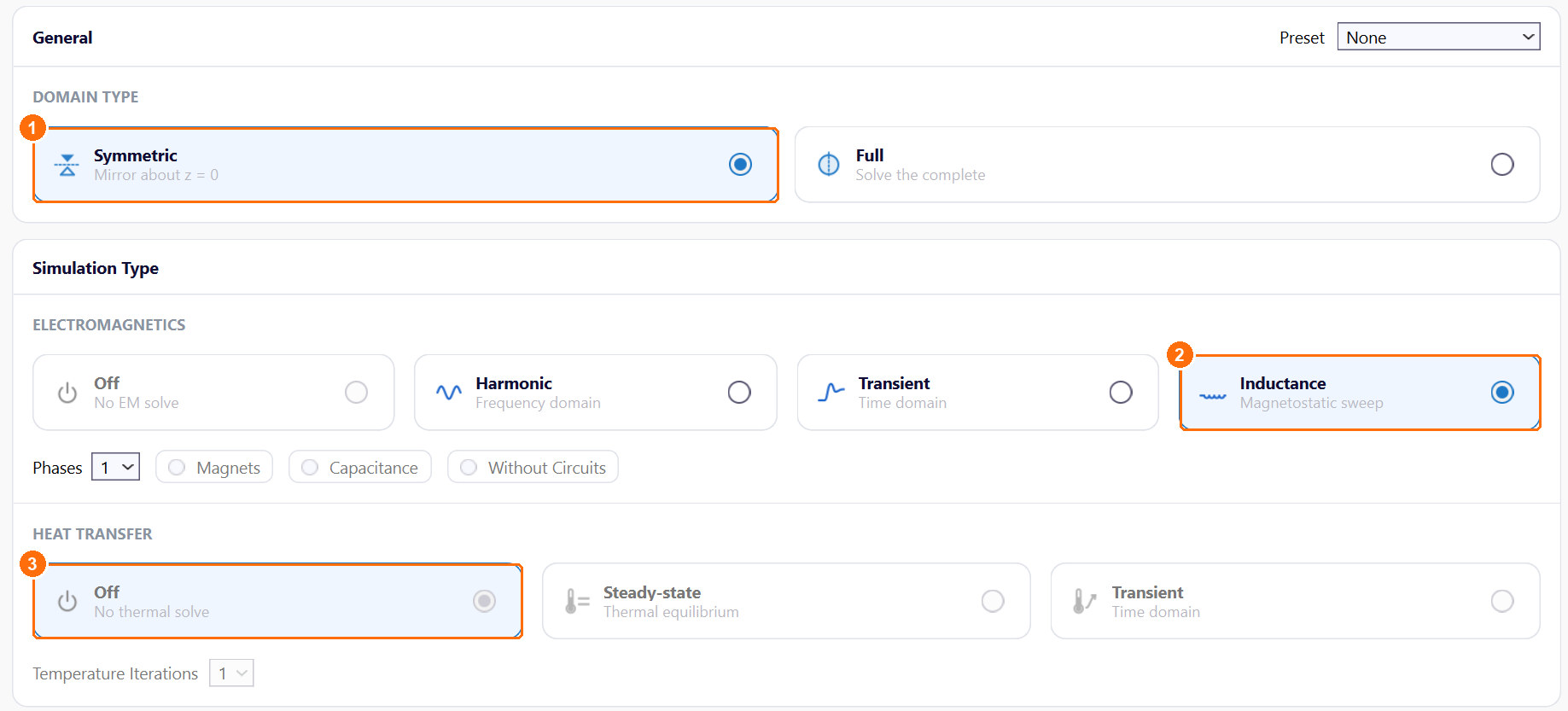
- Under DOMAIN TYPE, select Symmetric. TRAFOLO models the half above z = 0 and scales the results to the whole reactor.
- Under ELECTROMAGNETICS, select Inductance.
- Under HEAT TRANSFER, keep Off.
Materials
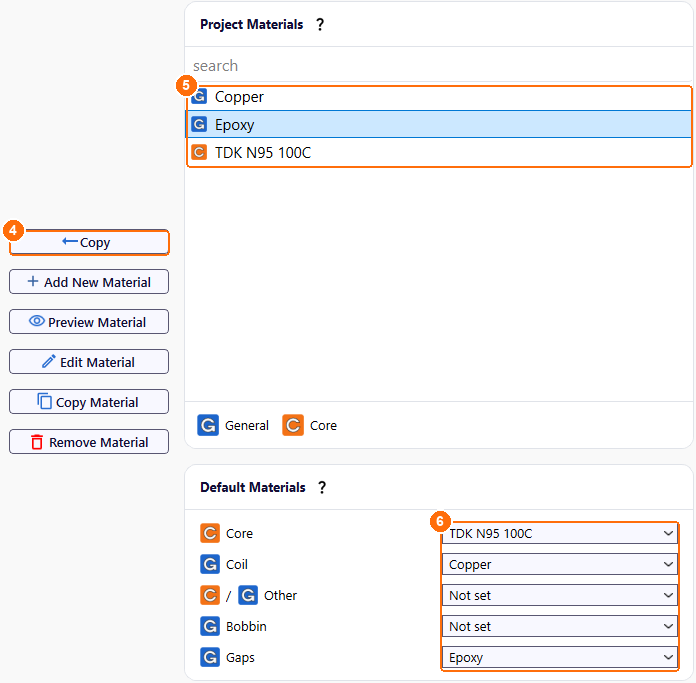
- Under Global Materials, select Copper and click Copy.
- Copy Epoxy and TDK N95 100C the same way. All three appear under Project Materials.
- Under Default Materials, set the material of each component:
| Core | Coil | Other | Bobbin | Gaps |
|---|---|---|---|---|
| TDK N95 100C | Copper | Not set | Not set | Epoxy |
Core
- On Core, click New Group. Group1core appears.
- Click Configure next to Group1core.
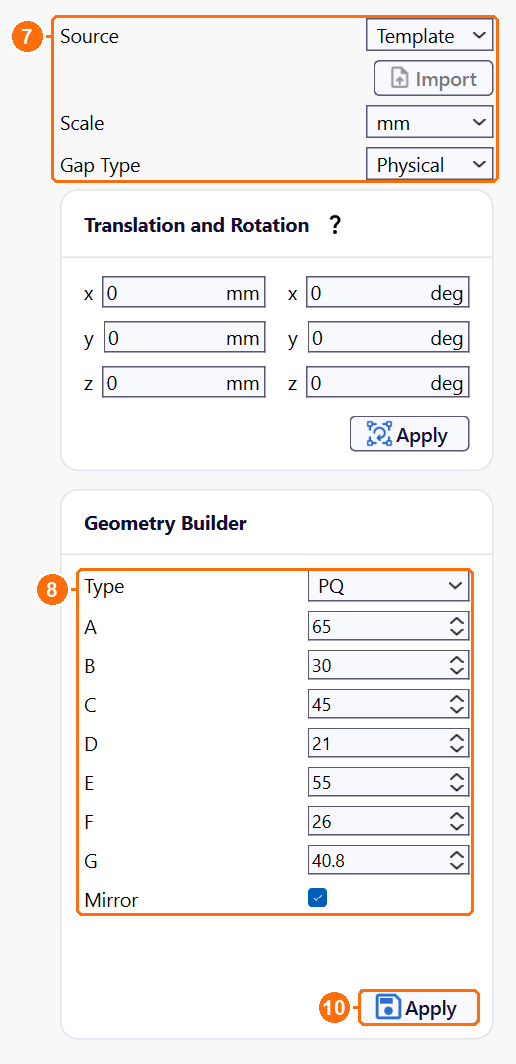
- Set Source to Template, Scale to mm and Gap Type to Physical.
-
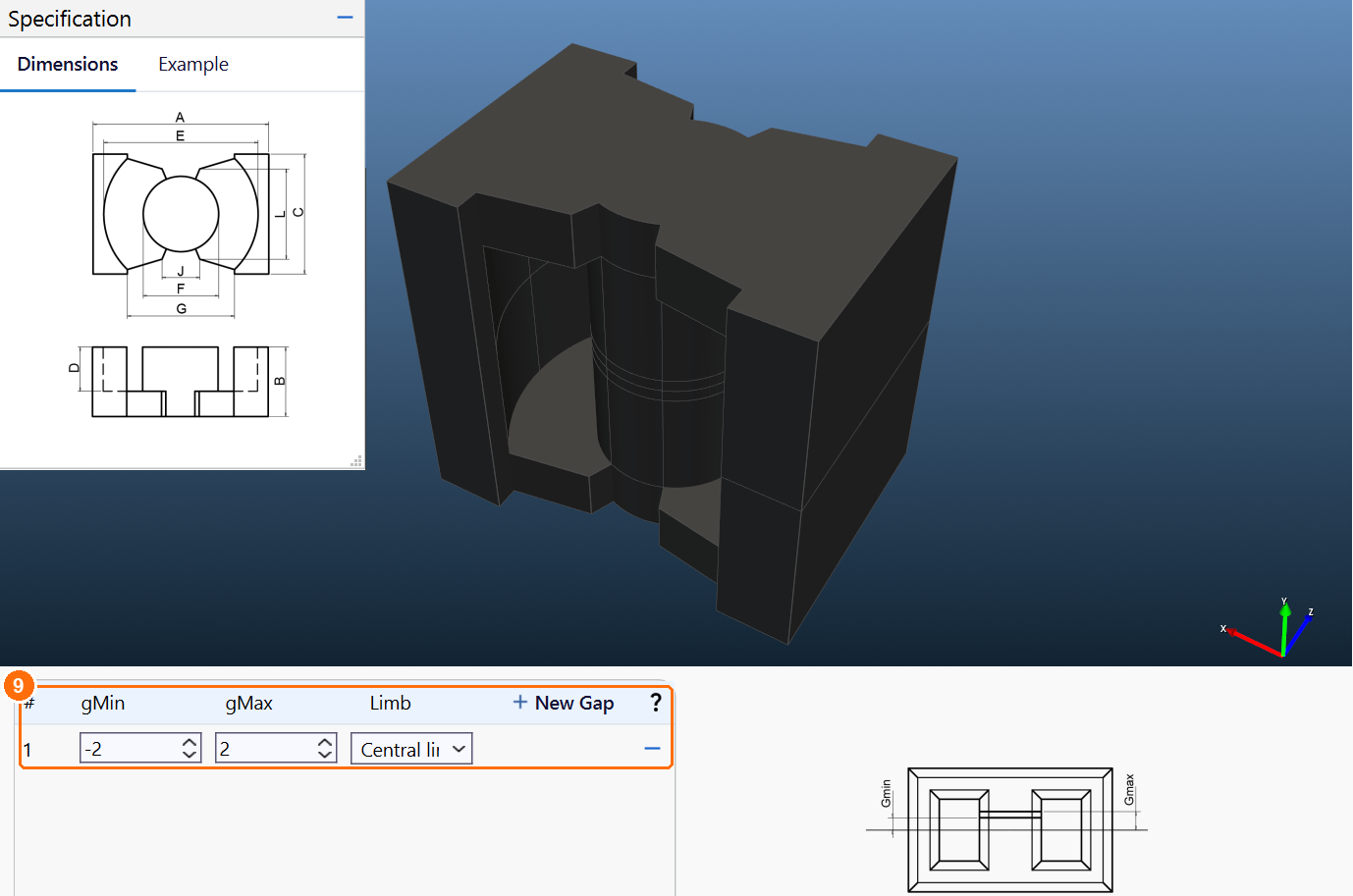
In Geometry Builder, set Type to PQ, enter the dimensions in mm and keep Mirror ticked:
A B C D E F G 65 30 45 21 55 26 40.8 -
Click New Gap, enter gMin −2 and gMax 2 (a 4 mm gap), and set Limb to Central limb.
- Click Apply.
Coil
- On Coil, click New Group. Group1coil appears.
-
Click Configure next to Group1coil.
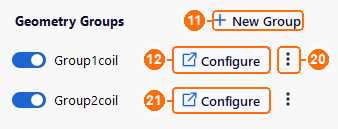
Coil tab: New Group (11), Configure (12), ⋮ › Copy (20), Configure for the copy (21). -
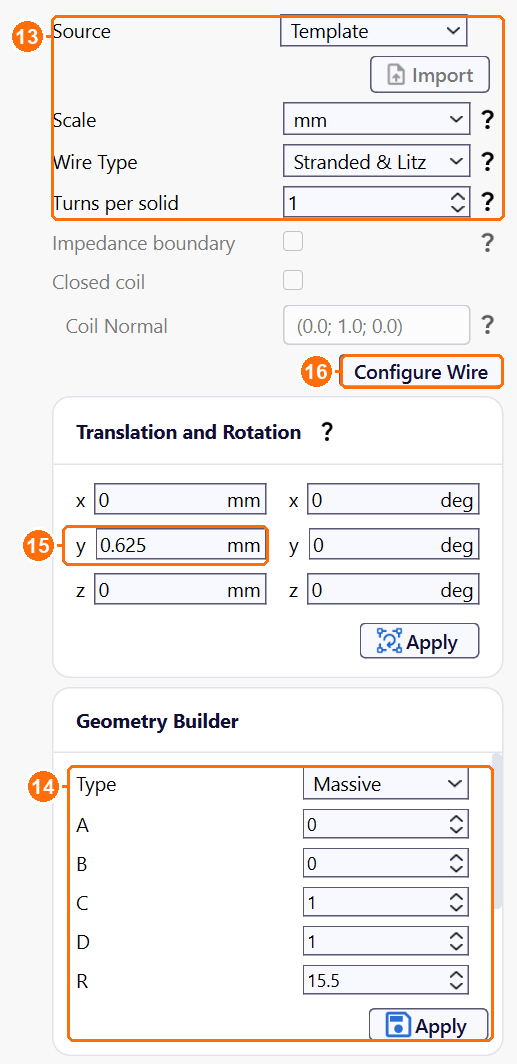
Set Source to Template, Scale to mm, Wire Type to Stranded & Litz and Turns per solid to 1.
-
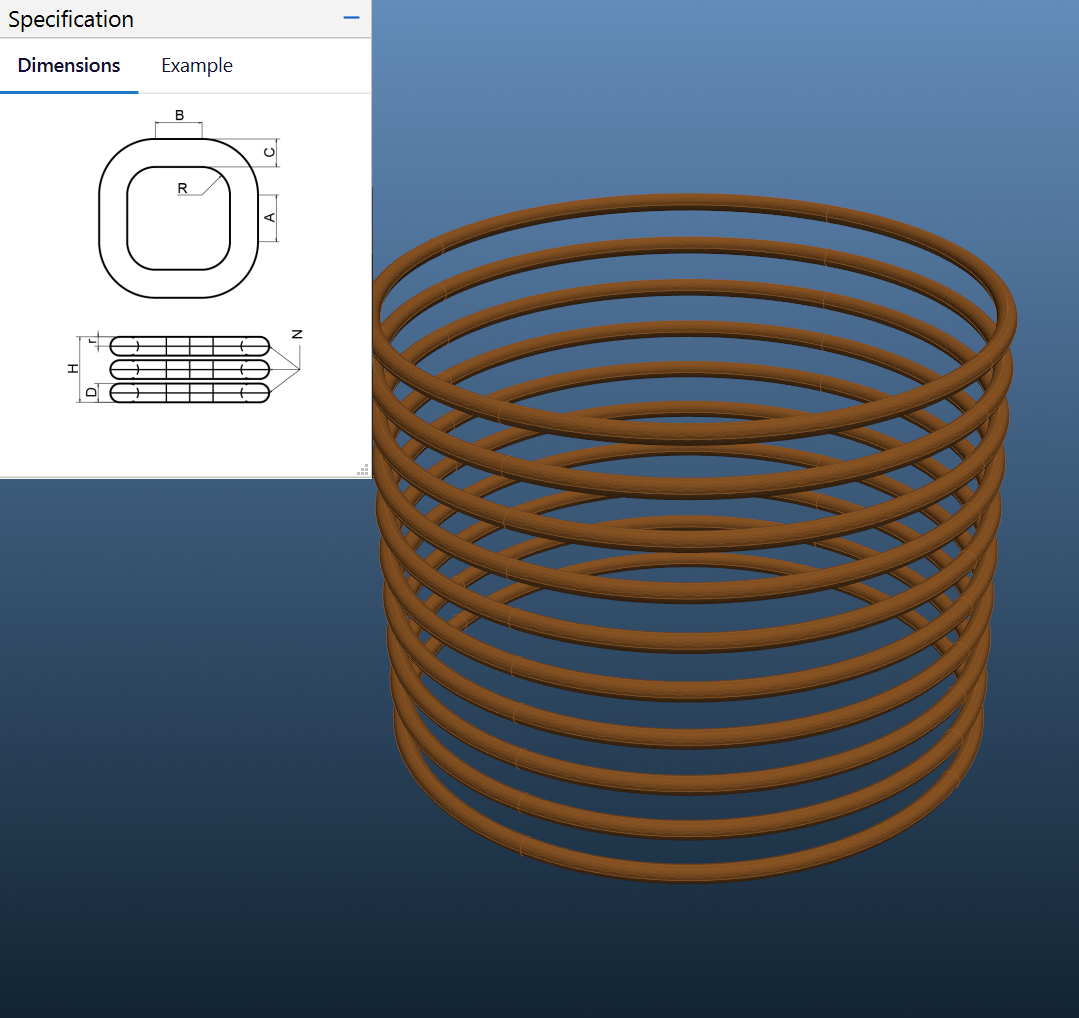
In Geometry Builder, set Type to Massive, enter the dimensions in mm and click Apply:
A B C D R H N r 0 0 1 1 15.5 24.75 10 0.5 -
Under Translation and Rotation, set y to 0.625 mm and click Apply.
-
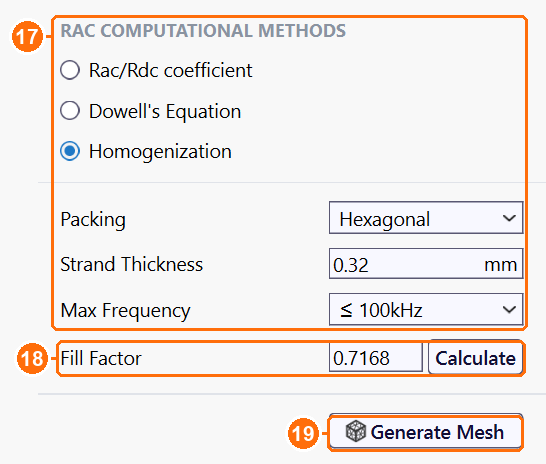
Click Configure Wire. In the Group1coil_2D tab, select Homogenization and set Packing to Hexagonal, Strand Thickness to 0.32 mm and Max Frequency to ≤ 100kHz.
-
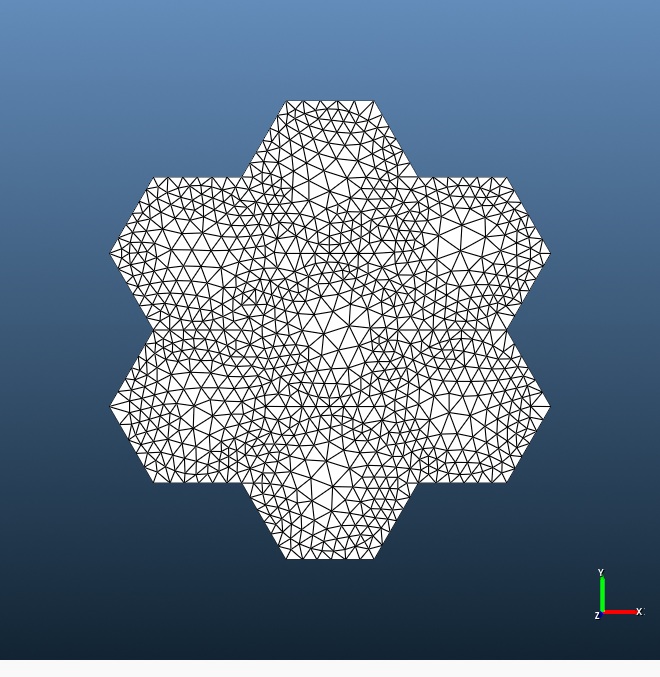
Next to Fill Factor, click Calculate, set Strand Type to Round, Strand thickness to 0.32 and N strands to 7, and click Accept. Fill Factor becomes 0.7168. Then click Generate Mesh: the 2D model of the strand bundle appears on the right. Without it the run stops.
-
Back on Coil, click ⋮ next to Group1coil and choose Copy. Click Configure next to the new Group2coil, set y to −0.625 mm and click Apply. In its Configure Wire tab, click Generate Mesh.
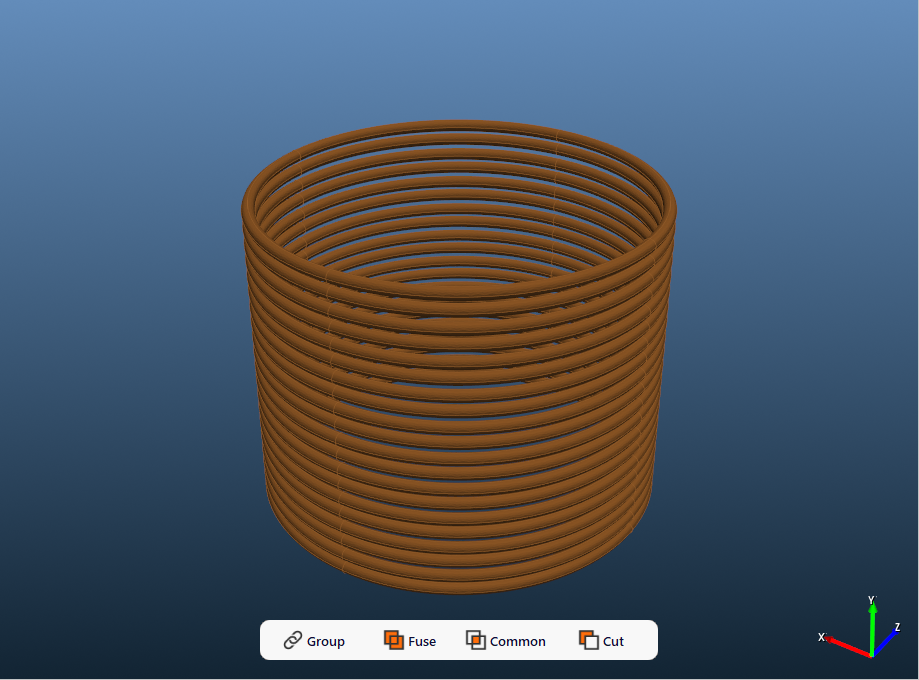
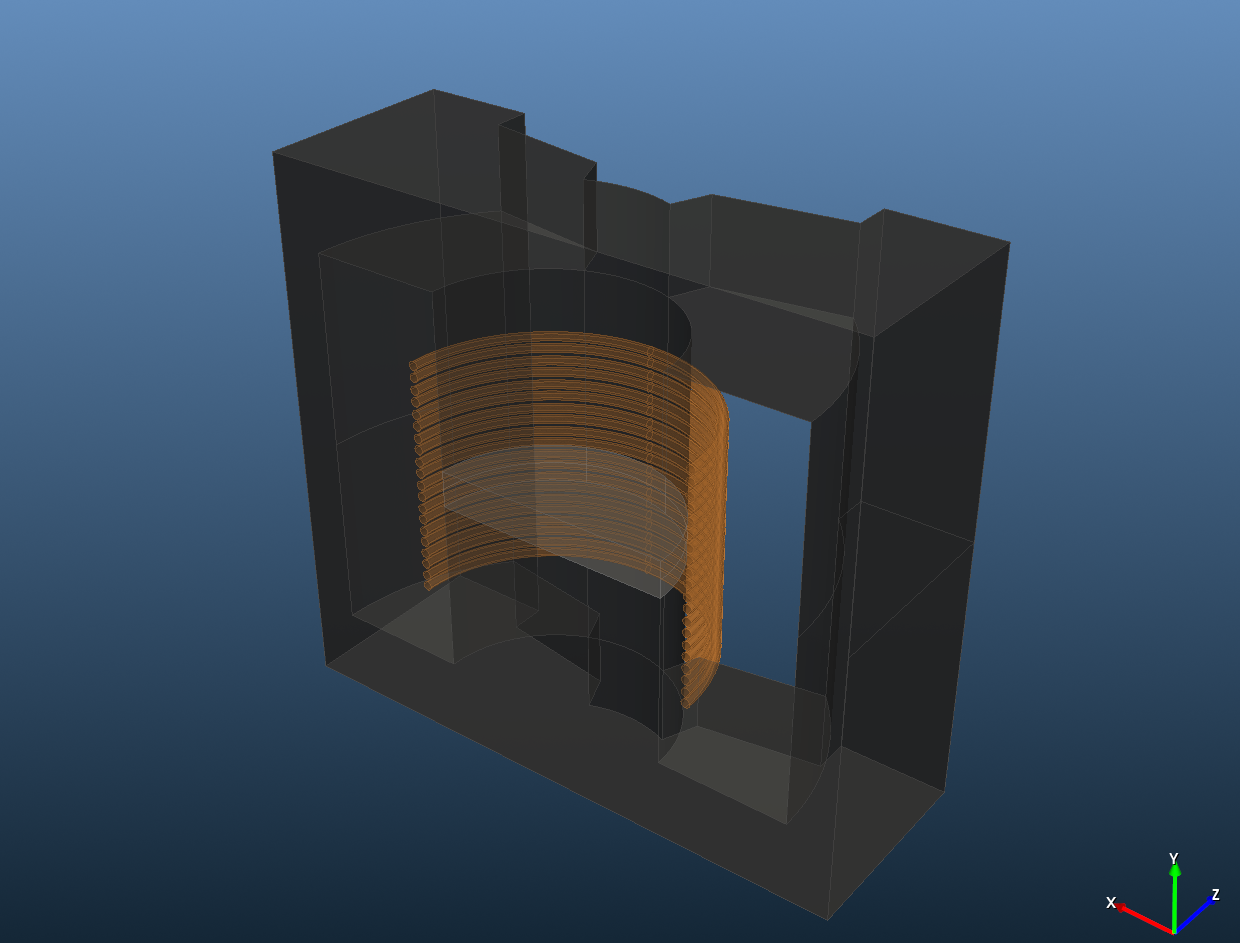
Both 10-turn wires in the Coil tab 3D view.
Max Frequency sizes the mesh of the 2D strand model for the skin depth at that frequency; the model is still solved at every frequency of the sweep. The example keeps ≤ 100kHz for its 110 and 120 kHz points, where the skin depth (0.19 mm at 120 kHz) is only a little finer than at 100 kHz: Rac Loss still rises with the square of the frequency, 17.3 mΩ + 41.0 mΩ × (120/100)² = 76 mΩ against the simulated 75.4 mΩ. For a sweep well beyond 100 kHz, choose ≤ 1MHz.
Assembly
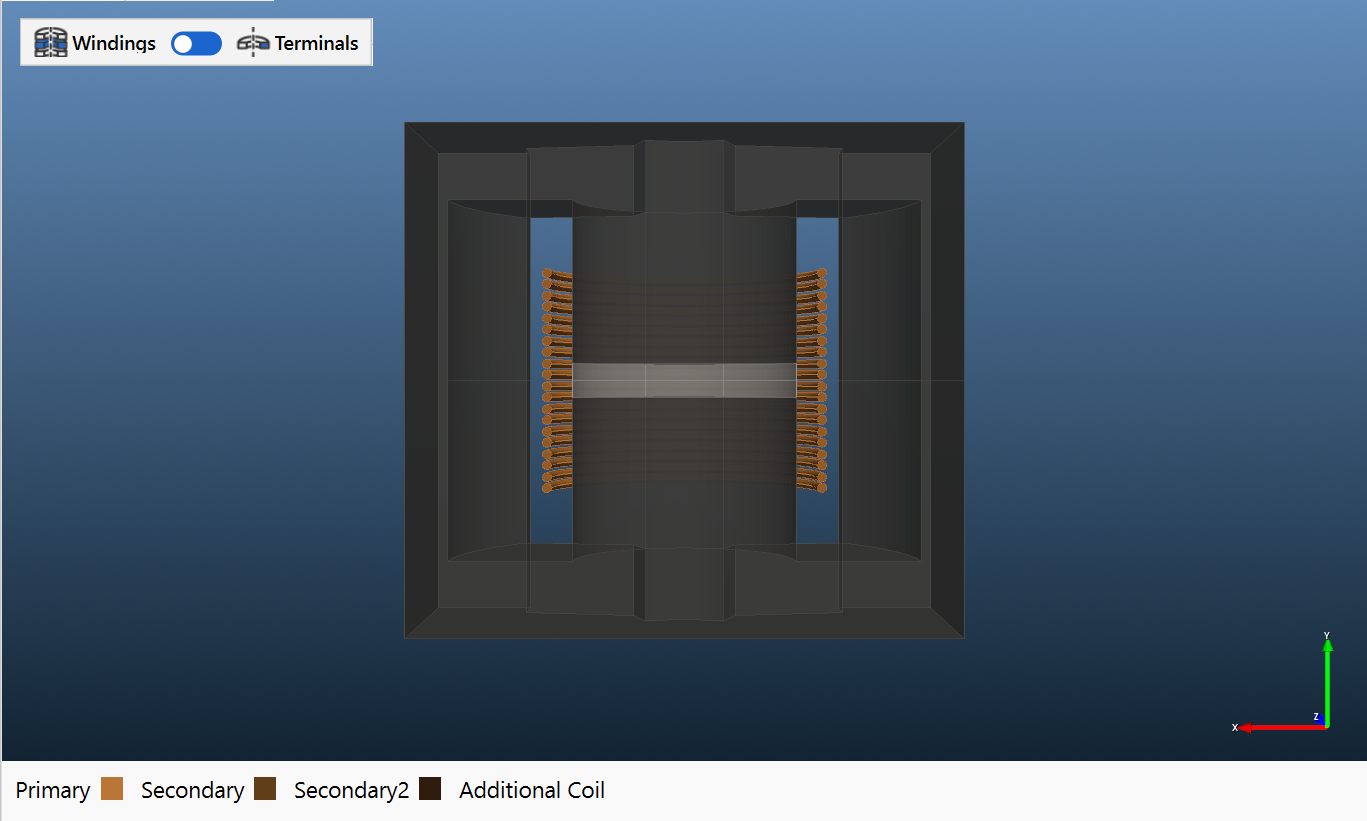
- On Assembly, click Assemble Geometry.
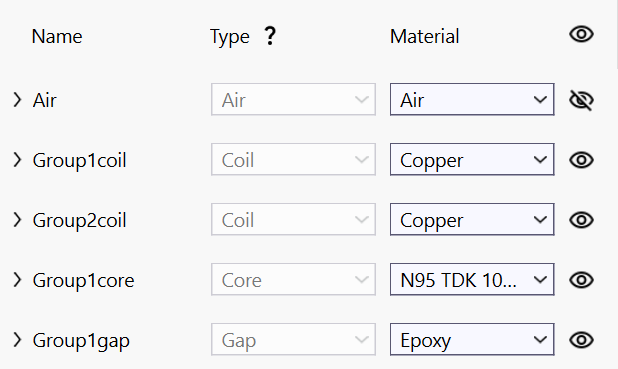
ElMag
-
Under Primary Winding, set Excitation to Irms [A] and Coil group connection type to Parallel.
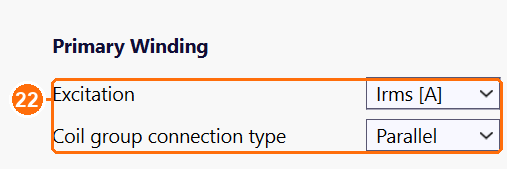
Excitation Irms [A] and Coil group connection type Parallel (22). -
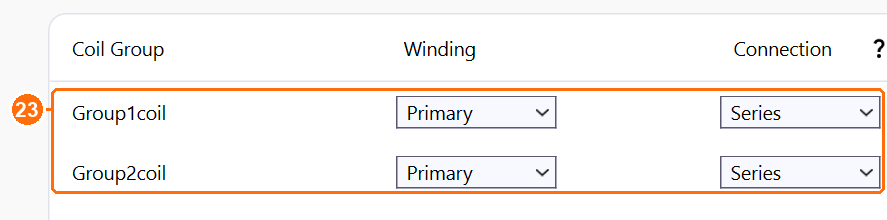
In the coil group table, set both groups:
| Coil Group | Winding | Connection |
|---|---|---|
| Group1coil | Primary | Series |
| Group2coil | Primary | Series |
Circuits
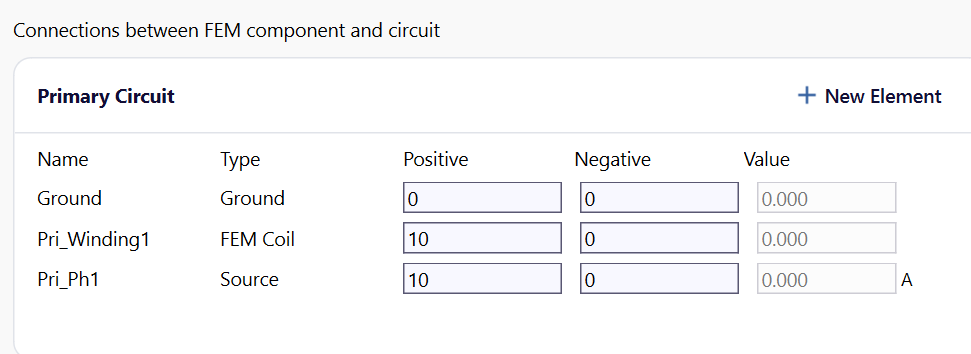
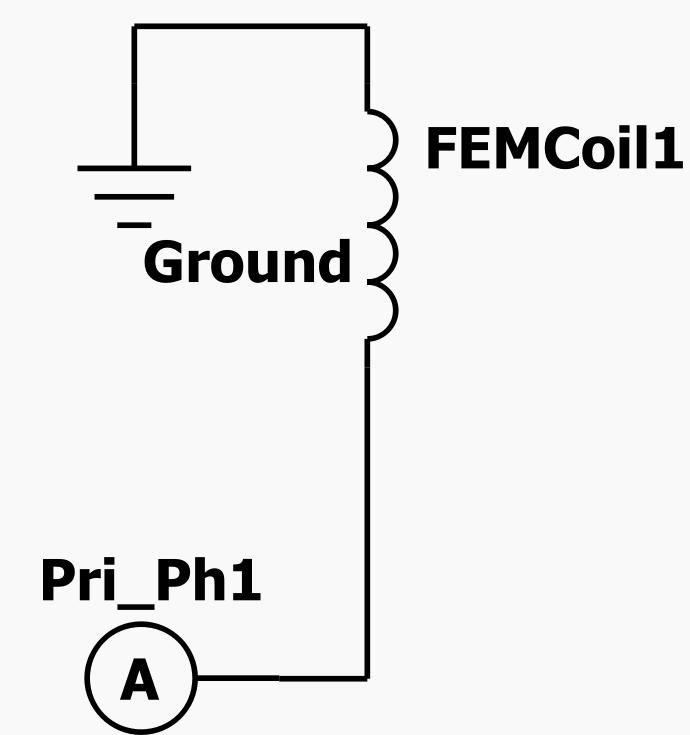
Nothing to change: TRAFOLO builds the circuit from the ElMag settings.
Waveform
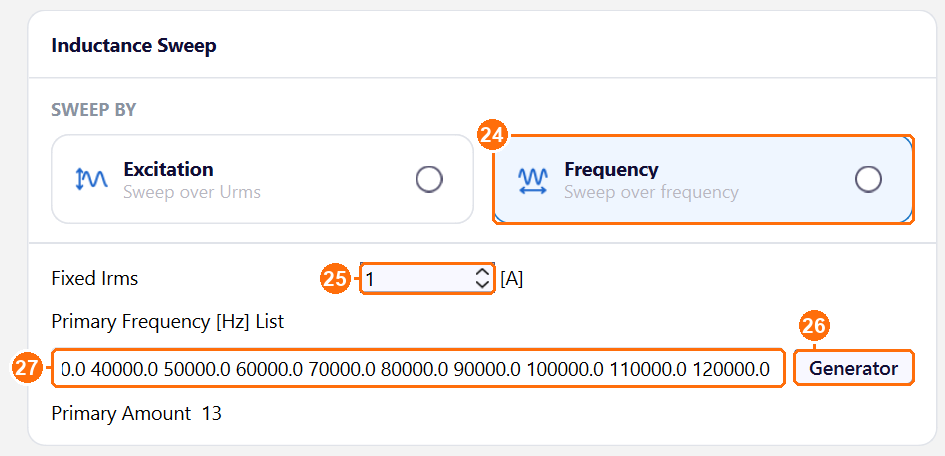
- Under SWEEP BY, select Frequency and set Fixed Irms to 1 A.
- Click Generator next to Primary Frequency [Hz] List, set Step to 10000 and Max to 120000, and click Accept.
- Add 0.0 at the start of the list for the DC point.
Heat
-
Under GLOBAL SETTINGS, set Steady-State Temperature to 20 °C. It sets the copper conductivity.
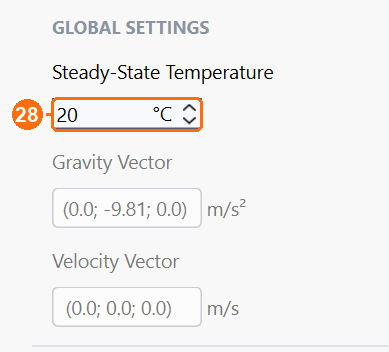
Steady-State Temperature 20 °C (28).
Mesh
-
Under GLOBAL SETTINGS, set Mesh Algorithm to Gmsh and Mesh Refinement to Coarse.
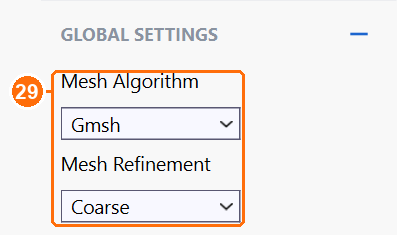
Mesh Algorithm Gmsh and Mesh Refinement Coarse (29). -
Click Compute Mesh.

Compute Mesh (30).
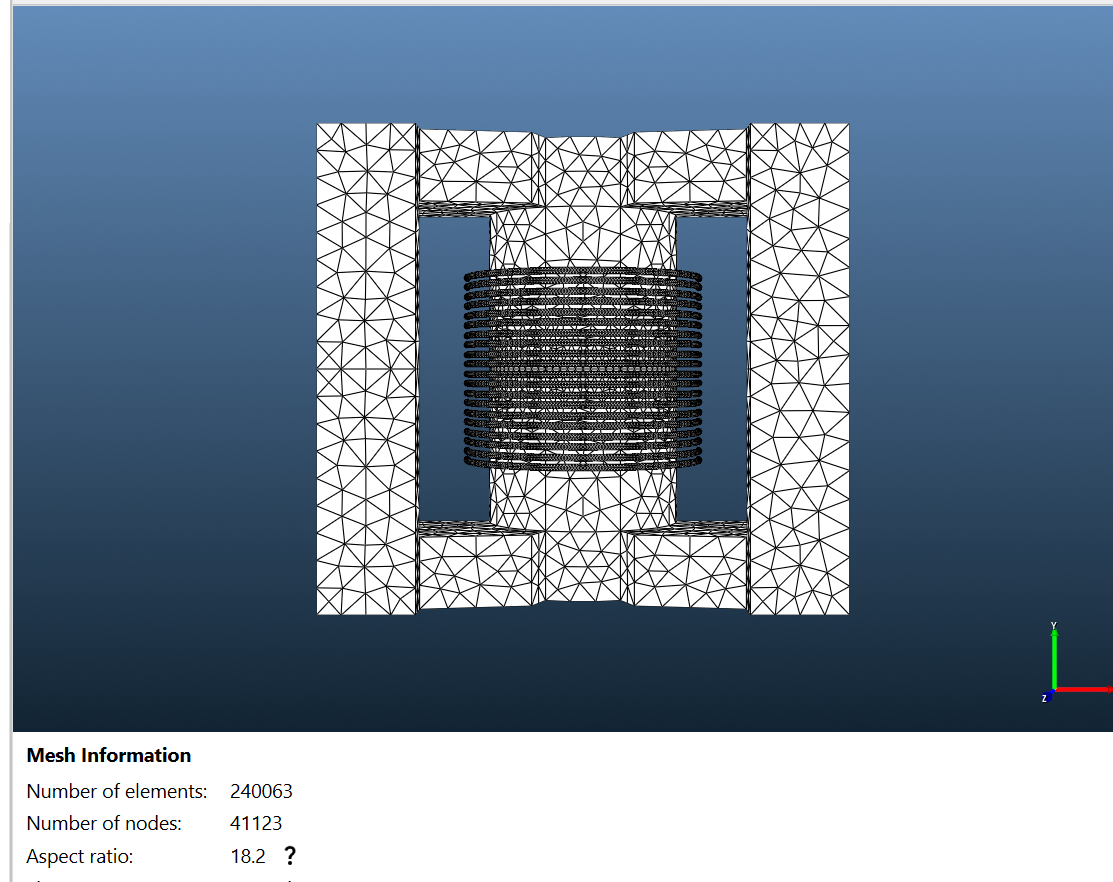
With homogenization the mesh need not resolve strands or the skin depth: TRAFOLO's automatic sizes (0.4 mm in the wires) give about 240,000 elements.
Solve
-
Set Parallel cores to the number of performance cores of your CPU and keep Solver Preset Fast.
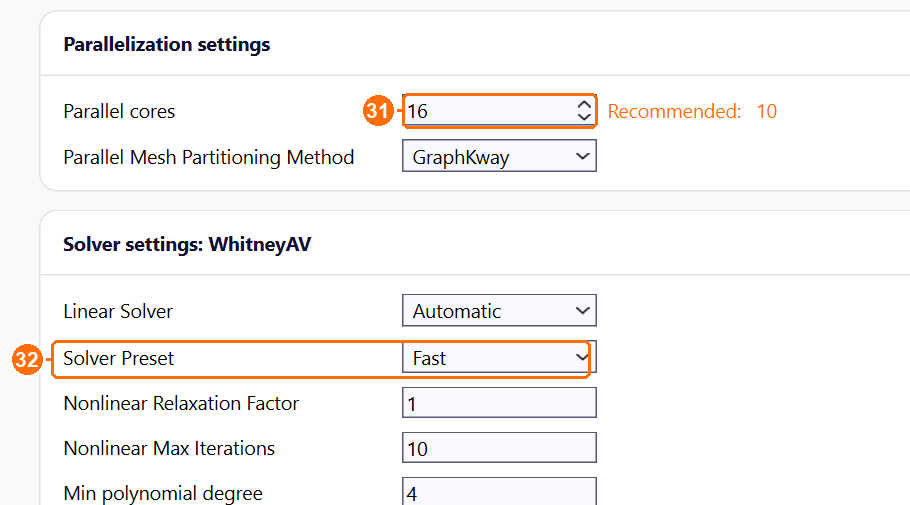
Parallel cores (31) and Solver Preset Fast (32). -
Click Simulation Setup, then Run Simulation.

Simulation Setup, then Run Simulation (33).
Results
At 1 A RMS (Results › Summary and Inductance):
| Frequency (kHz) | Circuit Inductance (µH) | Rac Loss (mΩ) | Rac Loss / Rdc | Q Factor | Core Loss (mW) |
|---|---|---|---|---|---|
| 0 | – | 17.3 | 1.00 | – | 0 |
| 10 | 23.04 | 17.7 | 1.02 | 82 | 0.16 |
| 50 | 23.04 | 27.9 | 1.61 | 258 | 2.5 |
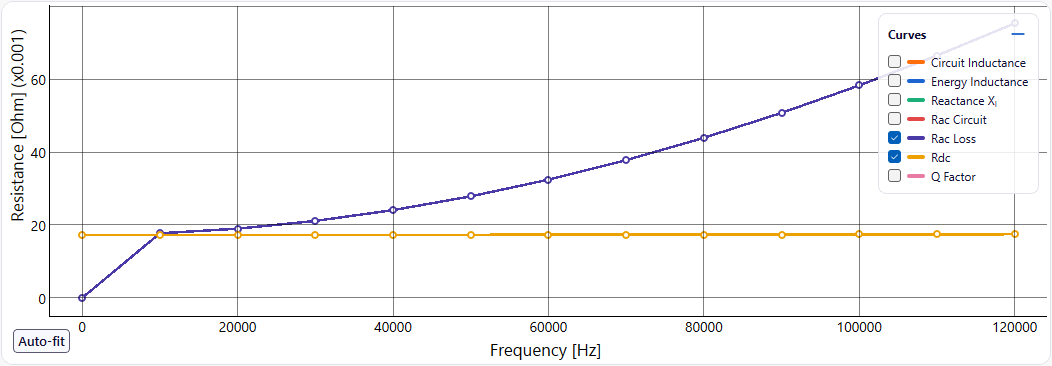
| 100 | 23.03 | 58.3 | 3.37 | 245 | 8.2 |
| 120 | 23.03 | 75.4 | 4.36 | 227 | 11.2 |
Inductance
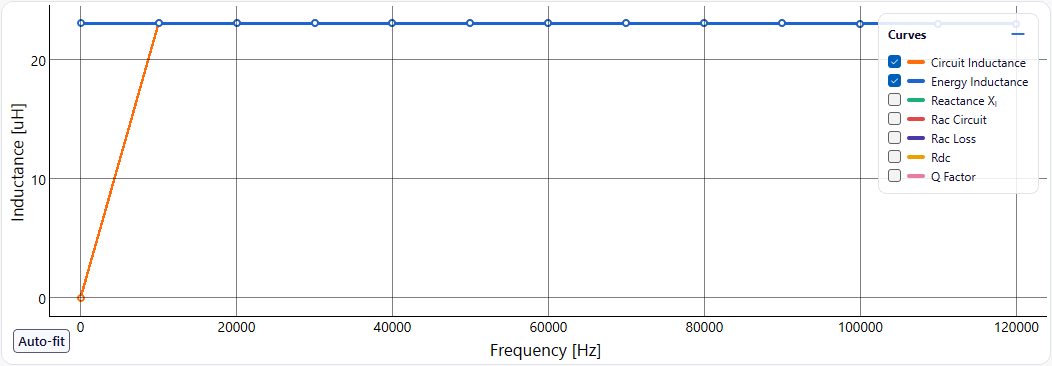
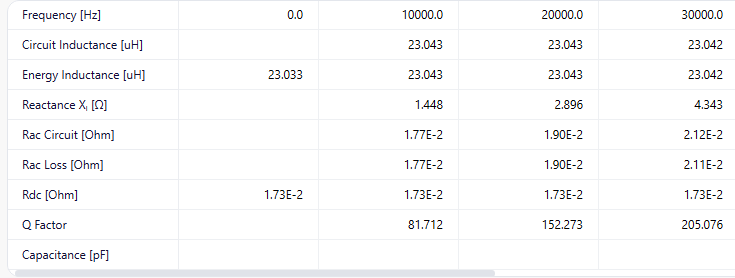
23.0 µH, constant within 0.1 % from 10 to 120 kHz. Circuit Inductance (from the terminal voltage and current) and Energy Inductance (from the stored magnetic energy) agree at every frequency. The 4 mm gap holds most of the magnetic energy, so the ferrite's permeability hardly matters: with µr 3000 instead of 4000, L changes by less than 0.5 %.
AC resistance
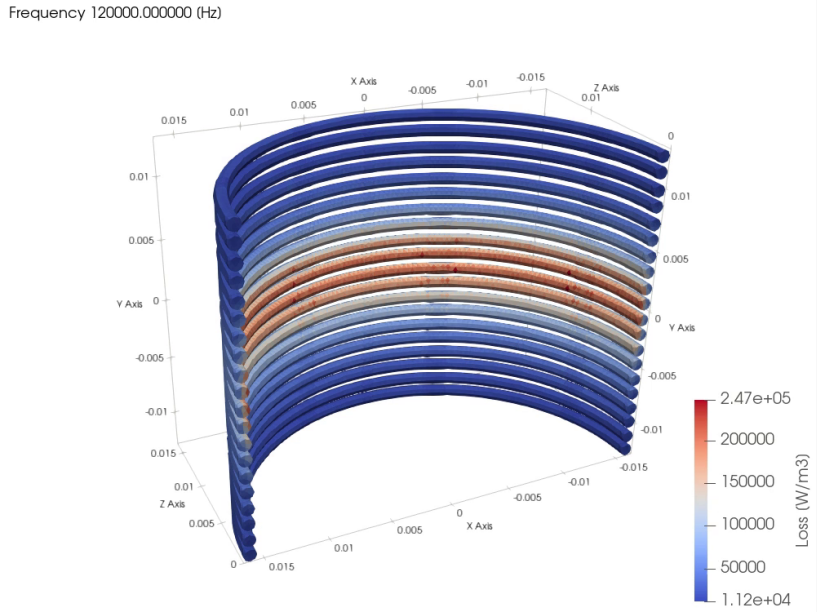
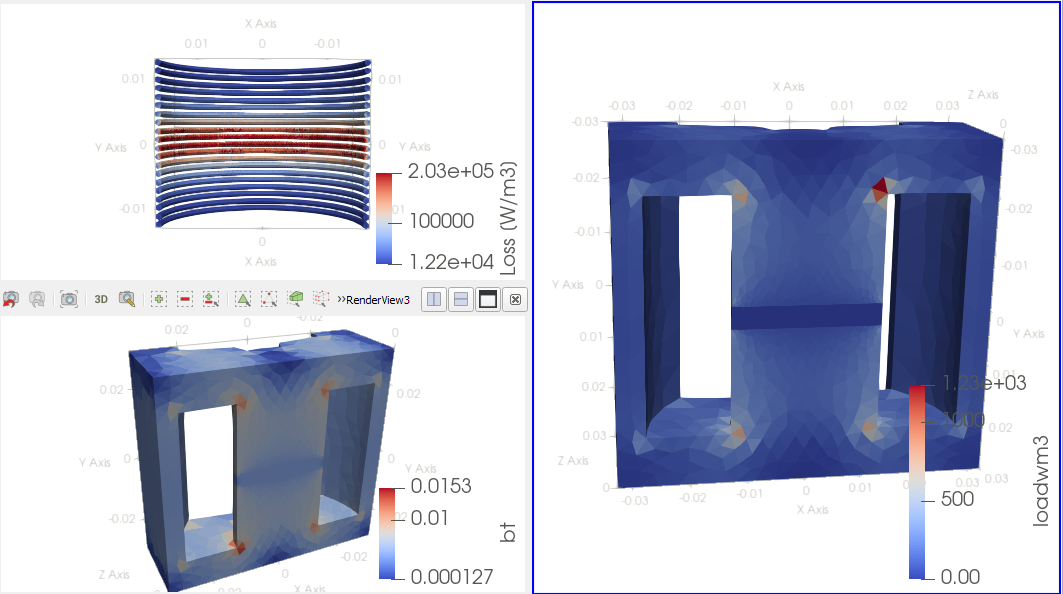
The winding resistance rises from 17.3 mΩ at DC to 58.3 mΩ at 100 kHz (3.4 times) and 75.4 mΩ at 120 kHz (4.4 times). Above 40 kHz the 0.32 mm strands are thicker than the skin depth (0.21 mm at 100 kHz), and the fringing field of the 4 mm gap crosses the turns next to it, so these carry the highest loss (field picture below). For the same copper area, finer strands cut the proximity loss roughly with the square of the strand diameter; more distance between the winding and the gap lowers the fringing-field loss.
Q factor and core loss
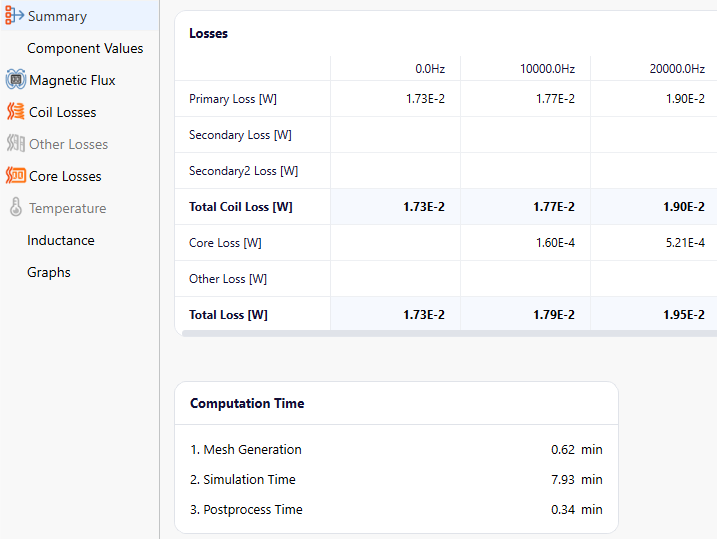
Q Factor = Reactance XL / Rac Circuit. It rises while the resistance stays near Rdc, peaks at 265 around 60 to 70 kHz, and falls once the AC resistance grows faster than the frequency. Here Rac Circuit equals the winding resistance (Rac Loss) within 2 %: the core loss, computed separately from the material's core-loss model, is not part of it. The core loses 11 mW at 120 kHz and 1 A (peak flux density 0.015 T), 13 % of the total; including it, Q at 120 kHz would be 200 instead of 227.
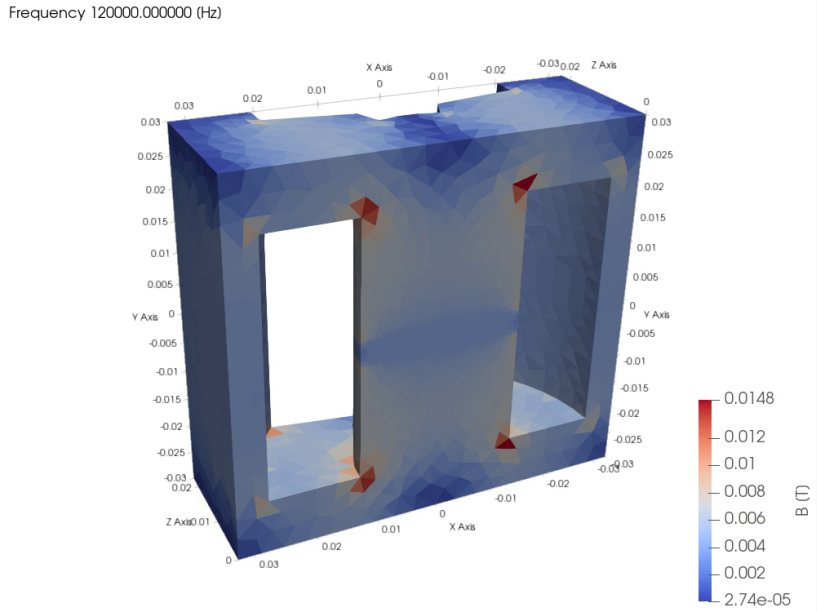
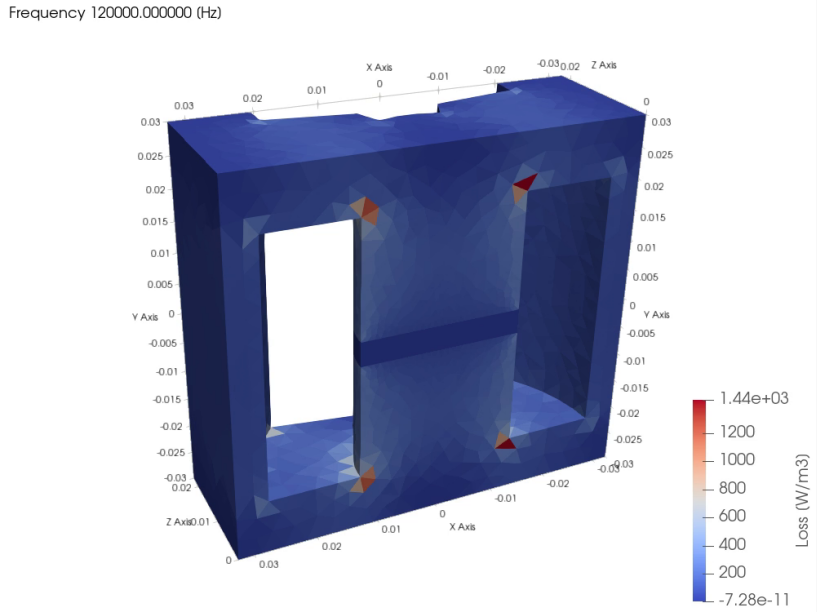
The example ships without 3D field data: run it before Open in ParaView (ParaView (post-processing).
Validation
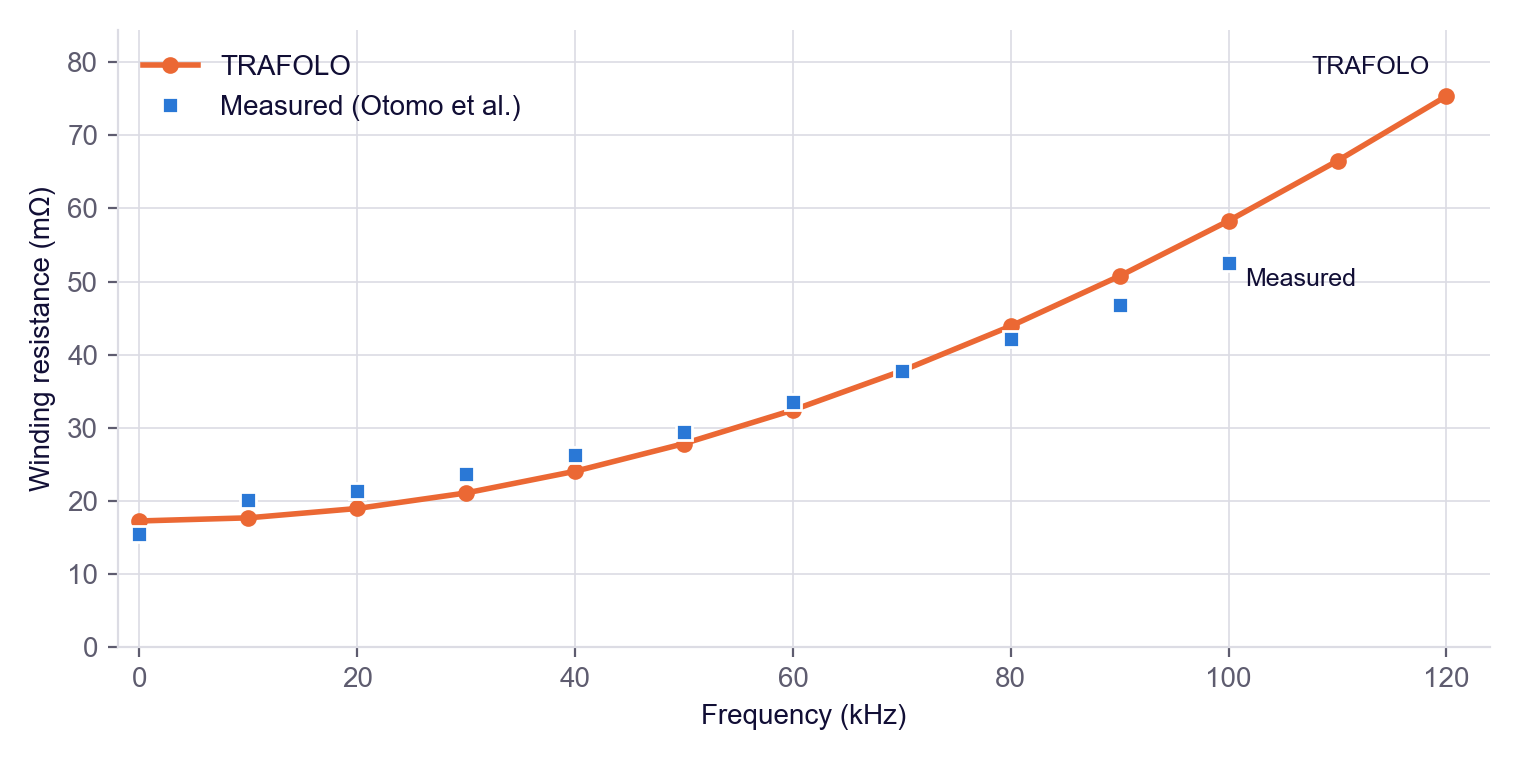
TRAFOLO's Rac Loss against the AC resistance measured by Otomo et al. (measured values read from the published plot, ±0.5 mΩ):
| Frequency (kHz) | Measured (mΩ) | TRAFOLO (mΩ) | Difference |
|---|---|---|---|
| 0 | 15.5 | 17.3 | +11 % |
| 10 | 20.2 | 17.7 | −12 % |
| 50 | 29.4 | 27.9 | −5 % |
| 70 | 37.8 | 37.8 | 0 % |
| 100 | 52.6 | 58.3 | +11 % |
TRAFOLO stays within 12 % of the measurement from DC to 100 kHz.
Background
Why homogenization
Litz wire limits the skin effect in each strand, but the proximity effect from neighbouring turns and the gap field remains. Resolving it strand by strand needs elements of about a third of the skin depth (0.06 mm at 120 kHz) in every strand. Homogenization replaces each wire with an equivalent material that TRAFOLO computes from a 2D model of the strand bundle, once per frequency, so the 3D mesh treats each wire as a solid. It assumes ideally twisted strands; the current split between the two parallel wires is computed.
Method details: Homogenization of Litz and Stranded Windings.
Further reading
- HOMOGENIZATION. Hands-on modeling of litz in 3D FEM #9 (TRAFOLO on LinkedIn)
- Dowell equation, homogenization, and the role of academia in solving our engineering problems #5 (TRAFOLO on LinkedIn)