Other
On the Other tab you add parts that are neither core nor coil but affect the field or the heat flow: brackets, clamps, heat sinks, shields and enclosures. They are usually conductive. You give each group its material on the Assembly tab.
A conductive part in the stray or fringing field of a gap or winding carries eddy currents. It changes the inductance and adds losses, and it can be a heat source or a heat sink. Model it when it sits close to a gap or a winding. The Results tab lists their losses under Other Losses.
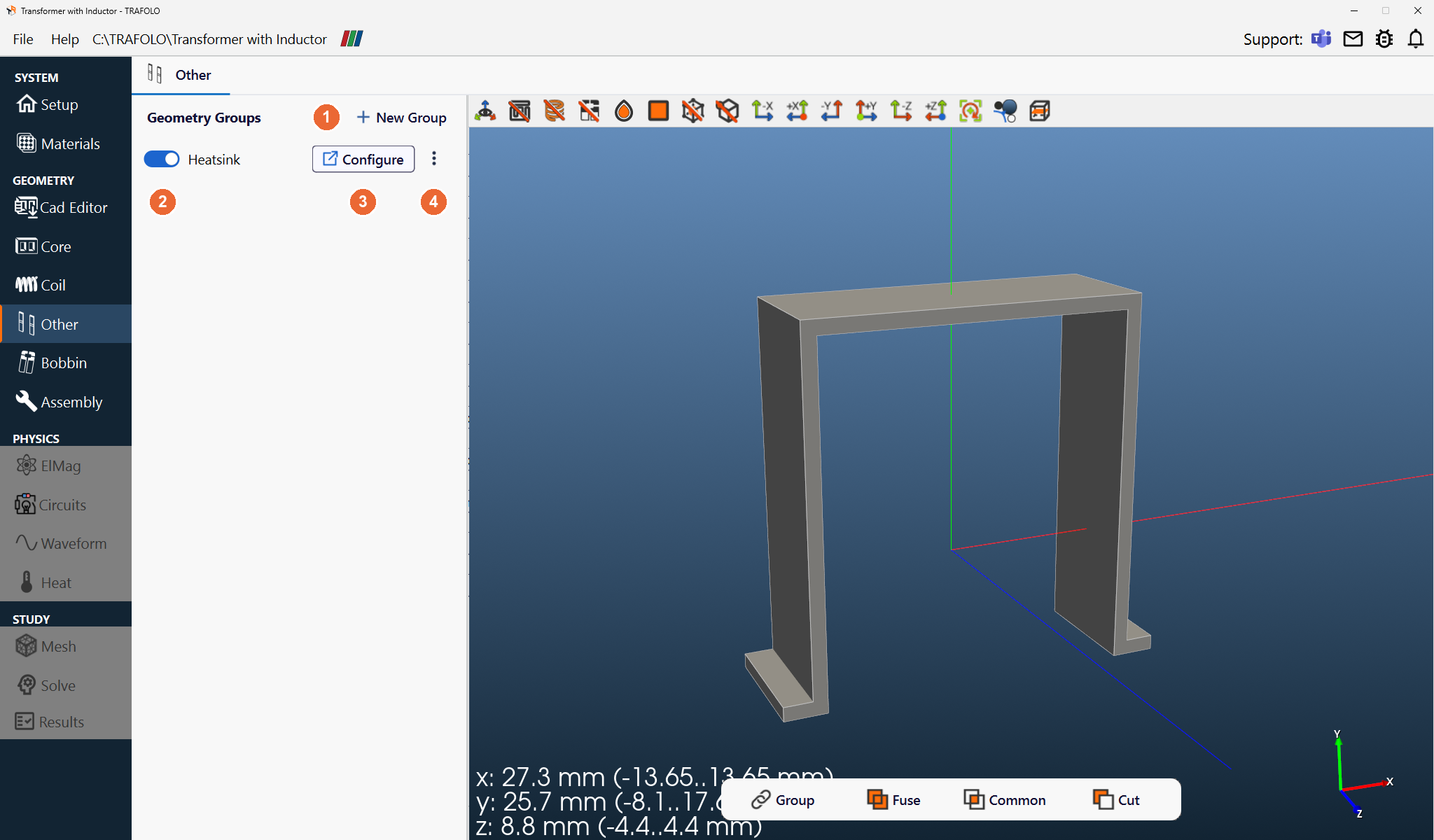
Geometry Groups
+ New Group (1) adds a group. Each row is one group: the switch (2) turns it on or off, Configure (3) opens its settings in a new tab, and ⋮ (4) copies or deletes it (as on the Coil tab). Each group can get its own material on the Assembly tab. Other bodies are cut out of bobbin bodies where they overlap.
Group settings
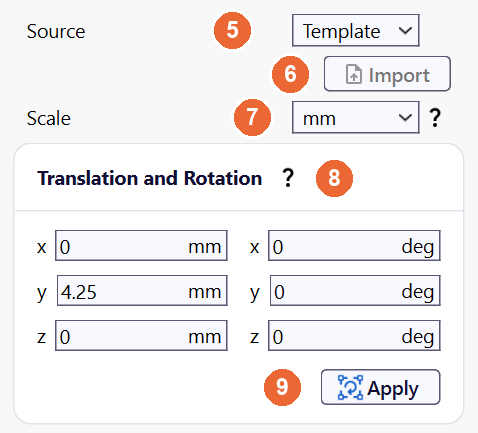
| Setting | Values | What it does |
|---|---|---|
| Source (5) | Template (default), CAD | Template: build the part with the Geometry Builder. CAD: import it with Import (6); see Importing from CAD. |
| Scale (7) | µm, mm (default), cm, m, in, ft | Length unit of the geometry and of the builder dimensions. Set it before you build or import. |
| Translation and Rotation (8) | mm and deg | Moves the group: translation first, then rotation about the x-, y- and z-axes, with absolute values (see Coil). Enter the values and click Apply (9). |
Geometry Builder
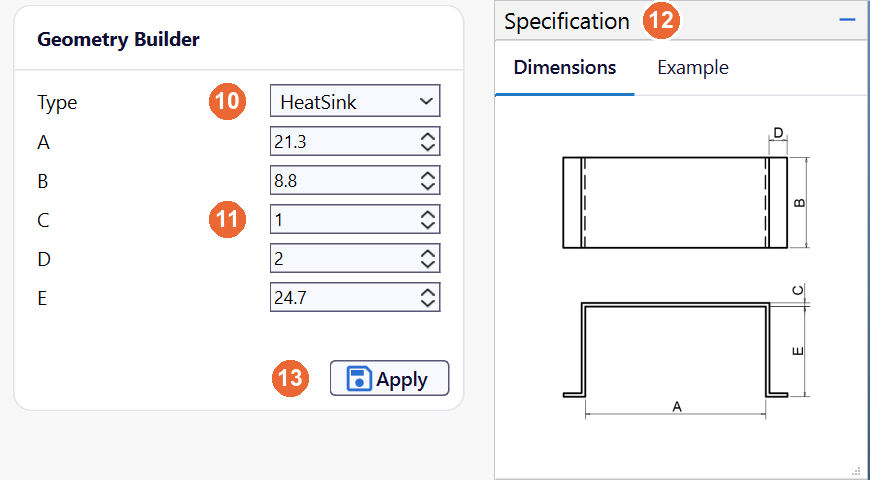
Choose a Type (10), enter the dimensions (11) in the Scale unit (the letters match the sketch in the Specification panel (12)) and click Apply (13).
| Type | Builds |
|---|---|
| HeatSink | A simple heat sink for mounting the component and taking heat away |
| Cylinder, Box | Basic shapes, for example shields and enclosures |
Importing from CAD
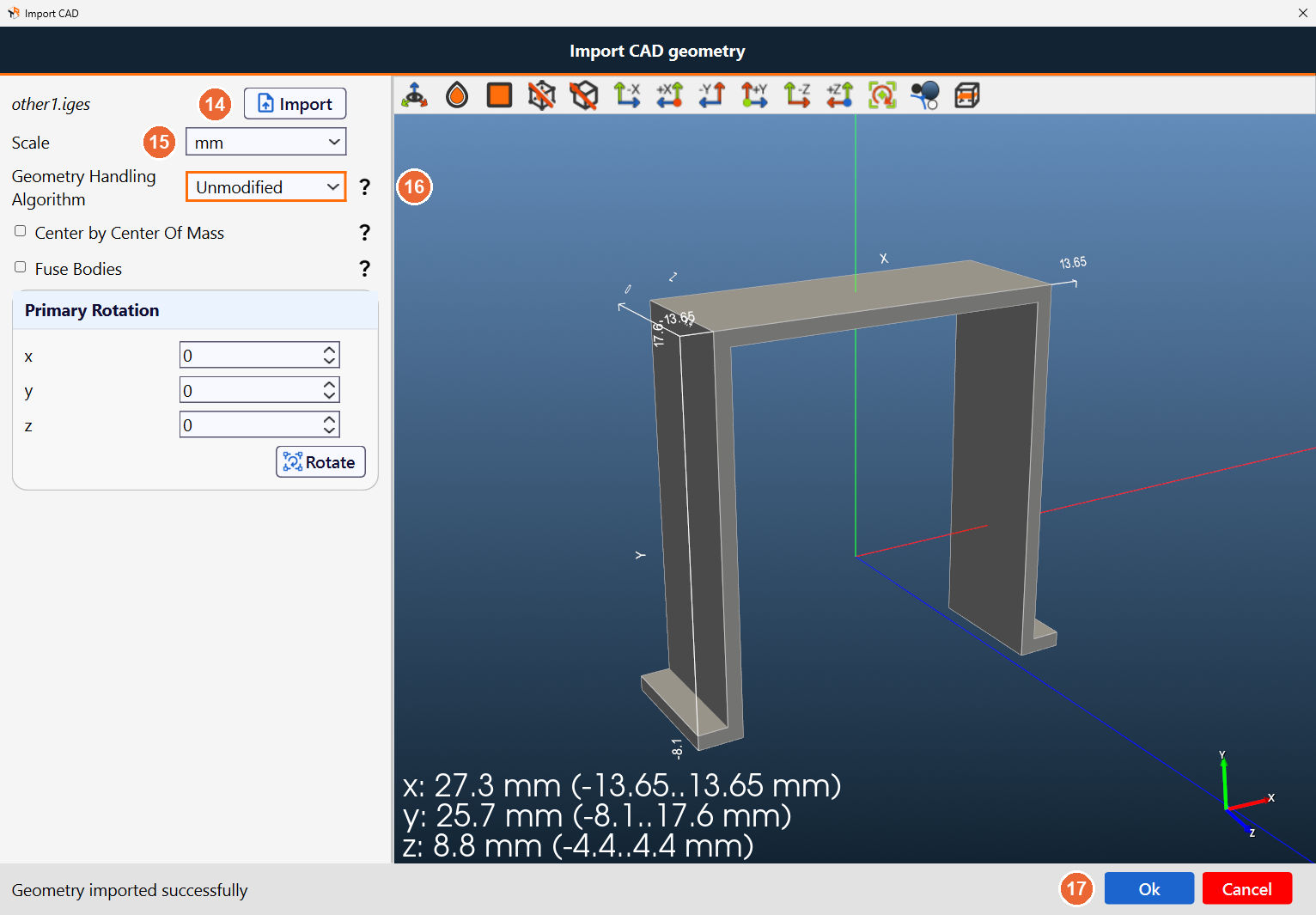
One file per group, in STEP or IGES format, with non-overlapping solids. The Import CAD dialog works as on the Core tab: click Import (14) and choose the file, check Scale (15), choose the Geometry Handling Algorithm (16) and click Ok (17). With Cut by Other Objects, the parts that overlap the core are cut away from the imported geometry.
Related
- 3D View: toolbar and controls of the 3D view on this tab
- Importing CAD Geometries
- Fixing CAD geometries for FEM (LinkedIn)