ElMag
On the ElMag tab (page title Electromagnetism) you assign the coil groups to windings, choose how each winding is excited, set how the coil groups of a winding and the bodies of a coil group are connected, and check the terminals. The excitation values (frequency, amplitude, phase) are set on the Waveform tab; extra circuit elements on the Circuits tab.
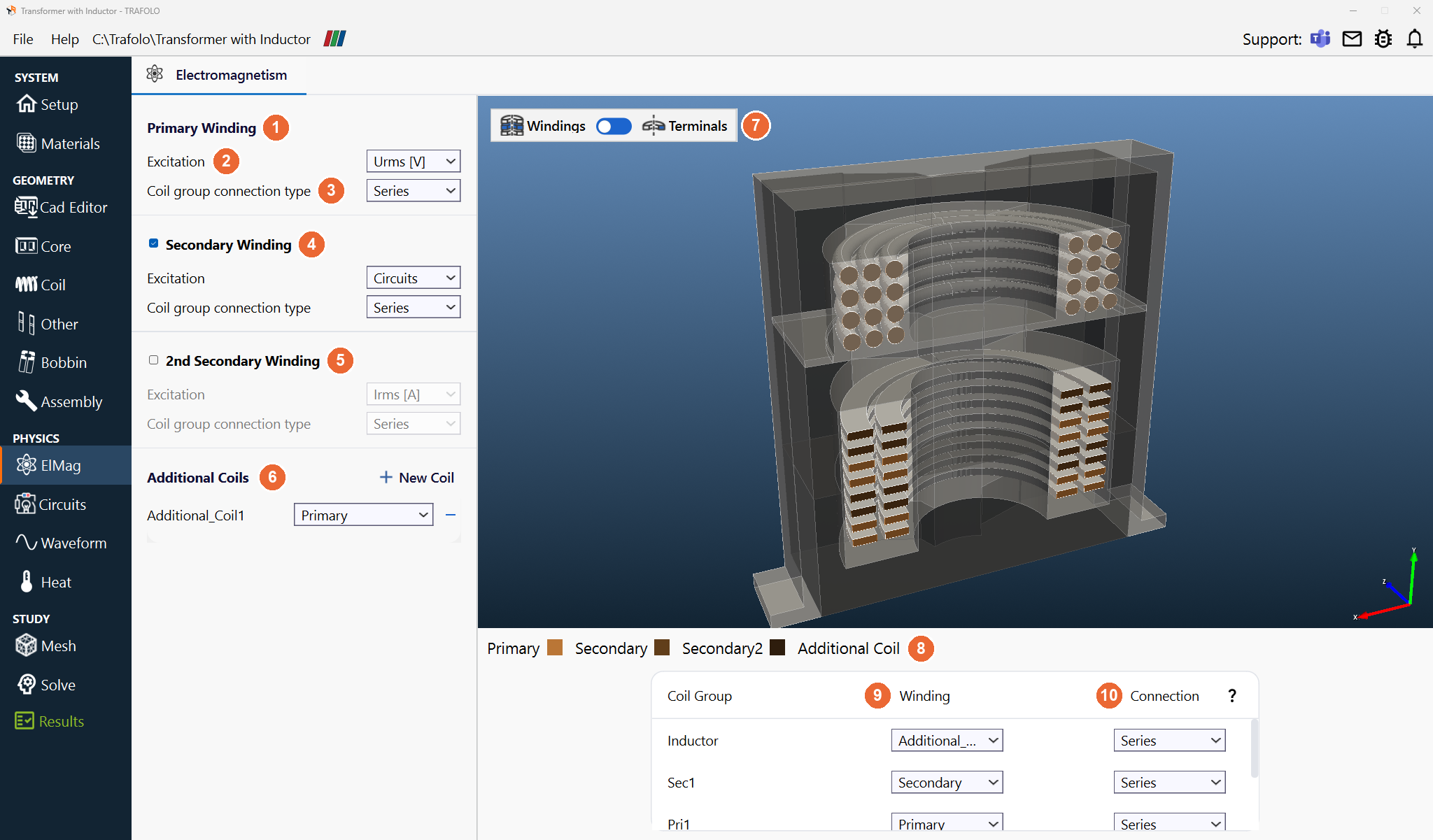
Windings
| Setting | Values | What it does |
|---|---|---|
| Primary Winding (1) | Always on | The driven winding. |
| Excitation (2) | Irms [A], Urms [V]; secondaries also Circuits | A current source, a voltage source, or (secondaries) a connection through the circuit on the Circuits tab. Each winding has one excitation; power cannot be set. With 0 A the winding is open, with 0 V it is shorted. |
| Coil group connection type (3) | Series, Parallel | How the coil groups of one winding are connected. Series: equal current through all of them. Parallel: common voltage, the current divides. |
| Secondary Winding (4), 2nd Secondary Winding (5) | On or off | A second and a third winding, each with its own Excitation and Coil group connection type. Use the 2nd secondary for centre-tapped or split secondaries and auxiliary windings. |
| Additional Coils (6) | + New Coil; connected to Primary or Secondary | A further coil, for example an inductor in series with a transformer winding, solved in the same simulation. |
Prefer current excitation where you can: the current defines the magnetizing current and the field uniquely. Background: Core losses: what is the point of using current instead of voltage (LinkedIn).
Coil group table
Below the 3D view, each coil group gets its winding and the connection of its bodies.
| Column | What it sets |
|---|---|
| Coil Group | The coil groups of the Coil tab. |
| Winding (9) | Primary, Secondary, Secondary2 or an additional coil. The legend (8) above the table gives the colour of each winding in the 3D view. |
| Connection (10) | How the separate bodies of one coil group are connected. Series (default): the same current through every body; resistances and voltages add. Parallel: the same voltage across every body, and the current divides, for example between solid or litz turns drawn as separate bodies. A group of one body is not affected. |
Connection does not act inside a body. The turns of one body (Turns per solid on the Coil tab) always carry the same current, in series, and the strands of a litz or stranded wire belong to the wire model in Configure Wire. Wires in parallel must be separate bodies: bodies of one group with Connection Parallel, or each wire its own coil group with Coil group connection type Parallel (see Homogenization of Litz and Stranded Windings).
Terminals
Switch the 3D view from Windings to Terminals (7) to see the terminal faces (11): Positive (orange), Negative (black) and Undefined (grey, no current); the legend (12) below the 3D view gives the colours. Click a face to change its type. How to set them: Setting terminals & Current Direction.
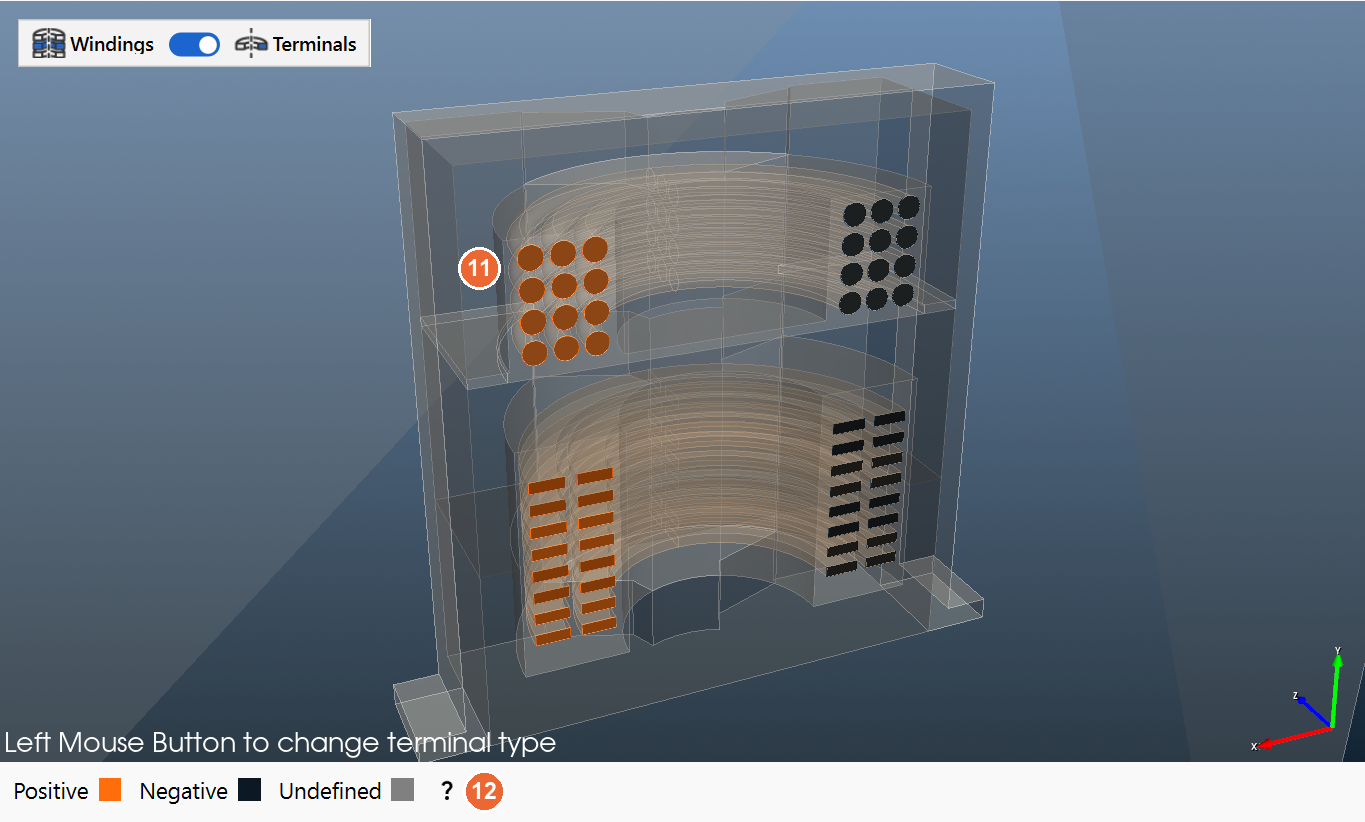
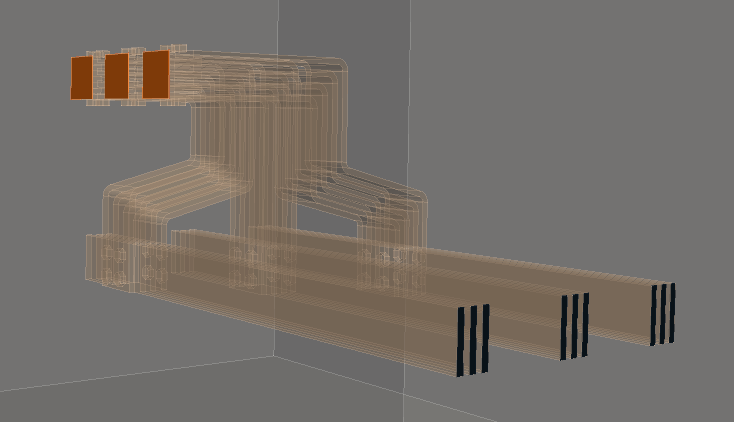
- Every turn needs at least one positive and one negative terminal; together they set the current direction.
- Several terminals of the same type on one turn get the same voltage and share the current.
Check the current direction of every winding. In a transformer the primary and secondary ampere-turns oppose each other and the core carries only the difference. A winding with reversed terminals adds instead of cancelling, so inductance and losses come out far off (see Troubleshooting).
Related
- Circuits, Waveform: the circuit around the windings and the excitation values
- Inductance (frequency and excitation sweeps)e