Results
On the Results tab you read the results of the last run: tables of losses and component values, field views on the model, and graphs. Open in ParaView opens the full field results for your own analysis.
The shipped templates keep their tables and field views but not the full field files: run a template again before you open it in ParaView.
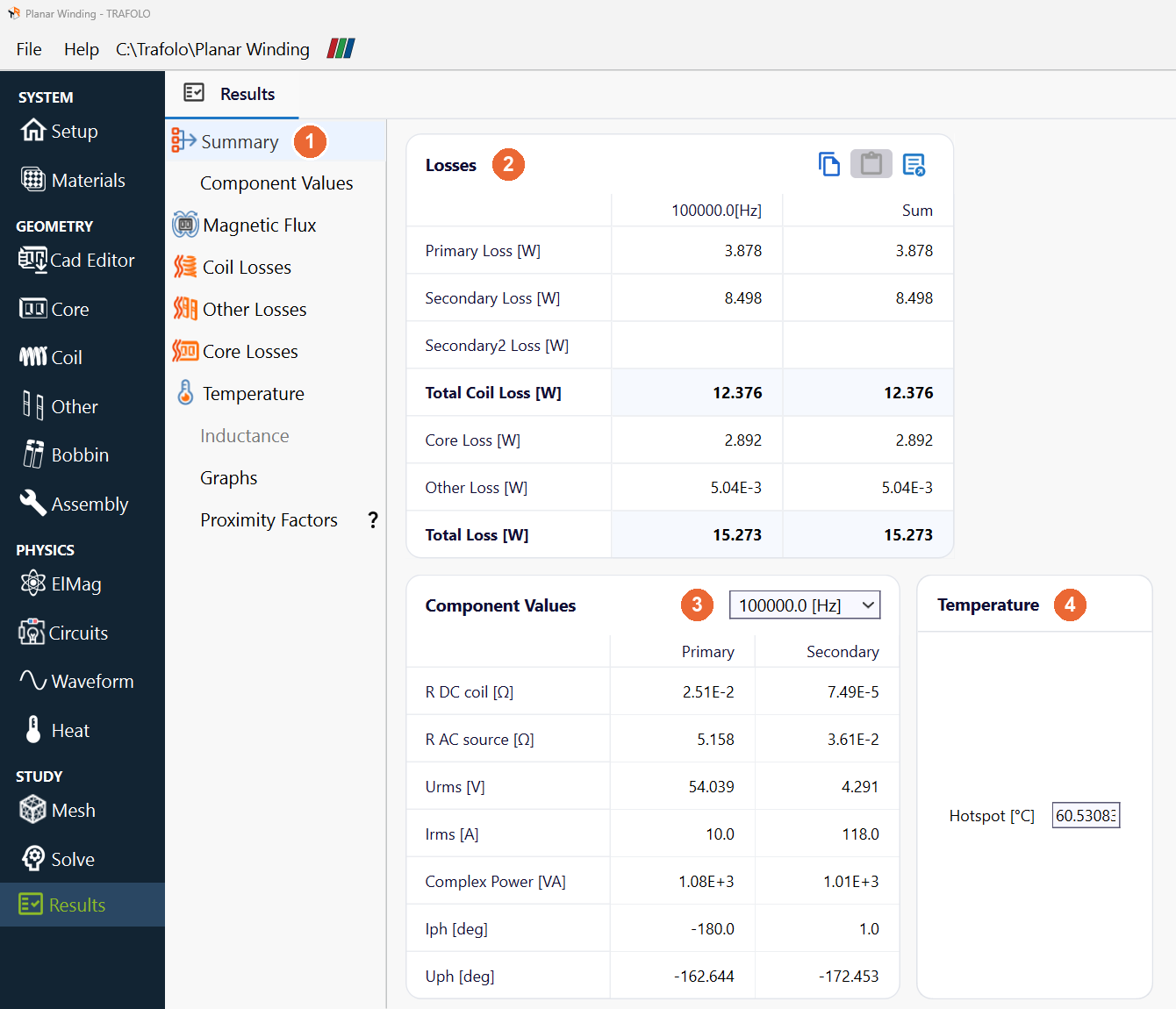
In the picture: the list of views (1); the Losses (2), Component Values with its frequency box (3) and Temperature (4) boxes of the Summary.
Views
| View (1) | What it shows |
|---|---|
| Summary | The losses, the component values, the hotspot temperature, the computation time, the log of the last successful run and the project size (details below). |
| Component Values | Resistance, reactance, voltage and current of every winding, coil group and turn (Rdc, Rac Circuit, X, Urms, Irms, Ucomplex and more). The Value box picks the frequency. |
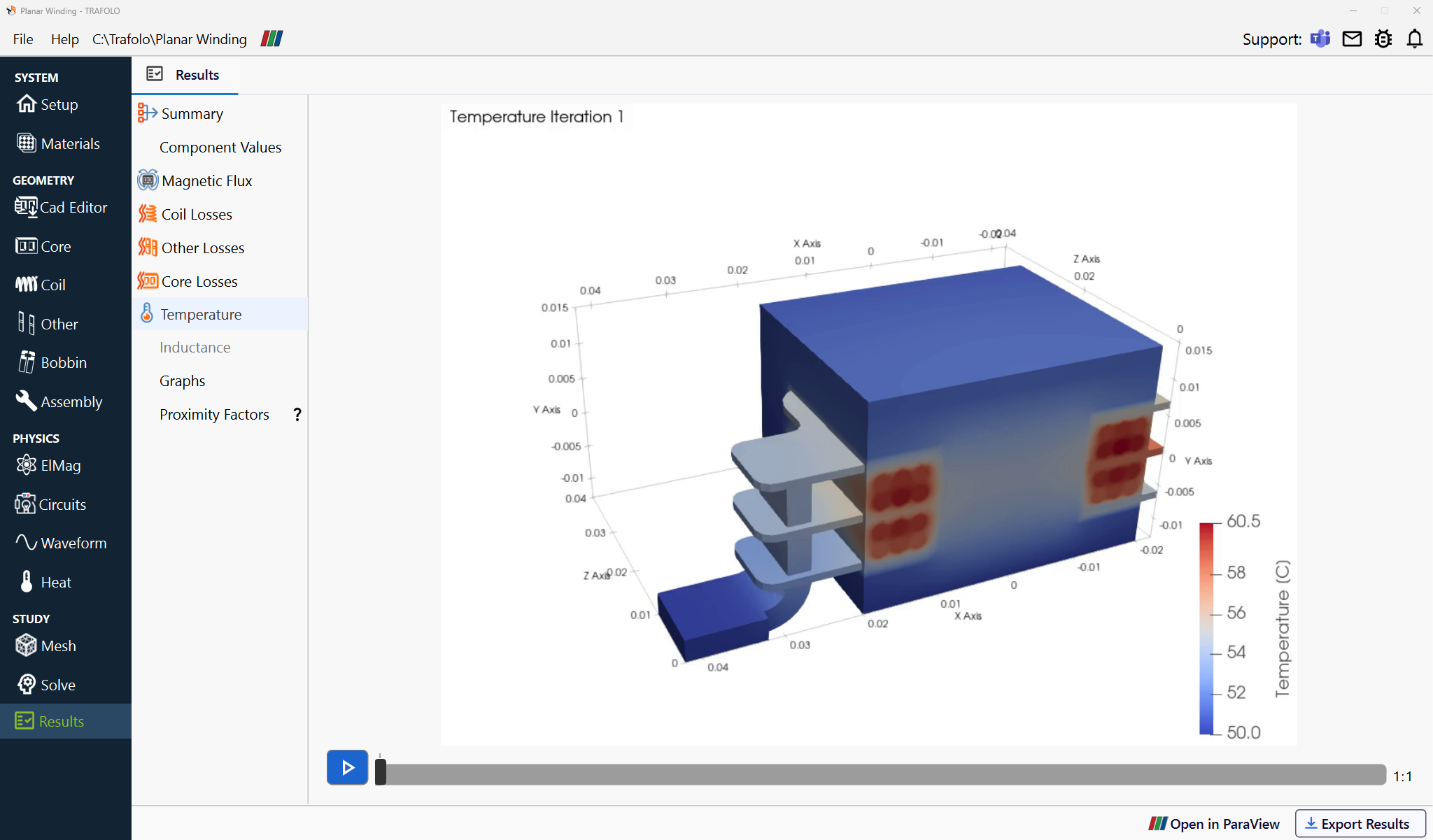
| Magnetic Flux, Coil Losses, Other Losses, Core Losses, Temperature | The field on the model: flux density, loss densities and temperature, with a colour bar. The play button and the slider step through the frames the run produced, for example the time steps of a transient run. |
| Inductance | Inductance runs only: see Inductance (frequency and excitation sweeps). |
| Graphs | Any computed value (losses, field energies, currents) over frequency or time: tick Visible to add it to the plot. |
| Proximity Factors | The Rac/Rdc factors of the Litz and stranded coil groups per frequency. In transient runs: with Dowell's Equation, the effective factor over a period, weighted by the harmonic amplitudes; with Rac/Rdc coefficient, the fixed Proximity Factor. Homogenized groups have no factor. |
| Capacitance Matrix | With Capacitance on the Setup tab: the capacitance between all coil groups. The diagonal holds the capacitance of each group to the outer boundary. |
Summary
| Box | What it holds |
|---|---|
| Losses (2) | Primary, Secondary and Secondary2 Loss, Total Coil Loss, Core Loss, Other Loss and Total Loss [W]. Harmonic runs show one column per frequency and their Sum; transient runs show the losses averaged over full periods. |
| Component Values (3) | R DC coil, R AC source, Urms, Irms, Complex Power, Iph and Uph of the primary and the secondary, for the frequency chosen in the box. |
| Temperature (4) | Hotspot [°C]: the highest temperature in the model, with steady-state heat transfer. |
| Interwinding Capacitance | With Capacitance: between primary and secondary, summed from the capacitance matrix. |
| Computation Time | Mesh generation, simulation and postprocessing time, then the log file of the last successful run and the project size. |
Inductance, Rac and Q
How the inductance, resistance and Q values on the Results tab are computed, per frequency. V and I are the complex voltage and current of the winding's source, ω = 2πf.
| Quantity | Definition | What it includes |
|---|---|---|
| Circuit Inductance | Im(V/I)/ω | The inductance the circuit sees at the terminals. |
| Energy Inductance | 2W/I², W the magnetic energy of the whole model | The energy of all currents together: with several windings carrying current, it is not the inductance of one winding. |
| Rac Circuit; R AC source in the Summary | Re(V/I) | Every loss inside the field solution: winding loss, eddy-current loss in cores and other parts, and the core loss of a complex-permeability core. Not the core loss that the core-loss model (Steinmetz, GSE, iGSE) computes after the solve. With a loaded secondary, it also holds the power passed to it. |
| Rac Loss | Winding loss / Irms² | The winding only: DC, skin and proximity loss. |
| Q Factor | X / Rac Circuit, X = Im(V/I) | The losses in Rac Circuit. |
Q from the losses, 2πf·L divided by (coil loss + core loss)/Irms², also counts the core loss computed after the solve and can differ a lot from Q Factor: in the Planar Inductor template it is 162 at 5 kHz, against a Q Factor of 223. Sweeps over frequency or excitation: Inductance (frequency and excitation sweeps).
Export Results

In the picture: Open in ParaView (5) and Export Results (6), at the bottom right of the Results tab.
Export Results (6) › CIRCUIT MODEL saves the component as a circuit model:
| Export | File | What it holds |
|---|---|---|
| Touchstone | .s2p | 2-port S-parameters, Z0 = 50 Ω, of the simulated terminal impedance. |
| SPICE subcircuit | .lib | A broadband RLC equivalent circuit of the same impedance. |
| SPICE symbol | .asy, .qsym, .kicad_sym | A schematic symbol and its model for LTspice, QSPICE or KiCad. |
| Capacitance netlist | .cir | The capacitance matrix as a SPICE subcircuit, after a run with Capacitance. |
ParaView
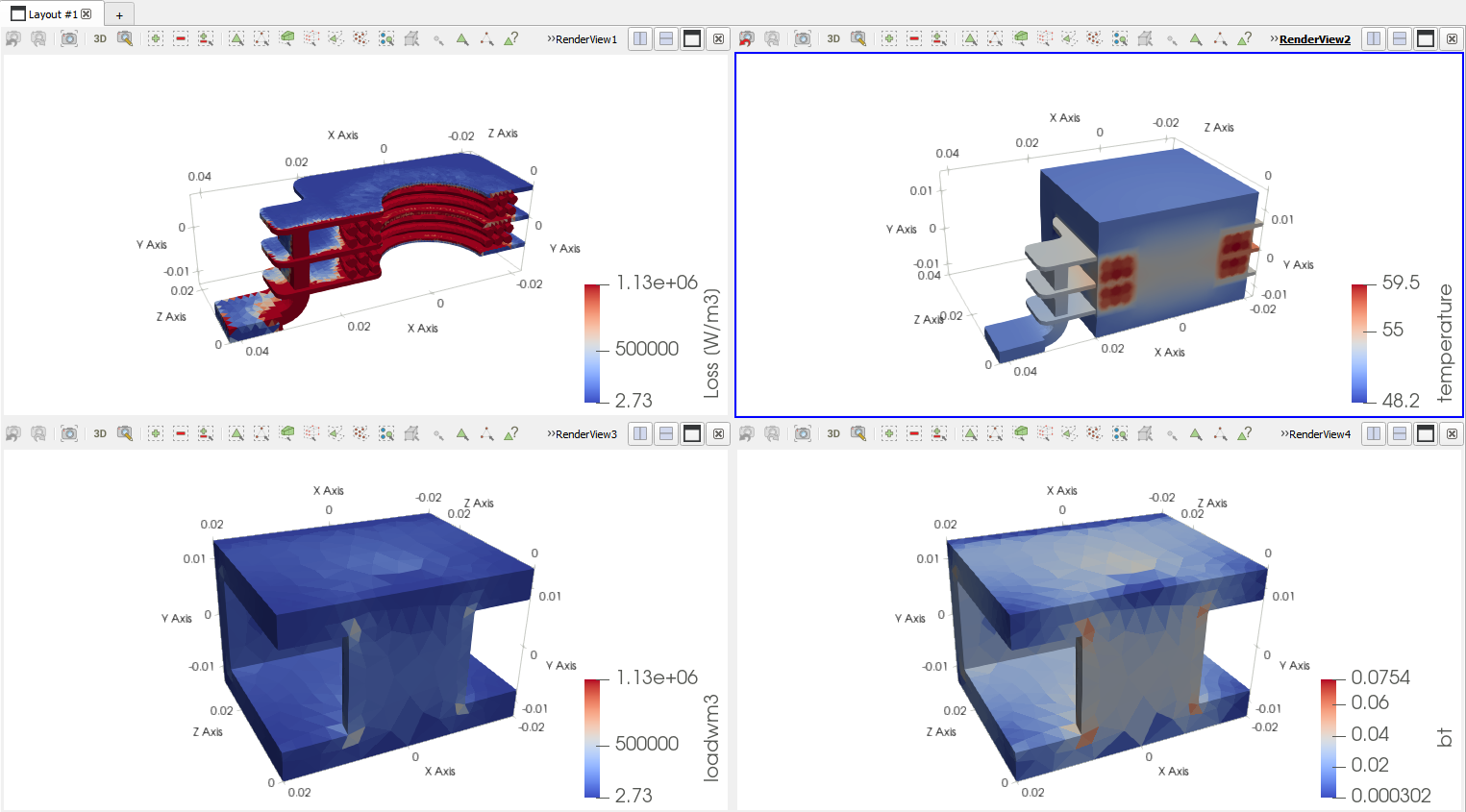
Open in ParaView (5) opens the field results of the last run in ParaView, in TRAFOLO's layout of four views. With ParaView you select parts, cut, integrate fields and draw field lines; the filters are described on ParaView (post-processing).
Related
- Solve: extra fields for ParaView (Magnetic Field Strength, Maxwell Stress, Flux Linkage)
- ParaView (post-processing)s